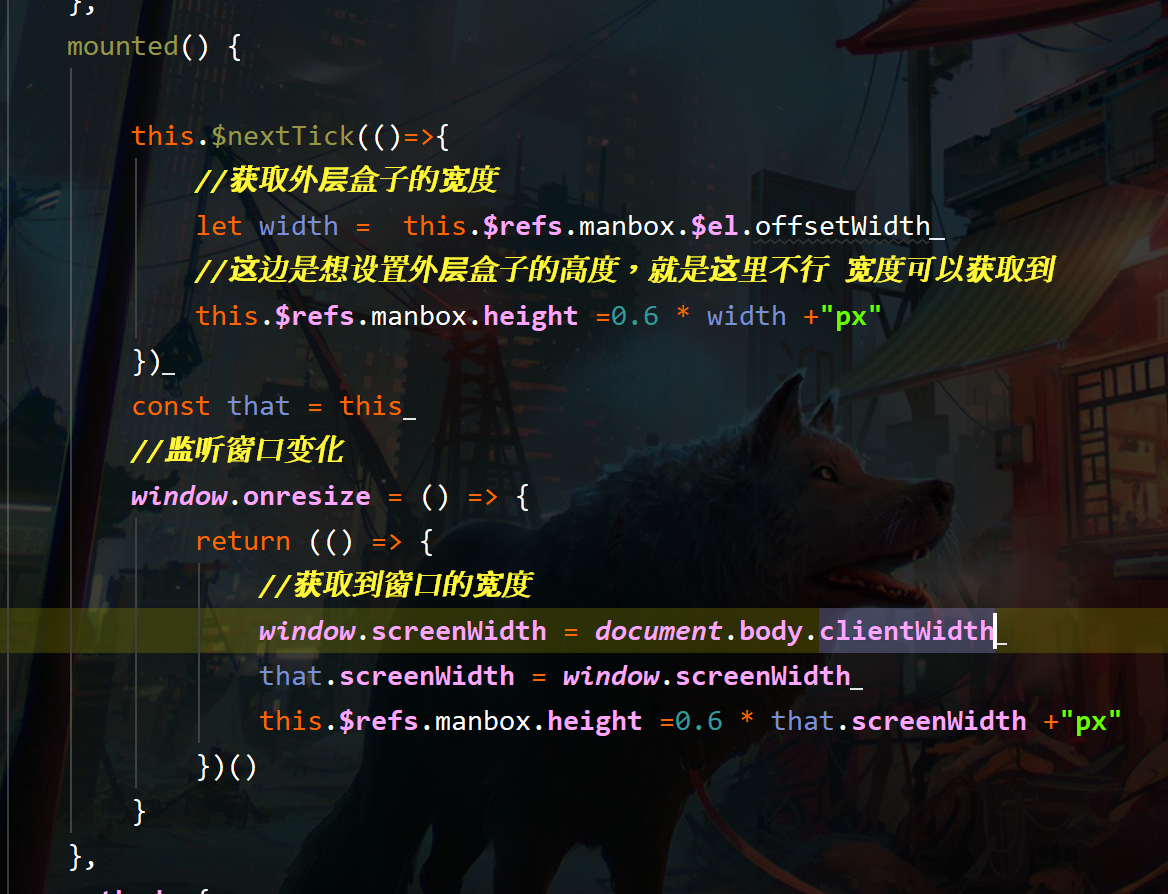
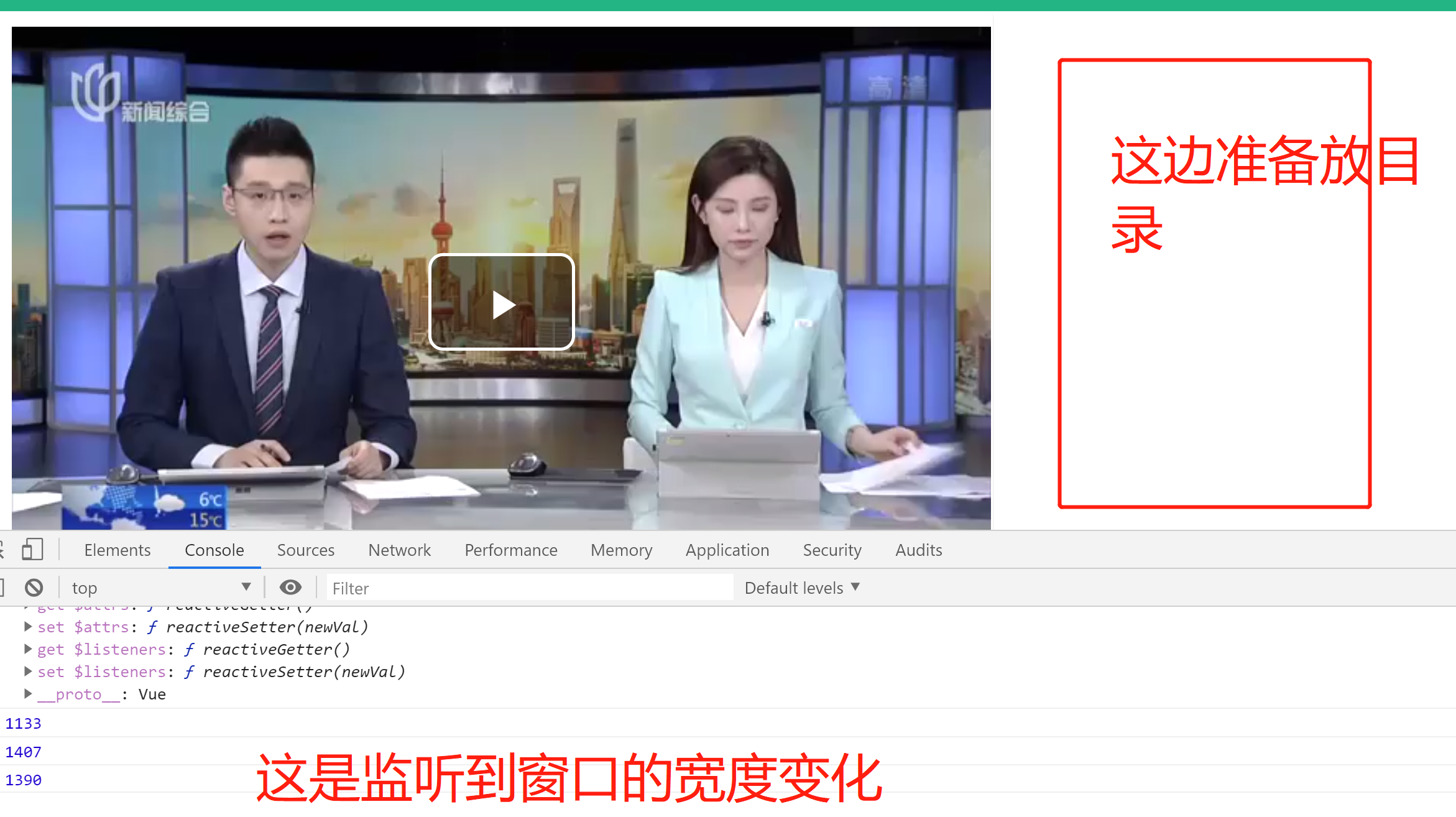

vuecli 如何让一个元素自适应 现已经监听到窗口的宽度 就差设置某个元素的高了 有哪个大佬帮我下呗 百度我搜不到了!还有就是video-player动态切换视频源怎么整?小白提问

- 写回答
- 好问题 0 提建议
- 关注问题
 分享
分享- 邀请回答
-

1条回答 默认 最新
 lshen01 2023-03-17 09:06关注
参考GPT和自己的思路:
关于Vue CLI如何让一个元素自适应宽度和高度,可以使用CSS的
width和height属性设置为百分比,如:width: 100%; height: 100%;,这样该元素就可以根据容器的大小自适应,但需要注意该元素的父元素也必须设置为自适应大小。至于你的代码中需要设置某个元素的高度,可以使用
Vue.js中的ref来获取该元素的DOM,然后通过修改DOM元素的样式来动态改变高度。示例代码如下:Template:
<template>
  <div ref="myElem">
    ...
  </div>
</template>
Script:
<script>
export default {
  name: 'MyComponent',
  mounted() {
    window.addEventListener('resize', this.handleResize);
    this.handleResize();
  },
  methods: {
    handleResize() {
      const elem = this.$refs.myElem;
      if (elem) {
        // 获取容器的宽度
        const width = elem.offsetWidth;
        // 设置高度为宽度的一半
        elem.style.height = `${width / 2}px`;
      }
    },
  },
};
</script>
关于
video-player动态切换视频源的问题,可以通过修改source标签的src属性来实现。示例代码如下:Template:
<template>
  <div>
    <video ref="videoPlayer" controls>
      <source :src="currentSource" type="video/mp4" />
    </video>
    <button @click="handleSwitchSource">Switch Source</button>
  </div>
</template>
Script:
<script>
export default {
  name: 'MyComponent',
  data() {
    return {
      sources: [
        'https://example.com/video1.mp4',
        'https://example.com/video2.mp4',
      ],
      currentSourceIndex: 0,
    };
  },
  computed: {
    currentSource() {
      return this.sources[this.currentSourceIndex];
    },
  },
  methods: {
    handleSwitchSource() {
      this.currentSourceIndex = (this.currentSourceIndex + 1) % this.sources.length;
      const videoElem = this.$refs.videoPlayer;
      if (videoElem) {
        videoElem.pause();
        videoElem.load();
        videoElem.play();
      }
    },
  },
};
</script>
以上是简单的解决方案,如果还有问题可以继续提问。
解决 无用评论 打赏举报 分享
- 2021-06-30 21:54学前端的第五个月的博客 我当时反复看了N遍后,感觉真是牛逼!!!然后花了点积分下载,如果把这位大佬的面试笔记研究透,感觉互联网大厂面试随便虐!
- 2019-09-06 07:11SHERlocked93的博客 面试的时候,面试官总是喜欢出一些看起来很刁难的问题:实现一个Vue双向绑定,写一个公平的洗牌算法,写一个css走马灯样式,获取某个字符串的全排列,写一个class的polyfill等等。 或者是深挖你的项目经历一步步追问...
- 2018-05-19 11:49何日成熟的博客 用法: 比如一个 Modal 使用了 v-if 绑定了父组件某个属性, 那么 ``immediate可以让Modal一被创建就能watch` 到外部传递给它的相关属性. 4. 直接使用函数的字面量名称为 handler methods: { methodName() { //... } ...
- 2021-04-28 11:28何日成熟的博客 发这个网址让同一公司网络下的 UI 验收 两个 iFrame 标签包裹 Vue 项目互相传值 参考文章: 浏览器同源政策及其规避方法 场景描述: 两个 </code> 里包着同一个 <code>Vue</code> 项目的两个页面,在一个页面点击了,...
- 2021-01-21 21:11笑道三千的博客 于是重新整理下,套用下个神棍点地说法,就是亲测有效~~哈哈。 二,使用postcss-pxtorem 的方法 0,无效原因 我的项目是使用vue-cli3创建的,网上很多方法说安装这个插件生成.postcss.js文件啊,或者在根目录新建...
- 2023-09-12 22:36讨喜 Nan的博客 执行函数定义: 创建函数对象, 如果指定了函数名, 同时会定义变量并指向这个函数对象执行函数: 执行函数内部的语句必须先执行函数定义, 再执行函数 ===> 注意: 函数定义有可能会提升到最上面执行判断一个任意类型对象...
- 2021-07-05 23:12@Demi的博客 多小伙伴为了面试会去看一些大厂的经典面试题,这里的“看”只是说加深一下以往的印象,也就是说你之前是用到过或者是学过,只是长时间用不到有点淡忘了。千万不要为了面试而死记硬背,这是程序员最大的悲哀,请记住...
- 2022-01-11 15:10一纸画眉的博客 前端面试 一、计算机网络 ...http: 是互联网上应用最为广泛的一种网络协议...客户端向服务器发送一个请求报文,服务器以一个状态行作为响应。 HTTP请求/响应的步骤 1.客户端连接到Web服务器 2.发送HTTP请求 3.服务器接受
- 2019-11-11 11:29isNealyang的博客 前言 本文主要给大家带来一些我面试的经历和经验,希望对正在求职的同学有所帮助。我先大致说下面试之前的个人情况:2017年7月正式入职海康威视数字技术股份有限公司,使用Vu...
- 2019-09-12 15:31Web全栈开发的博客 我先大致说下面试之前的个人情况:2017年7月正式入职海康威视数字技术股份有限公司,使用Vue.js技术栈。 我写的篇幅可能有点长,如果只想看成功的面试请直接从阿里企业智能事业部(一面)开始,大家见谅哈。 这里...
- 没有解决我的问题, 去提问
