동경 2020-02-28 20:36 采纳率: 0%
浏览 322

怎样在js 中获取php中 所有有关text 的id?

html:

    <div class="col-md-3 py-5">
     <button type="button" class="btn bg-light border rounded-circle" onclick="minus()">
      <i class="fas fa fa-minus" ></i>
      </button>
     <input type="text" id="<?php echo $pro_id?>" value="<?php echo $pro_quantity?>" class="form-control w-25 d-inline">
     <button type="button" class="btn bg-light border rounded-circle" onclick="plus()"> 
     <i class="fas fa fa-plus" ></i>
     </button>
    </div>

js:

<script>
    let count = 1;
    let countEl = document.getElementById("<?php echo $pro_id;?>");
    function plus(){
        count++;
        countEl.value = count;
    }
    function minus(){
        if (count > 1) count--;
        countEl.value = count;s
    }
</script>
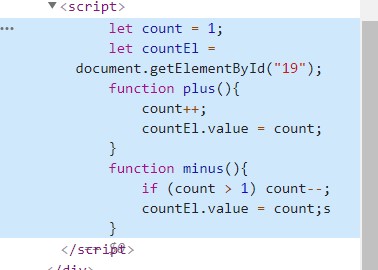
图片说明
我现在是增加button 和 减少button 然后中间 显示信息。
当我点击minus plus 时中间的text有变化,但是结果总是不理想。
我的问题是,怎样在js 中获取php中 所有有关text 的id?

  • 写回答

1条回答 默认 最新

  • 码农阿豪@新空间 优质创作者: Java、后端开发技术领域 2024-07-25 19:36
    关注
    让阿豪来帮你解答,本回答参考chatgpt3.5编写提供,如果还有疑问可以评论或留言
    在JavaScript中无法直接获取PHP中所有相关文本的ID。因为JavaScript是在客户端运行的脚本语言,而PHP是在服务器端执行的。因此,无法直接将PHP变量传递给JavaScript。 在此情况下,您可以将相应的PHP变量值作为参数传递给JavaScript函数。例如,您可以在onclick事件中传递相应的值。以下是修改后的HTML和JavaScript代码示例:
    <div class="col-md-3 py-5">
      <button type="button" class="btn bg-light border rounded-circle" onclick="plus(<?php echo $pro_id; ?>)">
        <i class="fas fa fa-plus"></i>
      </button>
      <input type="text" id="<?php echo $pro_id; ?>" value="<?php echo $pro_quantity; ?>" class="form-control w-25 d-inline">
      <button type="button" class="btn bg-light border rounded-circle" onclick="minus(<?php echo $pro_id; ?>)">
        <i class="fas fa fa-minus"></i>
      </button>
    </div>
    
    <script>
    function plus(id){
      let countEl = document.getElementById(id);
      let count = parseInt(countEl.value); // 将字符串转换为整数
      count++;
      countEl.value = count;
    }
    function minus(id){
      let countEl = document.getElementById(id);
      let count = parseInt(countEl.value);
      if (count > 1) {
        count--;
        countEl.value = count;
      }
    }
    </script>
    

    在这种情况下,您可以通过在调用plus和minus函数时传递相应的ID来获取PHP中相关文本的ID。通过使用getElementById函数获取相应的文本框元素,您可以更改文本框中的值。

    评论

报告相同问题?