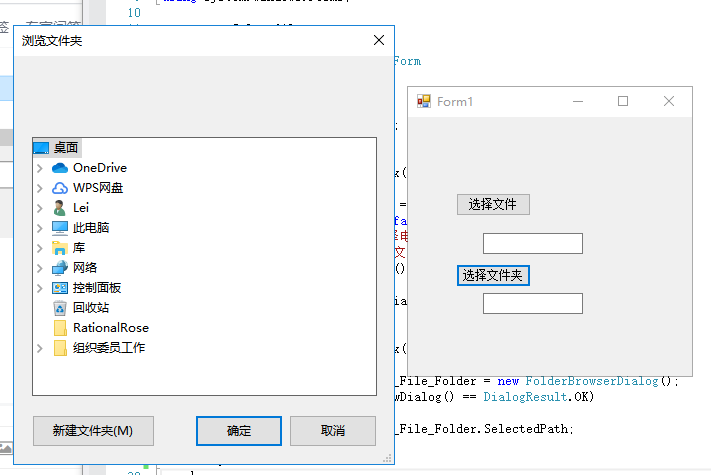
在winform中直接调用FolderBrowserDialog弹出的是这样的窗口:
但是在win10的一些应用中(如Defender),选择文件夹是这种高级的样式:
请问这要怎么实现呢?是要调用什么dll吗?

在winform中直接调用FolderBrowserDialog弹出的是这样的窗口:
但是在win10的一些应用中(如Defender),选择文件夹是这种高级的样式:
请问这要怎么实现呢?是要调用什么dll吗?
 分享
分享
using System;
using System.Collections.Generic;
using System.ComponentModel;
using System.Data;
using System.Drawing;
using System.Linq;
using System.Text;
using System.Threading.Tasks;
using System.Windows.Forms;
namespace Selectfile
{
public partial class Form1 : Form
{
public Form1()
{
InitializeComponent();
}
    private void button1_Click(object sender, EventArgs e)
    {
        OpenFileDialog dialog = new OpenFileDialog();
        dialog.Multiselect = false;//该值确定是否可以选择多个文件
        dialog.Title = "请选择电子文档excel";
        dialog.Filter = "所有文件(*.xlsx)|*.xlsx";
        if (dialog.ShowDialog() == System.Windows.Forms.DialogResult.OK)
        {
            textBox1.Text = dialog.FileName;
        }
    }
    private void button2_Click(object sender, EventArgs e)
    {
        FolderBrowserDialog P_File_Folder = new FolderBrowserDialog();
        if (P_File_Folder.ShowDialog() == DialogResult.OK)
        {
            textBox2.Text = P_File_Folder.SelectedPath;
        }
    }
}
}
分享


