
 分享
分享 Python 结果:
from imutils import contours
from skimage import measure
import numpy as np
import imutils
import cv2 as cv

# read local file
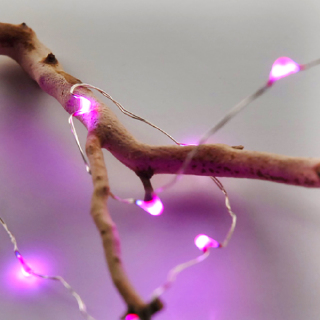
image = cv.imread('D:\OpenCV\image\led_light.png')

# convert to grayscale
gray = cv.cvtColor(image, cv.COLOR_BGR2GRAY)
blurred = cv.GaussianBlur(gray, (11, 11), 0)

# reveal the brightest regions
thresh = cv.threshold(blurred, 200, 255, cv.THRESH_BINARY)[1]

# remove small spots
# perform a series of erosions and dilations to remove
# any small blobs of noise from the thresholded image
thresh = cv.erode(thresh, None, iterations=2)
thresh = cv.dilate(thresh, None, iterations=4)

labels = measure.label(thresh)
mask = np.zeros(thresh.shape, dtype="uint8")

# loop over the unique components
for label in np.unique(labels):
	# if this is the background label, ignore it
	if label == 0:
		continue
	# otherwise, construct the label mask and count the
	# number of pixels
	labelMask = np.zeros(thresh.shape, dtype="uint8")
	labelMask[labels == label] = 255
	numPixels = cv.countNonZero(labelMask)

	# if the number of pixels in the component is sufficiently
	# large, then add it to our mask of "large blobs"
	if numPixels > 500:
		mask = cv.add(mask, labelMask)

# find the contours in the mask, then sort them from left to
# right
cnts = cv.findContours(mask.copy(), cv.RETR_EXTERNAL,
	cv.CHAIN_APPROX_SIMPLE)
cnts = imutils.grab_contours(cnts)
cnts = contours.sort_contours(cnts)[0]
# loop over the contours
for (i, c) in enumerate(cnts):
	# draw the bright spot on the image
	(x, y, w, h) = cv.boundingRect(c)
	((cX, cY), radius) = cv.minEnclosingCircle(c)
	cv.circle(image, (int(cX), int(cY)), int(radius),
		(0, 0, 255), 3)
	cv.putText(image, "#{}".format(i + 1), (x, y - 15),
		cv.FONT_HERSHEY_SIMPLEX, 0.45, (0, 0, 255), 2)

# show the output image
#cv.imshow('LED Light', thresh)
cv.imshow('spot', image)
cv.waitKey(0)
分享


