King_尛唸 2017-08-21 01:10 采纳率: 100%
浏览 2557
已采纳

表单 选择其他后要求必填文本

如下:
选择标签select中有一个option为“其他”,现想实现如果选择为“其他”选项的时候,显示一个“input type="text" ”的输入框,然后对这个输入框做失去焦点验证是否有值的功能。请各位大大帮忙下(JS不佳,最好详细点)
部分代码片段如下
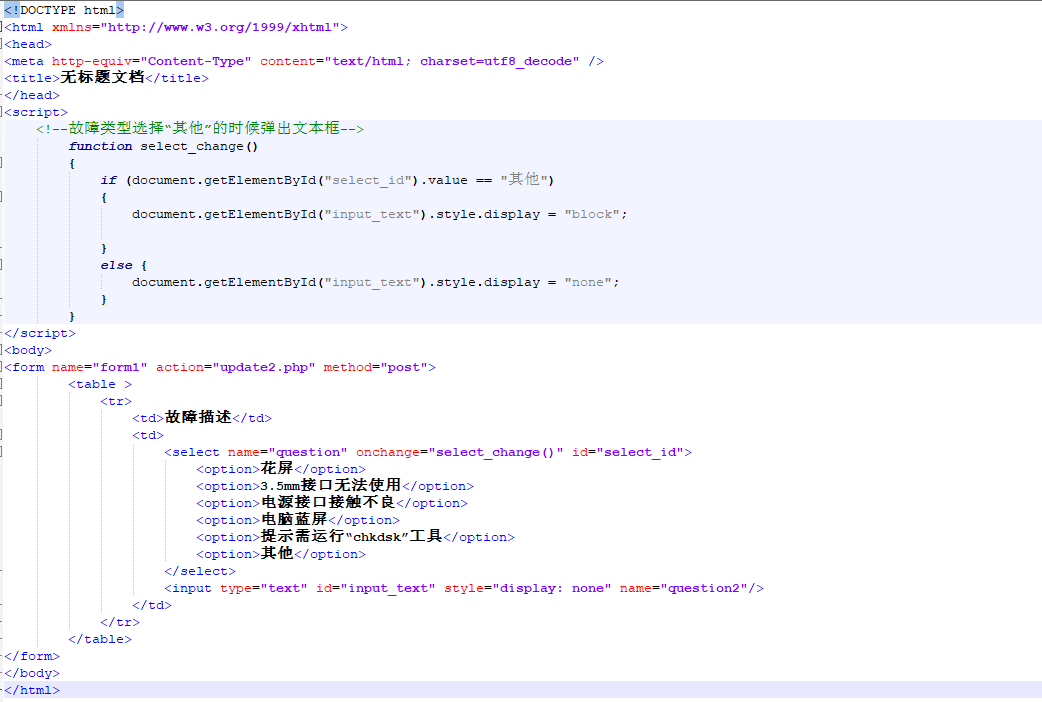
图片说明

 <!DOCTYPE html> 
<html xmlns="http://www.w3.org/1999/xhtml"> 
<head> 
<meta http-equiv="Content-Type" content="text/html; charset=utf8_decode" /> 
<title>无标题文档</title> 
</head> 
<script>
    <!--故障类型选择“其他”的时候弹出文本框-->
        function select_change() 
        {
            if (document.getElementById("select_id").value == "其他") 
            {
                document.getElementById("input_text").style.display = "block";

            } 
            else {
                document.getElementById("input_text").style.display = "none";
            }
        }
        function show() {
            var input_text = document.getElementById("input_text").value;
            if (input_text.length > 0) {
                document.getElementById("input_text").style.display = "none";
            } else {
                document.getElementById("input_text").style.display = "block";
            }
        }
</script> 
<body> 
<form name="form1" action="update2.php" method="post">
        <table >    
            <tr>
                <td>故障描述</td>
                <td>
                    <select name="question" onchange="select_change()" id="select_id"> 
                        <option>花屏</option>
                        <option>3.5mm接口无法使用</option>
                        <option>电源接口接触不良</option>
                        <option>电脑蓝屏</option>
                        <option>提示需运行“chkdsk”工具</option>
                        <option>其他</option>
                    </select>
                    <input type="text" id="input_text" style="display: none" name="question2" onblur="show()"/>
                    <strong id="input_text" style="color: red;display: none;">您输入的信息为空!</strong>
                </td>
            </tr>
        </table>
</form> 
</body> 
</html> 
  • 写回答

5条回答

  • 鼠晓 领域专家: 后端开发技术领域 2017-08-21 03:13
    关注

    改好了,,,,哎你的输入框和输入出错提示id叫的一样,,,这是有问题的。,,我改了,,你看看

     <!DOCTYPE html>
    <html xmlns="http://www.w3.org/1999/xhtml">
    <head>
        <meta http-equiv="Content-Type" content="text/html; charset=utf8"/>
        <title>无标题文档</title>
    </head>
    <script>
        <!--故障类型选择“其他”的时候弹出文本框-->
        function select_change() {
            if (document.getElementById("select_id").value == "其他") {
                document.getElementById("input_text").style.display = "block";
            }
            else {
                document.getElementById("input_text").style.display = "none";
            }
        }
        function show() {
            var input_text = document.getElementById("input_text").value;
            if (input_text.length > 0) {
                document.getElementById("input_hint").style.display = "none";
            } else {
                document.getElementById("input_hint").style.display = "block";
            }
        }
    </script>
    <body>
    <form name="form1" action="update2.php" method="post">
        <table>
            <tr>
                <td>故障描述</td>
                <td>
                    <select name="question" onchange="select_change()" id="select_id">
                        <option>花屏</option>
                        <option>3.5mm接口无法使用</option>
                        <option>电源接口接触不良</option>
                        <option>电脑蓝屏</option>
                        <option>提示需运行“chkdsk”工具</option>
                        <option>其他</option>
                    </select>
                </td>
                <td><input type="text" id="input_text" style="display: none" name="question2" onblur="show()"/>
                </td>
                <td><strong id="input_hint" style="color: red;display: none;">您输入的信息为空!</strong></td>
            </tr>
        </table>
    </form>
    </body>
    </html>
    
    本回答被题主选为最佳回答 , 对您是否有帮助呢?
    评论
查看更多回答(4条)

报告相同问题?