DragonFreedom 2018-02-27 06:41 采纳率: 0%
浏览 3658
已结题

通过localhost访问nginx首页,一直等待

我在跟着视频做淘淘商城,在集成fastDFS和nginx的虚拟机上,安装的nginx一直没法用,用localhost访问时一直处于等待的状态,各种办法都试,没有成功,无奈,在此提问,望热心朋友指点一二

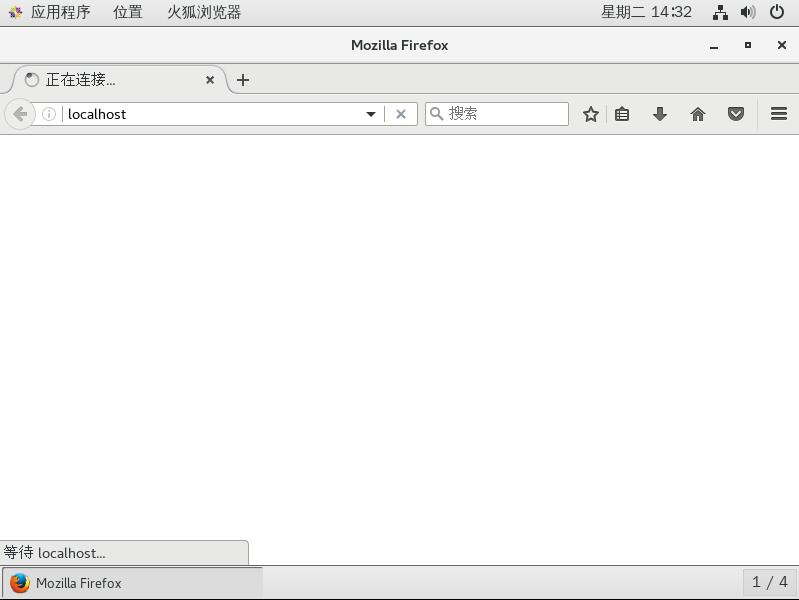
虚拟机是centos7,用firefox,一直处于一下状态
图片说明

这是我安装完查看nginx启动状态的信息,好像和网上教程显示的不一样,我的只有两行,正常的有三行,有没有可能是我的nginx安装有问题

 [root@localhost sbin]# ps -ef|grep nginx
root       3102      1  0 13:17 ?        00:00:00 nginx: master process ./nginx
root       4249   4119  0 14:35 pts/1    00:00:00 grep --color=auto nginx

我的nginx.conf还没有修改去添加fdfs,样子如下(我只列出server部分,其他应该不重要吧)

 server {
        listen       80;
        server_name  localhost;

        #charset koi8-r;

        #access_log  logs/host.access.log  main;

        location / {
            root   html;
            index  index.html index.htm;
        }

防火墙、iptables、换端口都试过了,现在已无力回天,只求大佬赐教!

  • 写回答

8条回答 默认 最新

  • 夏侯青城 2018-02-27 06:43
    关注

    server {
    listen 80;
    server_name localhost;
    access_log /alidata/log/nginx/localhost.log combined;
    error_log /alidata/log/nginx/localhost.log info;
    root /alidata/www/htdocs;
    index index.html index.htm index.php;

    location / {
    index index.html index.htm index.php;
    if (!-e $request_filename) {
    rewrite ^(.*)$ /index.php?s=$1 last;
    break;
    }
    }
    location ~ .+.php(/|$) {
    fastcgi_pass unix:/dev/shm/php-cgi.sock;
    fastcgi_index index.php;
    fastcgi_split_path_info ^((?U).+.php)(/?.+)$;
    fastcgi_param SCRIPT_FILENAME $document_root$fastcgi_script_name;
    fastcgi_param PATH_INFO $fastcgi_path_info;
    fastcgi_param PATH_TRANSLATED $document_root$fastcgi_path_info;
    include fastcgi_params;
    }

    location ~ .*\.(gif|jpg|jpeg|png|bmp|swf|flv|mp4|ico)$ {
      expires 30d;
      access_log off;
    }
    location ~ .*\.(js|css)?$ {
      expires 7d;
      access_log off;
    }
    

    }


    评论

报告相同问题?