我想一次操作多行,然后粘贴不同的内容,但是一粘贴就会让复制的不同内容在每一行的展示,怎么操作才能达到我想要的效果?
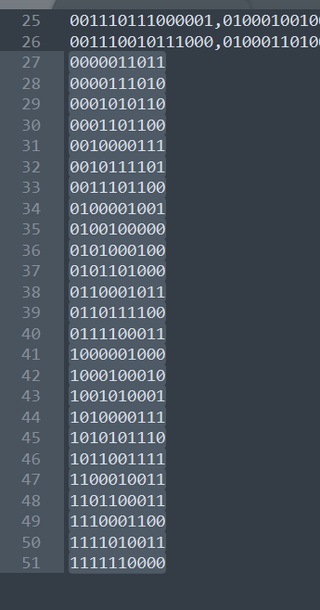
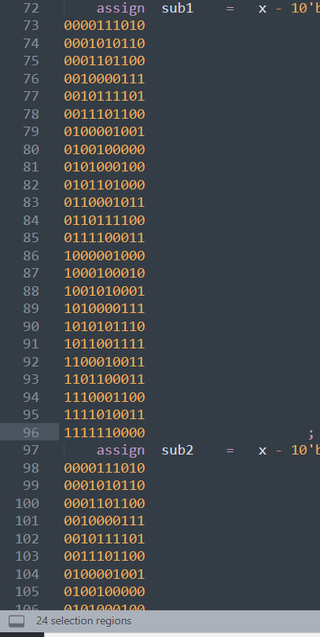
比如就是直接替换73到96的行,而不是每一行都来一遍

我想一次操作多行,然后粘贴不同的内容,但是一粘贴就会让复制的不同内容在每一行的展示,怎么操作才能达到我想要的效果?
比如就是直接替换73到96的行,而不是每一行都来一遍
 分享
分享
 关注
关注让阿豪来帮你解答,本回答参考chatgpt3.5编写提供,如果还有疑问可以评论或留言你可以使用文本编辑器中的多行编辑功能来实现一次性操作多行并粘贴不同内容的效果。以下是针对不同编辑器的操作方法:
Alt键(在Windows中)或Option键(在Mac中)并点击文本的起始位置和结束位置,来选中多行。73. Placeholder text
74. Placeholder text
75. Placeholder text
76. Placeholder text
77. Placeholder text
78. Placeholder text
79. Placeholder text
80. Placeholder text
81. Placeholder text
82. Placeholder text
83. Placeholder text
84. Placeholder text
85. Placeholder text
86. Placeholder text
87. Placeholder text
88. Placeholder text
89. Placeholder text
90. Placeholder text
91. Placeholder text
92. Placeholder text
93. Placeholder text
94. Placeholder text
95. Placeholder text
96. Placeholder text
粘贴的内容将会替换选中的多行,而不会每一行都进行粘贴一次。 希望以上解答能够帮助到你。如果有任何疑问,欢迎继续追问。
分享


