宇宙不守恒定律 2021-05-25 12:49 采纳率: 30%
浏览 177

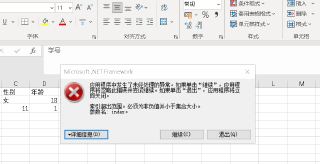
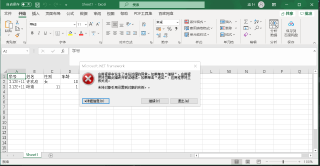
另存为Excel文件,调试结果为未将对象引用到设置对象的实例,该如何修改呀?

public bool DataGridviewToExcel(DataGridView dtgv, bool isShowExcel)
        {
            if (dtgv.Rows.Count == 0)
            {
                return false;
            }
            Microsoft.Office.Interop.Excel.Application excel = new Microsoft.Office.Interop.Excel.Application();
            excel.Application.Workbooks.Add(true);
            excel.Visible = isShowExcel;
            for (int i = 0; i < dtgv.ColumnCount; i++)
            {
                excel.Cells[1,i + 1] = dtgv.Columns[i].HeaderText;
            }
            for (int i = 0; i < dtgv.ColumnCount - 1; i++)
            {
                for (int j = 0; j < dtgv.ColumnCount; j++)
                {
                    excel.Cells[i + 2, j + 1] = dtgv[j, i].Value.ToString();
                }
            }
            return true;

        }

private void 另存为ToolStripMenuItem2_Click(object sender, EventArgs e)
        {
            DataGridviewToExcel(dataGridView1, true);
        }
 

  • 写回答

4条回答 默认 最新

  • 宇宙不守恒定律 2021-05-25 12:58
    关注

    不行,又出现了这个错误

    public bool DataGridviewToExcel(DataGridView dtgv, bool isShowExcel)
            {
                if (dtgv.Rows.Count == 0)
                {
                    return false;
                }
                Microsoft.Office.Interop.Excel.Application excel = new Microsoft.Office.Interop.Excel.Application();
                excel.Application.Workbooks.Add(true);
                excel.Visible = isShowExcel;
                for (int i = 0; i < dtgv.ColumnCount; i++)
                {
                    excel.Cells[1,i + 1] = dtgv.Columns[i].HeaderText;
                }
                for (int i = 0; i < dtgv.ColumnCount - 1; i++)
                {
                    for (int j = 0; j < dtgv.ColumnCount; j++)
                    {
                        excel.Cells[i + 2, j + 1] = dtgv[j, i].Value;
                    }
                }
                return true;

            }

    评论

报告相同问题?