
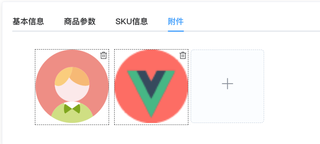
文件上传完后可以拖拽移动,传值的时候需要在this.productForm.productPicList的数组里面添加number这个字段,代表当前图片的位置,第一位就是0,以此类推,但是拖拽后这个numer的值也应该随着变动,这个应该怎么处理,感谢各位

 <div class="itemContent">
                  <draggable
                    v-model="productForm.productPicList"
                    tag="ul"
                    v-bind="dragOptions"
                    @start="productForm.drag = true"
                    @end="productForm.drag = false"
                  >
                    <div
                      v-for="(item, index) in productForm.productPicList"
                      :key="index"
                      v-loading="productForm.loadingapp"
                      class="listitem"
                      @mouseenter="showDelBtn(index)"
                      @mouseleave="hiddenDelBtn"
                    >
                      <img
                        v-if="item"
                        :src="item.attachment"
                        width="148"
                        height="148"
                        class="imgSty"
                      />
                      <i

                        class="el-icon-delete delIcon"
                        @click="deleImg(item, index)"
                      />
                    </div>
                  </draggable>
                  <div class="uploadIcon">
                    <el-upload
                      :show-file-list="false"
                      action=""
                      list-type="picture-card"
                      :on-success="handlePictureSuccess"
                      :on-change="onBeforeUpload"
                      :auto-upload="false"
                    >
                      <i class="el-icon-plus" />
                    </el-upload>
                  </div>
                </div>

      onBeforeUpload(file) {
      console.log(file, 'file-----------');
      let reader = new FileReader()
      reader.onload = e => {
        this.num++;
        let base64 = e.target.result //从本地读取的图片的base64格式,将它上传给服务器即可
        this.productForm.productPicList.push({ attachment: base64,id: '', file });
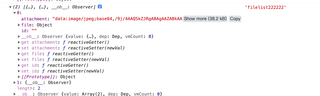
        console.log(this.productForm.productPicList, 'filelist222222')
        this.copyFileList = JSON.parse(
          JSON.stringify(this.fileList).replace(/attachment/g, 'url')
        )
      }
      // console.log( this.formIdentify.ohtherCredentials )
      reader.readAsDataURL(file.raw)
      return false
    },


