
最新进展:
以下时调出来的日志 谁能看懂 并能解决的麻烦回复。问题应该是出在这了。每次卡住的时候 日志都有这些。
2021-11-23T22:42:40.468 daemon staicoin.daemon.server : INFO Websocket exception. Closing websocket with staicoin_harvester code = 1006 (connection closed abnormally [internal]), no reason Traceback (most recent call last):
File "asyncio\windows_events.py", line 457, in finish_recv
OSError: [WinError 64] 指定的网络名不再可用。
During handling of the above exception, another exception occurred:
Traceback (most recent call last):
File "websockets\protocol.py", line 827, in transfer_data
File "websockets\protocol.py", line 895, in read_message
File "websockets\protocol.py", line 971, in read_data_frame
File "websockets\protocol.py", line 1047, in read_frame
File "websockets\framing.py", line 105, in read
File "asyncio\streams.py", line 723, in readexactly
File "asyncio\streams.py", line 517, in _wait_for_data
File "asyncio\proactor_events.py", line 280, in _loop_reading
File "asyncio\windows_events.py", line 812, in _poll
File "asyncio\windows_events.py", line 461, in finish_recv
ConnectionResetError: [WinError 64] 指定的网络名不再可用。
The above exception was the direct cause of the following exception:
Traceback (most recent call last):
File "staicoin\daemon\server.py", line 172, in safe_handle
File "websockets\protocol.py", line 439, in aiter
File "websockets\protocol.py", line 509, in recv
File "websockets\protocol.py", line 803, in ensure_open
websockets.exceptions.ConnectionClosedError: code = 1006 (connection closed abnormally [internal]), no reason
问题遇到的现象和发生背景 :
主机是WIN10专业版 一共有7台配置一样的主机,其中3台经常出现卡死的现象,其中1台关闭CMD,从新打开即可恢复正常,另外2台
CMD关闭不了,任务管理器结束任务也无反应,只能重启主机后,从新打开CMD继续运行。周期大概1-2天就出现一次,频繁时一天出现2次,本人技术仅限装机,简单调试。遇到这个问题头很大。
问题相关代码,请勿粘贴截图
现在凌晨2:30分 发现卡在22点45分以下是截图
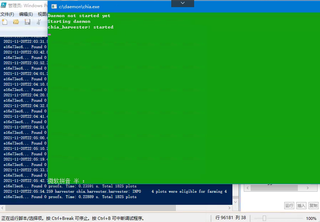
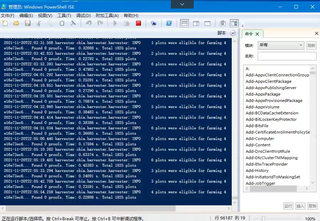
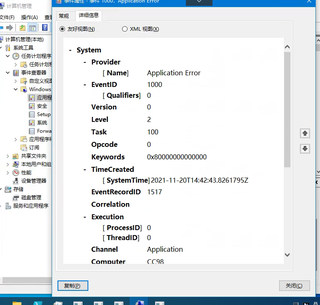
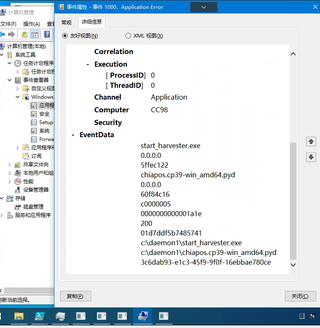
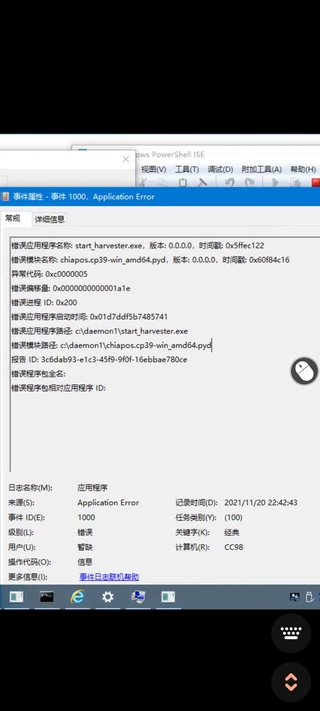
百度搜索过让看任务日志,以下是任务日志,看着好像确实有个红叉 时间也温和,看不懂 附带下图
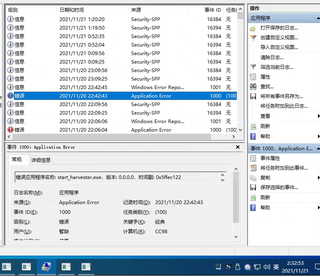
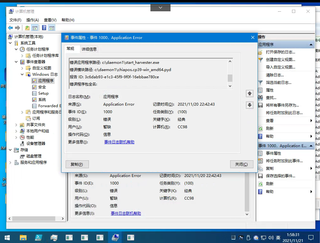
**我的解答思路和尝试过的方法 **
重装过系统,考虑过内存问题换过也加过。虚拟内存也调过,还有CMD 一个快速编辑模式也关闭过。都没有效果。
求各位大大给与帮助解决。感激不尽。


