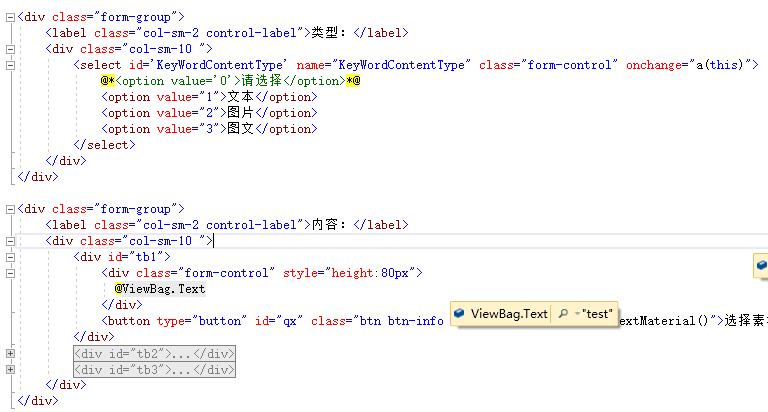
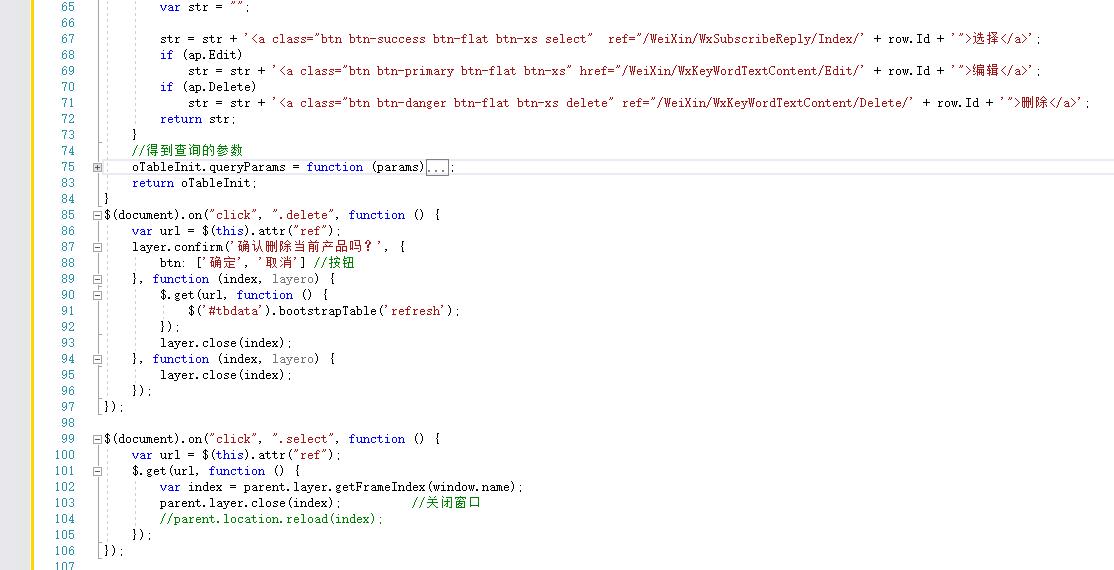
以下回答参考 皆我百晓生、券券喵儿 等免费微信小程序相关内容作答,并由本人整理回复。
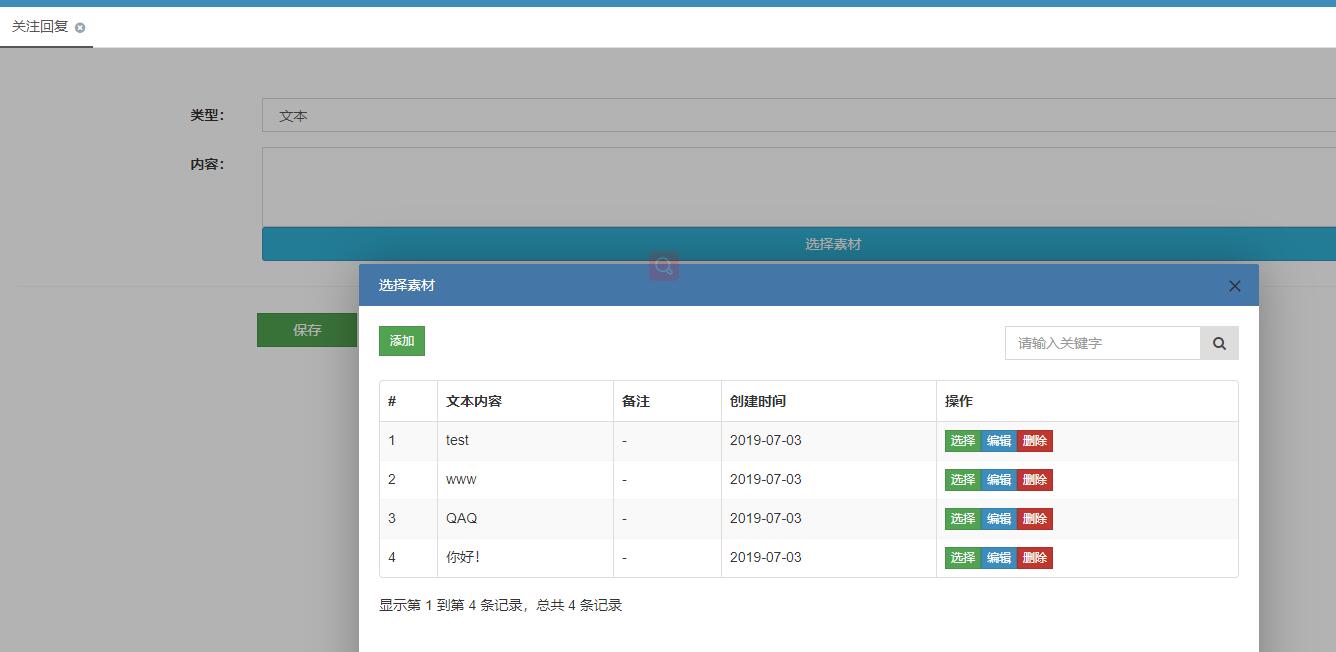
要实现ASP.NET中点击素材选择后,返回到A页面并显示选择的内容,你可以按照以下步骤进行:
- 创建一个新的Web应用程序或使用现有的项目。
- 在
Views/A目录下新建一个名为Index.cshtml的文件,并设置基本的HTML结构。
代码示例:
<!DOCTYPE html>
<html lang="en">
<head>
    <meta charset="UTF-8">
    <title>A Page</title>
    <!-- 引入必要的CSS和JavaScript库 -->
    <link rel="stylesheet" href="https://stackpath.bootstrapcdn.com/bootstrap/4.5.2/css/bootstrap.min.css" integrity="<KEY>" crossorigin="anonymous">
    <script src="https://code.jquery.com/jquery-3.5.1.slim.min.js" integrity="<KEY>" crossorigin="anonymous"></script>
    <script src="https://cdn.jsdelivr.net/npm/@popperjs/core@2.9.2/dist/umd/popper.min.js" integrity="<KEY>" crossorigin="anonymous"></script>
    <script src="https://stackpath.bootstrapcdn.com/bootstrap/4.5.2/js/bootstrap.min.js" integrity="<KEY>" crossorigin="anonymous"></script>
    <!-- 添加你的自定义样式和JS脚本 -->
</head>
<body>
    <h1>欢迎来到A页面</h1>
    <p>这里是展示选择后的素材信息的部分。</p>

    <div class="row">
        <div class="col-md-6">
            <input type="text" id="keywordInput" placeholder="输入关键词">
        </div>
        <div class="col-md-6 text-right">
            <button type="button" onclick="searchKeywords()" class="btn btn-primary">搜索关键词</button>
        </div>
    </div>

    <div id="resultDiv"></div>

    <script>
        // 模拟数据处理逻辑
        const keywords = [
            {id: 1, content: "关注回复。"},
            {id: 2, content: "类型:"},
            {id: 3, content: "文本"},
            {id: 4, content: "内容:"}
        ];

        async function searchKeywords() {
            const keywordInputValue = document.getElementById('keywordInput').value;
            if (!keywordInputValue.trim()) {
                alert('请输入关键词');
                return;
            }

            let filteredData = keywords.filter(keyword => keyword.content.includes(keywordInputValue));
            showResult(filteredData);
        }

        function showResult(data) {
            const resultDiv = document.getElementById('resultDiv');

            data.forEach(keyword => {
                const row = document.createElement('tr');
                const idCell = document.createElement('td');
                const contentCell = document.createElement('td');
                const actionCells = document.createElement('td');

                idCell.textContent = `ID: ${keyword.id}`;
                contentCell.textContent = `${keyword.content}`;

                // 显示选择、编辑和删除功能
                const selectAction = document.createElement('button');
                selectAction.classList.add('btn', 'btn-secondary', 'btn-sm', 'select');
                selectAction.textContent = '选择';
                selectAction.setAttribute('ref', `/WeiXin/WxKeyWordTextContent/${keyword.id}`);

                const editAction = document.createElement('button');
                editAction.classList.add('btn', 'btn-primary', 'btn-sm');
                editAction.textContent = '编辑';
                editAction.setAttribute('href', `/WeiXin/WxKeyWordTextContent/Edit/${keyword.id}`);

                const deleteAction = document.createElement('button');
                deleteAction.classList.add('btn', 'btn-danger', 'btn-sm');
                deleteAction.textContent = '删除';
                deleteAction.setAttribute('ref', `/WeiXin/WxKeyWordTextContent/Delete/${keyword.id}`);

                actionCells.appendChild(selectAction);
                actionCells.appendChild(editAction);
                actionCells.appendChild(deleteAction);

                row.appendChild(idCell);
                row.appendChild(contentCell);
                row.appendChild(actionCells);

                resultDiv.appendChild(row);
            });
        }
    </script>
</body>
</html>
解释:
- HTML部分包含了输入框、按钮以及用于显示搜索结果的数据表。
- JavaScript部分实现了搜索关键词的功能,当用户输入关键词时,会从
keywords数组中过滤匹配的关键词,并显示它们的详细信息。 - 当用户点击“搜索”按钮时,调用
searchKeywords()函数来执行搜索过程。 - 数据表格通过JavaScript动态生成,根据搜索结果更新。
确保将上述代码保存为index.html文件,在合适的Web服务器上运行,并查看浏览器中的内容以验证是否按预期工作。如果在某些情况下看不到结果,请检查是否有误别字或其他语法错误。