weixin_45367495 2022-08-29 22:20 采纳率: 87%
浏览 69

js的onload方法,总是再html背景图片加载完成前就已经运行,该如何解决?

<!DOCTYPE html>

<head>
    <meta charset="UTF-8">
    <meta name="viewport" content="width=device-width, initial-scale=1.0">
    <link href="F:/TailwindStudy/dist/output.css" rel="stylesheet">
</head>

<body background="./UserLogin-background-init.jpg" class="bg-cover" id="UserLoginBody">
    <script src="F:TailwindStudy/src/UserLogin.js" type="text/javascript"></script>
</body>
window.onload = function () {
    alert("运行");
}
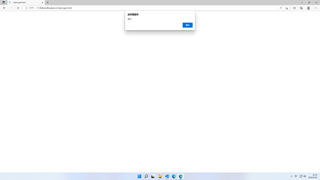
img


如上图,背景图片还没有加载,提示框就已经显示,该如何解决?

  • 写回答

7条回答 默认 最新

  • CSDN专家-sinJack 2022-08-29 22:26
    关注
    
    <!DOCTYPE html>
    <html lang="en">
    <head>
        <meta charset="UTF-8">
        <title>Document</title>
    </head>
    <body>
        <img id="img" src="http://xxxxxx.jpg" alt="">
        <script>
        // 方法一:图片已经下载完
     document.getElementById('img').onload = function(e){
             e.stopPropagation();
         } </script>
    </body>
    </html>


    评论 编辑记录

报告相同问题?

问题事件

  • 创建了问题 8月29日