
nginx+php-fpm搭建网站服务器端口映射不能访问
服务器环境: centos 7
php: 8.0.27

php-fpm 启动状态

index.php 文件路径: /var/www/html/matomo/
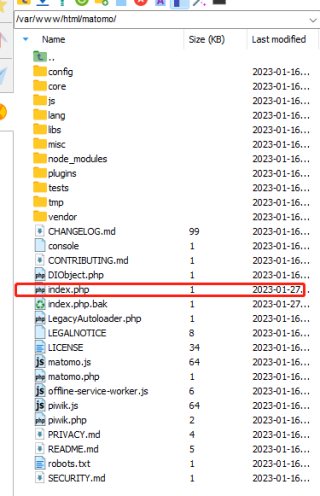
index.php 内容:
<?php phpinfo(); ?>
nginx 配置:
server {
     listen 9527 default_server;
     listen [::]:9527 default_server;
     root   /var/www/html/matomo; #你的站点目录,绝对路径即可
     index index.php index.html index.htm;
     server_name 52interview.com;      #网站地址
     location / {
            # First attempt to serve request as file, then
            # as directory, then fall back to displaying a 404.
            try_files $uri $uri/ =404;
    }
    location ~ \.PHP$ {
            include fastcgi.conf;
            fastcgi_pass   127.0.0.1:9000;
            fastcgi_index  index.PHP;
            fastcgi_split_path_info ^(.+\.PHP)(/.+)$;
            fastcgi_param PATH_INFO $fastcgi_path_info;
            fastcgi_param PATH_TRANSLATED $document_root$fastcgi_path_info;
            fastcgi_param SCRIPT_FILENAME $document_root$fastcgi_script_name;
    }
}
执行命令 netstat -nap|grep fpm

浏览器访问:
http://www.52interview.com:9527/index.php
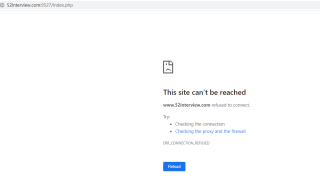
查看了nginx日志 没有访问到,也没有日志。
以上是参考网上资料做的配置
但是总是不成功。


