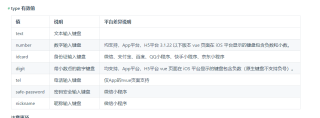
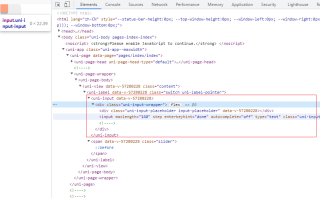
在UIverse上看到一个checkBox很好看 但是是H5写的,导入到uniapp中点击没有响应,原因就是H5的checkBox和uniapp的checkbox是不一样的。
<label class="switch">
  <input type="checkbox">
  <span class="slider"></span>
</label>
/* The switch - the box around the slider */
.switch {
 font-size: 1rem;
 position: relative;
 display: inline-block;
 width: 4em;
 height: 2em;
}

/* Hide default HTML checkbox */
.switch input {
 opacity: 0;
 width: 0;
 height: 0;
}

/* The slider */
.slider {
 position: absolute;
 cursor: pointer;
 inset: 0;
 background-color: #eee;
 transition: 0.4s;
 border-radius: 0.5em;
 box-shadow: 0 0.2em #dfd9d9;
}

.slider:before {
 position: absolute;
 content: "";
 height: 1.5em;
 width: 1.4em;
 border-radius: 0.3em;
 left: 0.3em;
 bottom: 0.7em;
 background-color: lightsalmon;
 transition: 0.4s;
 box-shadow: 0 0.4em #bcb4b4;
}

.slider:hover::before {
 box-shadow: 0 0.2em #bcb4b4;
 bottom: 0.5em;
}

input:checked+.slider:before {
 transform: translateX(2em);
 background: lightgreen;
}
就是这样一个switch按钮
如何才能在uniapp中使用?