如图,我的ups是APCBK650M2-CH型号。
https://item.jd.com/66104340481.html
试过各种参数都不行,比如这篇文章
https://zhuanlan.zhihu.com/p/359786775
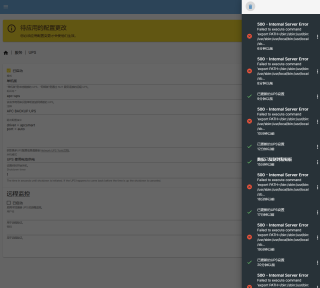

如图,我的ups是APCBK650M2-CH型号。
https://item.jd.com/66104340481.html
试过各种参数都不行,比如这篇文章
https://zhuanlan.zhihu.com/p/359786775
 分享
分享
要在Debian OpenMediaVault上配置UPS电源,可以按照以下步骤进行操作:
# 安装ups驱动程序
sudo apt-get install nut nut-snmp

# 编辑NUT配置文件
sudo nano /etc/nut/ups.conf
# 在文件末尾添加以下内容:
[ups]
driver=usbhid-ups
port=auto

# 编辑upsd配置文件
sudo nano /etc/nut/upsd.conf
# 在文件末尾添加以下内容
LISTEN 127.0.0.1 3493

# 编辑upsmon配置文件
sudo nano /etc/nut/upsmon.conf
# 修改以下内容
MONITOR ups@localhost 1 upsmon upsalarm master

# 重启NUT服务
sudo systemctl restart nut-server
最后配置OMV UPS插件,在OMV的Web界面中,进入Plugins,启用UPS插件,并设置以下内容:
Driver: usbhid-ups
Port: auto
UPS name: ups
Username: monuser
Password: 您想要设置的密码
Hosts to monitor: localhost
分享 系统已结题
3月2日
系统已结题
3月2日 已采纳回答
2月22日
修改了问题
2月22日
赞助了问题酬金15元
2月22日
已采纳回答
2月22日
修改了问题
2月22日
赞助了问题酬金15元
2月22日


