Six_Rabbit 2023-03-16 09:14 采纳率: 0%
浏览 146
已结题

vue-mapvgl图标在卫星图层不正常展示

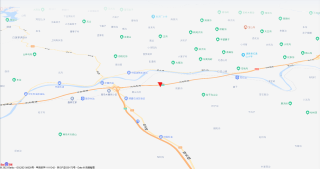
使用vue-mapvgl设置icon图标只在标准的地图类型上显示正常,当切换至卫星地图上时则会随着地图移动而移动
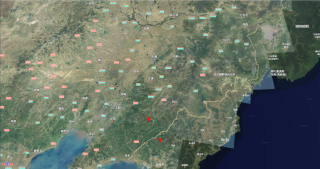
img

正常显示:

img

<template>
    <div class="app-container" style="padding: 0;">
        <div class="map-box">
            <el-bmap 
                ref="map" 
                vid="bmapDemo" 
                :min-zoom="14" 
                :max-zoom="20" 
                :tilt="tilt" 
                :heading="heading" 
                :bmap-manager="bmapManager" 
                :center="center" 
                :zoom="zoom"
                :events="events" class="bmap-demo">
                <el-bmapv-view>
                    <el-bmapv-icon-layer :icon="icon" :width="width" :height="height" :data="deviceDate" :enable-picked="true" :zoomThreshold="thresholdList"></el-bmapv-icon-layer>
                </el-bmapv-view>
            </el-bmap>
        
</template> <script> import { BMapManager } from 'vue-bmap-gl'; import VueBMap from 'vue-bmap-gl'; let bmapManager = new VueBMap.BMapManager(); export default({ name:"bigMap", components: {}, data(){ return{ center:[121, 37], loaded:false, bmapManager, zoom: 14, center: [124.4673031945, 41.985339349], tilt: 60, heading: 0, icon: '@/assets/images/map/gnss.png', width: 24, height: 24, map: null, thresholdList:[{ }], events: { init: (o) => { this.map = o; console.log(o.getCenter()); console.log(this.$refs.map.$$getInstance()); }, 'moveend': () => { }, 'zoomchange': () => { }, 'click': (e) => { alert('map clicked'); } }, deviceDate:[{ geometry: { type: 'Point', coordinates: [124.4673031885,41.9853393455], }, properties: { icon: '@/assets/images/map/gnss.png' } },{ geometry: { type: 'Point', coordinates: [124.4669295841,41.9859151068], }, properties: { icon: '@/assets/images/map/gnss.png' } }] } }, methods:{ } }) </script>
  • [ 求解决当标记在卫星图层时正常显示]
  • 写回答

5条回答 默认 最新

  • threenewbee 2023-03-16 09:17
    关注

    看看图层的上下关系,以及图层是否正确加载了。

    评论

报告相同问题?

问题事件

  • 已结题 (查看结题原因) 3月16日
  • 创建了问题 3月16日