wangEditor v5图片粘贴到输入框后 如何实现自己的逻辑 取消原有的样式?
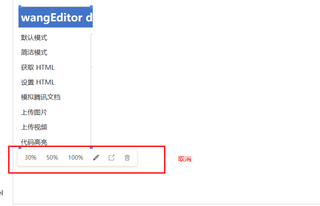

wangEditor v5图片粘贴到输入框后 如何实现自己的逻辑 取消原有的样式?
 分享
分享
const editor = new wangEditor('#editor')

editor.config.pasteFilterStyle = false // 取消粘贴时的样式
editor.config.pasteIgnoreImg = true // 忽略粘贴的图片

editor.config.customAlert = function (info) { // 自定义提示信息的方式
  console.log(info)
}

editor.config.pasteTextHandle = function (content) { // 粘贴事件
  const wrapper = document.createElement('div')
  wrapper.innerHTML = content

  const imgs = wrapper.querySelectorAll('img')
  for (let i = 0; i < imgs.length; i++) {
    const img = imgs[i]
    img.removeAttribute('style') // 取消样式
    img.removeAttribute('width') // 取消宽度
    img.removeAttribute('height') // 取消高度
  }

  const textContent = wrapper.textContent
  editor.cmd.do('insertHTML', textContent) // 插入文本
}

editor.create()
 创建了问题
7月4日
创建了问题
7月4日


