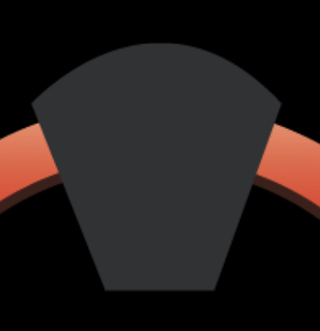
效果如图 :

代码如下 :
<!DOCTYPE html>
<html>
<head>
    <title>Canvas 倒梯形</title>
    <style>
        canvas {
            border: 1px solid #000;
        }
    </style>
</head>
<body>
    <canvas id="myCanvas" width="400" height="200"></canvas>

    <script>
        var canvas = document.getElementById('myCanvas');
        var context = canvas.getContext('2d');

        var topWidth = 200; // 上底宽度
        var bottomWidth = 100; // 下底宽度
        var height = 100; // 高度

        var topLeftX = (canvas.width - topWidth) / 2; // 左上角 X 坐标
        var topLeftY = (canvas.height - height) / 2; // 左上角 Y 坐标
        var topRightX = (canvas.width + topWidth) / 2; // 右上角 X 坐标
        var topRightY = (canvas.height - height) / 2; // 右上角 Y 坐标
        var bottomLeftX = (canvas.width - bottomWidth) / 2; // 左下角 X 坐标
        var bottomLeftY = (canvas.height + height) / 2; // 左下角 Y 坐标
        var bottomRightX = (canvas.width + bottomWidth) / 2; // 右下角 X 坐标
        var bottomRightY = (canvas.height + height) / 2; // 右下角 Y 坐标

        // 绘制倒梯形
        // context.beginPath();
        // context.moveTo(topLeftX, topLeftY);
        // context.lineTo(topRightX, topRightY);
        // // context.arcTo(topRightX, topRightY, bottomRightX, bottomRightY, 20); // 弧线半径为20
        // context.lineTo(bottomRightX, bottomRightY);
        // context.lineTo(bottomLeftX, bottomLeftY);
        // context.closePath();
          // 绘制倒梯形
          context.beginPath();
        context.moveTo(topLeftX, topLeftY);

        var controlX = (topLeftX + topRightX) / 2; // 控制点 X 坐标
        var controlY = topLeftY - 50; // 控制点 Y 坐标

        context.quadraticCurveTo(controlX, controlY, topRightX, topRightY);
        context.lineTo(bottomRightX, bottomRightY);
        context.lineTo(bottomLeftX, bottomLeftY);
        context.closePath();
        context.stroke();
    </script>
</body>
</html>