引自强大而免费的微信小程序:皆我百晓生。如有帮助,还望采纳。
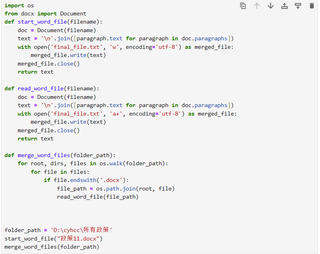
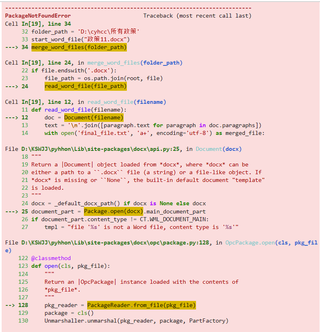
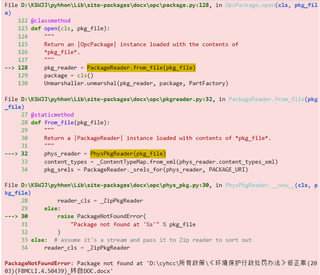
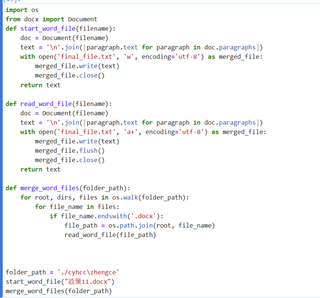
当使用python-docx库读取docx文件时,确保文件的路径是正确的,并注意文件名及扩展名的大小写。以下是一个示例代码,可以读取指定文件夹中的所有docx文件,并将内容写入同一个txt文件中:
import os
from docx import Document

def read_word_files(folder_path, output_file):
    with open(output_file, 'w', encoding='utf-8') as output:
        for filename in os.listdir(folder_path):
            if filename.endswith('.docx'):  # 只处理docx文件
                file_path = os.path.join(folder_path, filename)
                try:
                    document = Document(file_path)
                    output.write('\n')  # 将不同文件的内容用空行分隔
                    output.write(f"------{filename}------\n")
                    for paragraph in document.paragraphs:
                        output.write(paragraph.text)
                        output.write('\n')
                except Exception as e:
                    print(f"读取文件 {file_path} 出错: {str(e)}")

folder_path = 'path/to/folder'  # 更改为包含word文件的文件夹路径
output_file = 'path/to/output.txt'  # 输出文件路径及文件名

read_word_files(folder_path, output_file)
将代码中的'path/to/folder'和'path/to/output.txt'更改为你的实际文件夹路径和输出文件路径。运行代码后,它将读取文件夹中的所有docx文件,将内容写入output.txt文件中。如果遇到无法打开的docx文件,它将在控制台打印出错信息,并继续处理其他文件。整合后的内容在txt文件中是以文件名分隔的,每个段落占一行。