
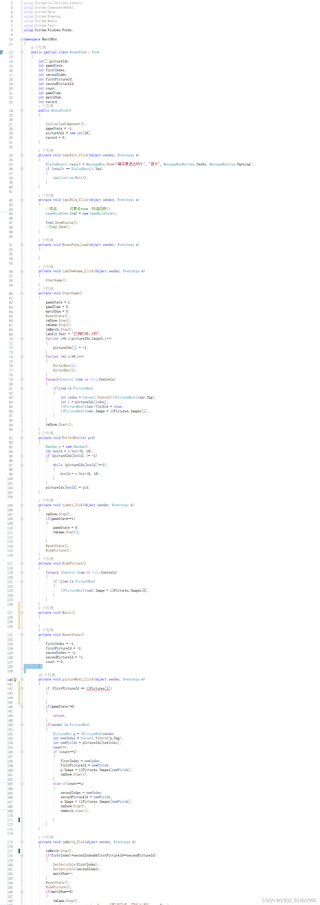
代码大部分都写好了,但是做的是一个图片配对的小游戏,但现在还差一个在点击不同图片后,产生不同的音效的效果,希望各位能帮帮忙

 分享
分享
 关注
关注由人工智能和答主提供,可以参考如下,如果回答的不正确,及时评论区回复,我追加回答,谢谢。
你可以使用以下代码来实现点击不同图片后产生不同的音效:
using System;
using System.Windows.Forms;

namespace ImageListGame
{
    public partial class MainForm : Form
    {
        private ImageList imageList1;
        private Button button1;
        private Button button2;
        private Button button3;
        private Button button4;

        public MainForm()
        {
            InitializeComponent();
            imageList1 = new ImageList();
            button1 = new Button();
            button2 = new Button();
            button3 = new Button();
            button4 = new Button();
            InitializeImageList();
            InitializeButtons();
        }

        private void InitializeImageList()
        {
            imageList1.Images.Add(Properties.Resources.image1);
            imageList1.Images.Add(Properties.Resources.image2);
            imageList1.Images.Add(Properties.Resources.image3);
            imageList1.Images.Add(Properties.Resources.image4);
            imageList1.Images.Add(Properties.Resources.image5);
            imageList1.Images.Add(Properties.Resources.image6);
            imageList1.Images.Add(Properties.Resources.image7);
            imageList1.Images.Add(Properties.Resources.image8);
            imageList1.Images.Add(Properties.Resources.image9);
            imageList1.Images.Add(Properties.Resources.image10);
        }

        private void InitializeButtons()
        {
            button1.ImageIndex = 0;
            button1.ImageList = imageList1;
            button1.Click += Button_Click;

            button2.ImageIndex = 1;
            button2.ImageList = imageList1;
            button2.Click += Button_Click;

            button3.ImageIndex = 2;
            button3.ImageList = imageList1;
            button3.Click += Button_Click;

            button4.ImageIndex = 3;
            button4.ImageList = imageList1;
            button4.Click += Button_Click;

            // Add more buttons if needed
        }

        private void Button_Click(object sender, EventArgs e)
        {
            Button clickedButton = (Button)sender;
            int imageIndex = clickedButton.ImageIndex;
            string soundFileName = "sound" + (imageIndex + 1) + ".wav"; // Assuming the sound files are named sound1.wav, sound2.wav, etc.
            PlaySound(soundFileName);
        }

        private void PlaySound(string soundFileName)
        {
            // Use the appropriate method to play the sound file based on your requirements
            // For example, you can use the NAudio library or any other library to play the sound file
        }
    }
}
这段代码首先初始化了一个ImageList控件,并将多个图片添加到其中。然后,它初始化了四个按钮,并将它们与相应的图片关联。当用户点击按钮时,它会触发Button_Click事件处理程序。在事件处理程序中,我们获取被点击按钮的索引,并根据索引播放相应的音效文件。你需要根据实际情况修改PlaySound方法,以便根据你的需求播放音效文件。
分享 已结题
(查看结题原因) 12月19日
创建了问题
12月17日
已结题
(查看结题原因) 12月19日
创建了问题
12月17日


