canvas + js + html + css 导航栏效果如何实现,点击导航栏的任何一个下边的动画效果也随着改变动画路径
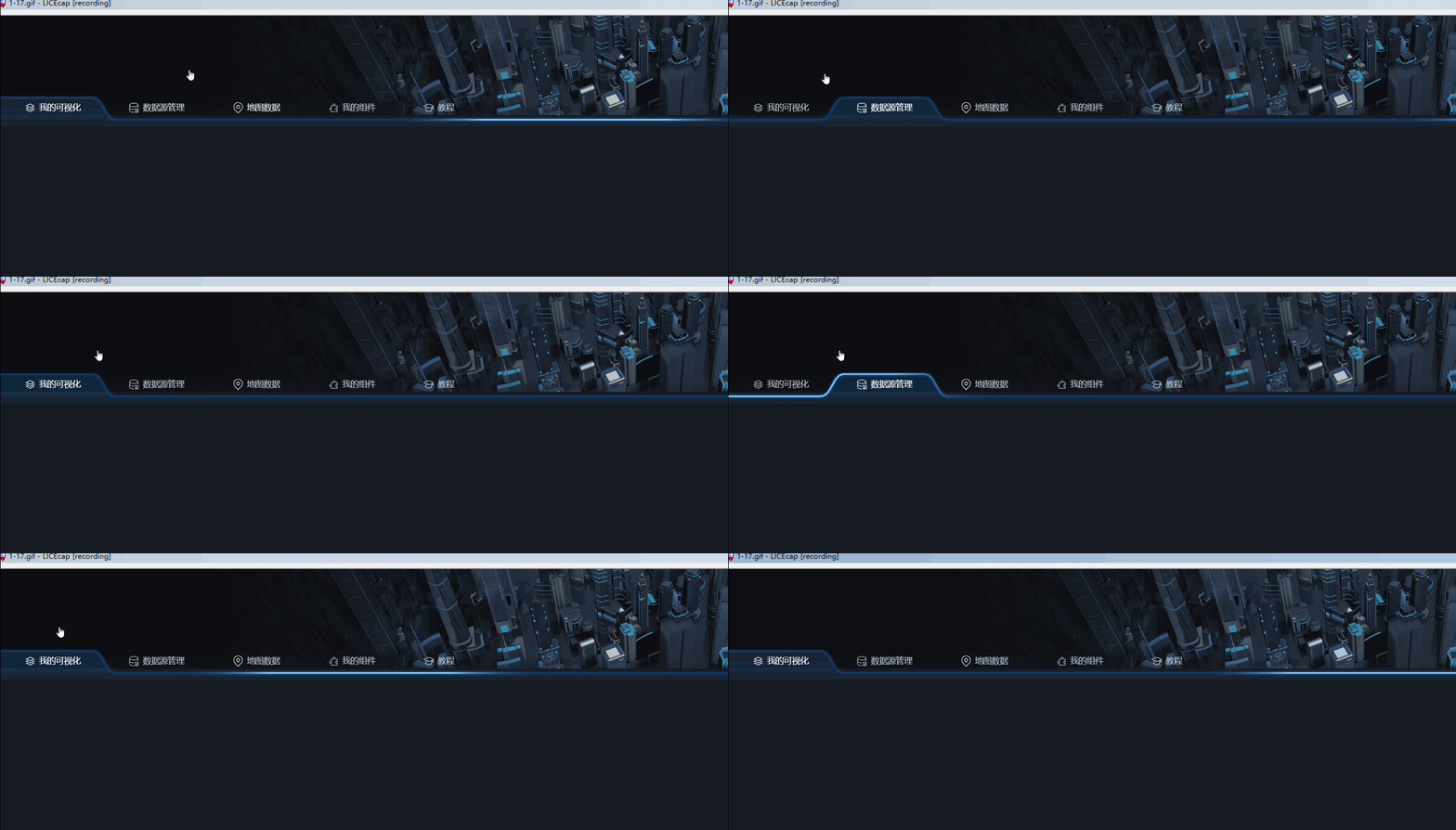

canvas + js + html + css 导航栏效果如何实现,点击导航栏的任何一个下边的动画效果也随着改变动画路径
 分享
分享
 关注
关注你可以使用HTML、CSS和JavaScript结合HTML5的Canvas元素来实现一个动态的导航栏动画效果。下面是一个简易的实现例子。
<!DOCTYPE html>
<html>
<head>
    <style>
        #navbar {
            display: flex;
            justify-content: space-evenly;
            width: 600px;
            margin: 0 auto;
            padding: 20px;
            list-style-type: none;
        }
        #canvas {
            position: absolute;
            top: 0;
            left: 0;
        }
    </style>
</head>
<body>
    <ul id="navbar">
        <li>Home</li>
        <li>About</li>
        <li>Contact</li>
    </ul>
    <canvas id="canvas"></canvas>

    <script>
        const navbar = document.getElementById('navbar');
        const canvas = document.getElementById('canvas');
        const ctx = canvas.getContext('2d');

        let animationId = null;

        function resizeCanvas() {
            canvas.width = window.innerWidth;
            canvas.height = window.innerHeight;
        }

        function animateTo(target) {
            cancelAnimationFrame(animationId);

            let current = navbar.querySelector('.current');

            if (current) {
                current.classList.remove('current');
            }

            target.classList.add('current');

            const { left, width } = target.getBoundingClientRect();

            ctx.clearRect(0, 0, canvas.width, canvas.height);
            ctx.beginPath();
            ctx.moveTo(left + width / 2, canvas.height / 2);
            ctx.lineTo(left + width / 2, canvas.height);
            ctx.stroke();

            animationId = requestAnimationFrame(() => animateTo(target));
        }

        navbar.querySelectorAll('li').forEach((li) => {
            li.addEventListener('click', function () {
                animateTo(this);
            });
        });

        window.addEventListener('resize', resizeCanvas, false);
        resizeCanvas();
    </script>
</body>
</html>
这个例子创建了一个带有三个项(Home、About、Contact)的导航栏,点击导航项时,会调用animateTo函数在Canvas下创建一个从导航项中心点向下的线,形成动画效果。
如果你需要更复杂的动画效果,比如改变路径、颜色、形状等,你可以根据需求修改animateTo函数中的绘制方法。
分享 创建了问题
1月17日
创建了问题
1月17日


