让阿豪来帮你解答,本回答参考chatgpt3.5编写提供,如果还有疑问可以评论或留言
问题描述:
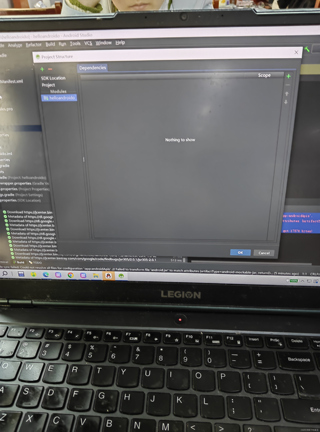
在创建项目时,遇到了错误提示:Could not resolve all files for configuration ':app:androidApis'。错误提示中还提到了一个具体的错误信息:Failed to transform file 'android.jar' to match attributes {artifactType='android-mockable-jar', returnDefaultValues=false} using transform MockableJarTransform,同时还出现了无法创建mockable android.jar的错误以及一个invalid entry compressed size的错误提示。
问题分析:
根据错误提示,这个问题似乎是与androidApis有关的。google搜索可以发现,这个错误在使用Android Studio 4.2以及Google API 30时并不罕见。目前已知的解决方案是升级到较新版本的Android Studio。不过还有其他可能的解决方法,例如更新Gradle、更改依赖项等。
解决方案:
操作步骤如下:
1.更新Gradle:打开项目的build.gradle文件,将classpath 'com.android.tools.build:gradle:4.2.1'中的版本号改为最新的版本号,例如:classpath 'com.android.tools.build:gradle:4.2.2'。保存文件后,点击Sync Now按钮,等待Gradle同步完成。
buildscript {
    repositories {
        google()
        mavenCentral()
    }
    dependencies {
        classpath "com.android.tools.build:gradle:4.2.2"
    }
}
2.更改依赖项:同样是在build.gradle文件中,找到dependencies区域,在androidTestImplementation和testImplementation中分别添加如下依赖项(已经有的则无需重复添加):
androidTestImplementation 'androidx.test:core:1.4.0'
testImplementation 'junit:junit:4.13.2'
3.重新启动Android Studio:完成以上操作之后,选中菜单栏的File -> Invalidate Caches / Restart...,弹出确认对话框后点击Invalidate and Restart按钮,等待Android Studio重启完成。 以上操作应该能够解决这个问题。如果还是无法解决,可以试试删除项目中的build文件夹并重新构建项目。如果还有其他问题,可以尝试重新安装Android Studio或重置Android Studio的设置。 参考文献: 1. https://stackoverflow.com/questions/61999139/failed-to-transform-file-android-jar-to-match-attributes-artifacttype-andr 2. https://stackoverflow.com/questions/67602266/unable-to-create-mockable-android-jar-invalid-entry-compressed-size-expected/ 3. https://stackoverflow.com/questions/67595171/android-studio-build-failed-invalid-entry-compressed-size