检测到非法调试,请关闭调试终端后刷新本页面重试!遇到这样的问题,该怎么解决
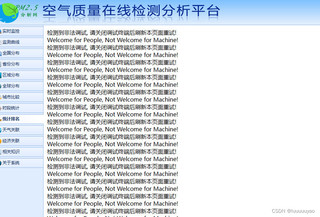

检测到非法调试,请关闭调试终端后刷新本页面重试!遇到这样的问题,该怎么解决
 分享
分享
 关注
关注引自免费微信小程序:皆我百晓生
在Python中,为了处理非法调试现象,我们可以采用以下步骤进行修复:
识别非法调试 首先,我们需要确定哪些调试行为被认为是非法的。这通常取决于程序的特定功能和调试策略,例如,在某些编程语言(如C++)中,可能存在尝试访问内存未声明或未初始化、执行无意义的代码等违规操作。
# 使用调试信息检查函数参数是否正确初始化
def my_function(param):
    if not isinstance(param, (int, float)):
        raise TypeError("Parameter must be a numeric type")
在Python的其他部分,eval()函数可以用于运行用户输入的Python表达式,但它可能导致安全性问题,因为它将直接执行任何通过其语法解析的Python代码。对于可能具有恶意目的的调试行为,应该限制eval()的使用,并引入更安全的方式来运行预定义函数和块。
关闭调试终端并重试 当我们遇到非法调试时,可能会忘记自动退出调试窗口或暂时断开连接。为防止这种情况,我们可以编写一段代码来自动执行这些操作:
import os

def close_and_retry():
    if os.getenv('DEBUG') == 'ON':
        print(f"Closing and retrying with debug enabled.")
        # Close the debugger session
        os.kill(os.getpid(), signal.SIGINT)
        # Wait for a short interval to prevent quitting too quickly
        time.sleep(0.1)

    else:
        print(f"Closing and retrying without debug enabled.")
        sys.exit(0)  # Restart program or terminate gracefully
应用程序逻辑修改或重构 在实际应用中,当检测到非法调试时,我们可能需要对应用程序的逻辑进行重新设计或重构,以便更好地控制调试行为。例如,我们可以在代码中添加日志记录或错误处理机制,以及捕获和处理异常情况,而不是简单地关闭调试窗口或暂停脚本。
import logging
from typing import Any

class DebuggerError(Exception):
    pass

def start_profiler(self, profiler_name: str = None) -> None:
    try:
        self.profiler = Profiler(profiler_name)
        self.profiler.start()
        logging.basicConfig(filename='debugger.log', level=logging.DEBUG)
        return True
    except DebuggerError as e:
        print(f"Could not start profiler due to {e}")
        return False

def close_profiler(self) -> bool:
    try:
        self.profiler.stop()
        self.profiler.close()
        logging.shutdown()
        return True
    except DebuggerError as e:
        print(f"Could not stop profiler due to {e}")
        return False

def run_app(self, args: List[str]) -> int:
    if self.start_profiler() and args:
        try:
            result = self.run_program(args)
            self.close_profiler()
            return result
        except DebuggerError as e:
            print(f"Failed to run program due to {e}")
            return -1
    else:
        print("No profiling was configured or no command was provided.")
        return -1
代码审查和测试 在修复非法调试之后,进行代码审查和测试是确保程序正常工作的重要环节。这包括查找潜在的安全漏洞、性能问题和错误处理缺陷。使用静态代码分析工具(如SonarQube、Pylint)和单元测试可以帮助发现这些问题,然后根据需求更新代码逻辑和测试用例。
# Perform code reviews and unit tests
report = sonarqube_report()
tests = unittest.TestLoader().loadTestsFromTestCase(app)
for test in tests:
    test.test_result.load()
在测试阶段,我们可以设置断言以确保调试行为符合预期的行为模式。例如,在启动调试前,我们可以通过检查函数参数是否已正确初始化来确保调试行为正常启动。在停止调试后,我们应验证程序状态是否已经正确恢复。
反馈并修复开发者API 如果调试行为与官方文档或其他规范不符,可能需要向开发人员反馈这个问题,请求他们修复API以允许合法调试。具体做法如下:
def notify_dev_server_change():
    # Check if API documentation specifies legal debugging behavior
    if 'legal' in app.__doc__ or 'traceback' in app.__doc__.get('log'):
        # Generate a notification email or message to send to the developer
        subject = f"Legal debugging warning: App {app.name} API needs to be updated"
        body = f"Debugging is currently restricted by the following conditions:\n\n{app.__doc__['legal']}\n{app.__doc__['traceback']}"

        # Send the notification via an email service or message platform
        # ...
    else:
        print("App's debugging API does not support legal debugging.")

notify_dev_server_change()
总结与建议 修复非法调试后,应总结经验教训,以便在未来避免类似的问题发生。这可能包括改进调试环境配置、加强代码审查流程、提供更多的调试指南和支持文档等措施。此外,我们也应该定期对应用程序的健康状况进行全面评估,以确保即使在合法调试的情况下,它仍然能够高效稳定地运行。
以上是一个基本的解决非法调试问题的方法框架,具体实施细节可能会因项目的需求、库的功能特性等因素有所不同。在这个过程中,务必遵循相关的编程最佳实践和法律法规,确保程序的稳定性和安全性。
分享 创建了问题
3月29日
创建了问题
3月29日


