
织心星笛 2024-04-03 15:08 采纳率: 42.9%
浏览 42
已结题

vscode无法编译C++的auto关键词的问题

首先给到报错代码:

ERROR: Unable to start debugging. Unexpected GDB output from command "-exec-run". During startup program exited with code 0xc0000139.

目前所搜集到,该问题可能与环境变量有关,但经调整后仍不能正常运行,且正常的简单程序可以正常运行,如下可以正常实现简单的乘法表的打印

#include <iostream>
using namespace std;
int main()
{
    for (int i = 1; i < 10; i++)
    {
        for(int j = 1; j <= i; j++)
        {
            cout << j << "*" << i << "=" << j*i << "\t";
        }
        cout << endl;
    }
    system("pause");
    return 0;
}
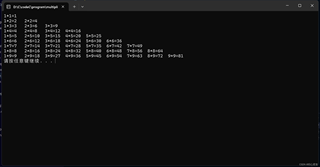
img

但是当我调用STL容器中的vector,并使用auto关键字时,却无法正常运行,代码如下:

#include<iostream>
#include <vector>
#include <algorithm>
using namespace std;

int main() {
    vector<int> arr;
    arr.push_back(1);
    arr.push_back(2);
    arr.push_back(3);
    arr.push_back(4);

    // arr.resize(3);
    for(auto ele : arr){
        cout << ele << endl;
    }
    system("pause");
    return 0;
}

该程序没有报错,但却无法运行,在调试控制台发现报错:

img


实在不知道是因为什么,感谢各位的帮助!

  • 写回答

2条回答 默认 最新

  • GISer Liu 2024-04-03 15:38
    关注

    该回答引用自GPT-3.5,由博主GISer Liu编写:

    根据你提供的描述,问题出在使用了auto关键字。在你的代码中,你使用了for(auto ele : arr)来遍历vector<int>容器arr中的元素,但是这段代码却无法正常工作。
    这是因为auto关键字在这里会被推导为int,而不是vector<int>::iterator。这种情况下,auto会被推导为int,因此你的ele实际上是int类型,而不是vector<int>::iterator类型,导致了无法正确遍历容器中的元素。
    为了解决这个问题,你可以使用以下两种方法之一:

    1. 显式指定ele的类型为vector<int>::iterator
      cppCopy code
      for (vector<int>::iterator ele = arr.begin(); ele != arr.end(); ++ele) {
      cout << *ele << endl;
      }
      
    2. 使用auto关键字,但是使用&来获取元素的引用:
      cppCopy code
      for (auto &ele : arr) {
      cout << ele << endl;
      }
      
      这两种方法都能够正确遍历vector<int>容器中的元素。

    如果该回答解决了您的问题,请采纳!如果没有,请私信联系或评论您的疑惑

    本回答被题主选为最佳回答 , 对您是否有帮助呢?
    评论
查看更多回答(1条)

报告相同问题?

问题事件

  • 系统已结题 4月11日
  • 已采纳回答 4月3日
  • 创建了问题 4月3日