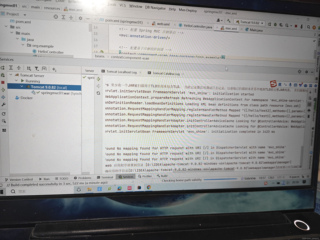
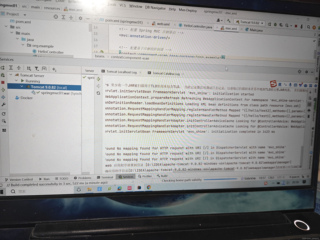

是哪里有问题吗?请问我这么配置的话还可以改哪里,凑字数中,凑字数,我这么配置的话还

 分享
分享
 关注
关注引自免费微信小程序:皆我百晓生
根据您提供的信息,看起来您正在尝试配置一个Spring MVC的基本应用,但是遇到了一些问题。从日志中可以看出,您的应用没有正确地映射任何请求处理方法。下面是针对您给出的代码片段进行分析后的建议:
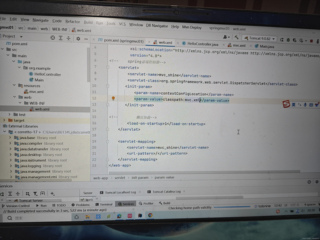
首先,让我们检查mvc.xml文件(图3)中的配置。这个配置文件通常用来配置Spring MVC的注解驱动、处理器扫描等。确保文件头部的命名空间声明正确,并且引入了正确的xsd schema。
<?xml version="1.0" encoding="UTF-8"?>
<beans xmlns="http://www.springframework.org/schema/beans"
       xmlns:mvc="http://www.springframework.org/schema/mvc"
       xmlns:xsi="http://www.w3.org/2001/XMLSchema-instance"
       xsi:schemaLocation="http://www.springframework.org/schema/beans
                           http://www.springframework.org/schema/beans/spring-beans.xsd
                           http://www.springframework.org/schema/mvc
                           http://www.springframework.org/schema/mvc/spring-mvc.xsd
                           http://www.springframework.org/schema/context
                           http://www.springframework.org/schema/context/spring-context.xsd">
    <!-- ... -->
</beans>
接下来,检查您的主控制器类HelloController.java。确保它已经被正确地标记为@Controller,并且有至少一个处理请求的方法标记为@RequestMapping。例如:
package org.example;

import org.springframework.stereotype.Controller;
import org.springframework.web.bind.annotation.GetMapping;

@Controller
public class HelloController {
    @GetMapping("/hello")
    public String hello() {
        return "hello";
    }
}
同时,在您的web.xml文件(图4)中,确认DispatcherServlet的配置是否正确,特别是contextConfigLocation参数,应该指向Spring配置文件的位置。这里是正确的配置示例:
<web-app xmlns="http://xmlns.jcp.org/xml/ns/javaee"
         xmlns:xsi="http://www.w3.org/2001/XMLSchema-instance"
         xsi:schemaLocation="http://xmlns.jcp.org/xml/ns/javaee
                             http://xmlns.jcp.org/xml/ns/javaee/web-app_4_0.xsd"
         version="4.0">

    <servlet>
        <servlet-name>mvc_shine</servlet-name>
        <servlet-class>org.springframework.web.servlet.DispatcherServlet</servlet-class>
        <init-param>
            <param-name>contextConfigLocation</param-name>
            <param-value>/WEB-INF/springmvc01-mvc.xml</param-value>
        </init-param>
        <load-on-startup>1</load-on-startup>
    </servlet>

    <servlet-mapping>
        <servlet-name>mvc_shine</servlet-name>
        <url-pattern>/</url-pattern>
    </servlet-mapping>

</web-app>
注意:这里的contextConfigLocation值可能需要根据您的实际项目结构进行调整,确保指向的是正确的mvc.xml或类似名称的Spring配置文件位置。
最后,确保在项目的src/main/resources目录下有一个名为springmvc01-mvc.xml的文件,因为这是在web.xml中指定的配置文件。如果配置文件名不同,请相应地更改contextConfigLocation。
按照这些步骤检查并修复配置后,重新启动Tomcat服务器,然后访问"http://localhost:port/"(端口号可能是8080或其他,取决于您的设置),看看是否能正常显示来自HelloController的响应。
如果问题依然存在,请提供更详细的错误日志,以便我能进一步协助定位问题。
分享 系统已结题
5月11日
系统已结题
5月11日 已采纳回答
5月3日
创建了问题
5月2日
已采纳回答
5月3日
创建了问题
5月2日

