
最近安装了MySQL,不知道是不是环境的问题,现在出现空指针异常的问题
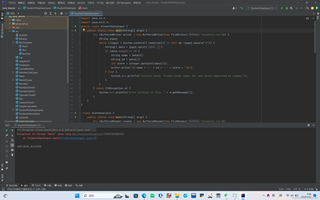

import java.io.*;
import java.util.*;
public class StudentDataInput {
    public static void main(String[] args) {
        try (BufferedWriter writer = new BufferedWriter(new FileWriter("students.txt"))) {
            String input;
            while ((input = System.console().readLine()) != null && !input.equals("#")) {
                String[] data = input.split(",");
                if (data.length == 3) {
                    String name = data[0];
                    String id = data[1];
                    int score = Integer.parseInt(data[2]);
                    writer.write(name + "," + id + "," + score + "\n");
                } else {
                    System.out.println("Invalid input. Please enter name, ID, and score separated by commas.");
                }
            }
        } catch (IOException e) {
            System.err.println("Error writing to file: " + e.getMessage());
        }
    }
}

 class ScoreAnalysis {
    public static void main(String[] args) {
        try (BufferedReader reader = new BufferedReader(new FileReader("students.txt"));
             BufferedWriter writer = new BufferedWriter(new FileWriter("analysis.txt"))) {

            List<Integer> scores = new ArrayList<>();
            String line;
            while ((line = reader.readLine()) != null) {
                String[] data = line.split(",");
                int score = Integer.parseInt(data[2]);
                scores.add(score);
            }

            int minScore = Collections.min(scores);
            int maxScore = Collections.max(scores);
            double averageScore = scores.stream().mapToInt(Integer::intValue).average().orElse(0);

            writer.write("Max Score: " + maxScore + "\n");
            writer.write("Min Score: " + minScore + "\n");
            writer.write("Average Score: " + averageScore + "\n");

        } catch (IOException e) {
            System.err.println("Error reading from or writing to files: " + e.getMessage());
        }
    }
}

class FileMerger {
    public static void main(String[] args) {
        try (BufferedReader reader1 = new BufferedReader(new FileReader("students.txt"));
             BufferedReader reader2 = new BufferedReader(new FileReader("analysis.txt"));
             BufferedWriter writer = new BufferedWriter(new FileWriter("combined.txt"))) {

            String line1, line2;

            // 先读取students.txt的所有行
            while ((line1 = reader1.readLine()) != null) {
                writer.write(line1);
                writer.newLine(); // 使用newLine()方法来确保跨平台的换行符
            }

            // 如果analysis.txt还有行,则继续读取
            while ((line2 = reader2.readLine()) != null) {
                writer.write(line2);
                writer.newLine(); // 使用newLine()方法来确保跨平台的换行符
            }

        } catch (IOException e) {
            System.err.println("Error reading from or writing to files: " + e.getMessage());
        }
    }
}


