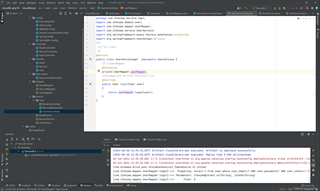
创建UserService接口类UserServiceImpl,在类中重写接口的login()方法。 其中usermapper 报错 Could not autowire.No beans of 'UserMapper'type found.在浏览器实实现用户登录显示用户不存在。

 分享
分享
以下内容由CHATGPT及阿里嘎多学长共同生成、有用望采纳:
遇到 "Could not autowire.No beans of 'UserMapper' type found" 的错误通常意味着 Spring 容器无法自动装配 UserMapper 类型的 Bean。这可能是由几个原因造成的:
UserMapper 没有被 Spring 扫描到:确保 UserMapper 接口上有 @Mapper 注解,并且项目中包含了 MyBatis 的支持,比如 @MapperScan 或者相应的配置。
UserMapper 没有实现类:如果 UserMapper 是一个接口,你需要有一个实现这个接口的类,并且这个类需要被 Spring 管理。
配置问题:Spring 的配置文件或注解可能不正确,导致 Spring 无法识别或创建 UserMapper 的 Bean。
包扫描问题:确保 UserMapper 所在的包被 Spring 的组件扫描机制扫描到。
Spring 版本问题:如果你使用的是较旧的 Spring 版本,可能需要使用 @Autowired 注解的 required 属性设置为 false。
针对你的问题,以下是一些可能的解决方案:
确保 UserMapper 接口上有 @Mapper 注解,例如:
@Mapper
public interface UserMapper {
    // 你的映射方法
}
如果你的 UserMapper 是一个接口,你需要有一个实现这个接口的类,并确保这个类上有 @Component 或 @Repository 注解,例如:
@Repository
public class UserMapperImpl implements UserMapper {
    // 实现接口中定义的方法
}
确保你的 Spring 配置文件或类上有正确的包扫描注解,例如:
@Configuration
@MapperScan("com.itheima.mapper")
public class MyBatisConfig {
    // 你的配置
}
确保 UserServiceImpl 中的 @Autowired 注解正确,例如:
@Service
public class UserServiceImpl implements UserService {
    @Autowired
    private UserMapper userMapper;

    // 其他方法
}
确保数据库中确实存在你尝试登录的用户,并且查询语句是正确的。从你提供的日志来看,查询语句是:
select * from user where user_email=? AND user_password=? AND user_status!='1'
确保数据库中至少有一个用户记录的 user_email 和 user_password 与你尝试登录的值相匹配,并且 user_status 不等于 '1'。
如果上述方法都不能解决问题,你可能需要提供更多的代码或配置信息,以便进一步诊断问题。
分享 创建了问题
6月20日
创建了问题
6月20日


