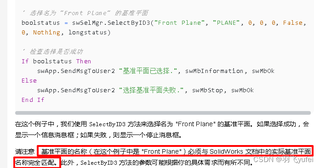
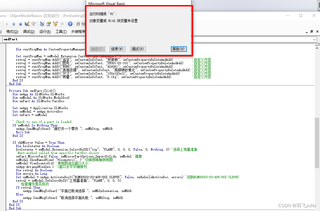
运行代码时发现报错:对象变量或 With 块变量没有设置(错误 91)
点击帮助的详细解释是:
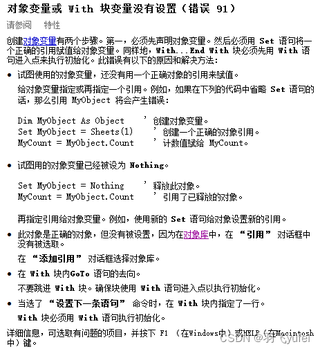
按照目前代码,没有引用With块变量,那就是对象变量出问题了
点击调试定位到:swModel.ShowNamedView2 "*Isometric", 7 '切换到等轴测视图
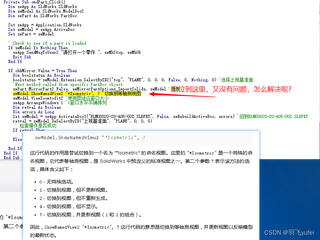
具体代码如下:
Private Sub cmdPart_Click()
  Dim swApp As SldWorks.SldWorks
  Dim swModel As SldWorks.ModelDoc2
  Dim swPart As SldWorks.PartDoc

  Set swApp = Application.SldWorks
  Set swModel = swApp.ActiveDoc
  Set swPart = swModel

  ' Check to see if a part is loaded
  If swModel Is Nothing Then
    swApp.SendMsgToUser2 "请打开一个零件.", swMbStop, swMbOk
    Exit Sub
  End If

  If chkMirror.Value = True Then
    Dim boolstatus As Boolean
    boolstatus = swModel.Extension.SelectByID2("top", "PLANE", 0, 0, 0, False, 0, Nothing, 0) '选择上视基准面
    'Next method called from specific PartDoc object.
    swPart.MirrorPart2 False, swMirrorPartOptions_ImportSolids, swModel '镜像
    swModel.ShowNamedView2 "*Isometric", 7 '切换到等轴测视图
    swModel.ViewZoomtofit2 '使视图适应窗口大小
    swApp.ArrangeWindows 1 '1窗口水平平铺排列
    Dim retval As Boolean
    Dim errors As Long
    Set swModel = swApp.ActivateDoc3("BLM00020-20-A05-00Z.SLDPRT", False, swRebuildActiveDoc, errors) '回到BLM00020-20-A05-00Z.SLDPRT 这个零件就是自己随机打开的测试零件,记得修改
    retval = swModel.DeSelectByID("上视基准面", "PLANE", 0, 0, 0)
     ' 检查操作是否成功
    If retval Then
        swApp.SendMsgToUser2 "平面已取消选择.", swMbInformation, swMbOk
    Else
        swApp.SendMsgToUser2 "取消选择平面失败.", swMbStop, swMbOk
  End If
End If
End Sub