
vue 使用引入高德进行地图选点
window._AMapSecurityConfig = { securityJsCode: '469c65207c5465111330002a81aec8b5' }
import AMapLoader from '@amap/amap-jsapi-loader';
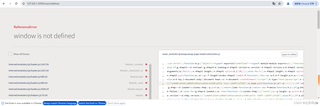
写上这两个后刷新页面就会报错,window is not defined
```html

<!--
 * @Author: jiajinxiao
 * @Date: 2020-11-18 11:18:09
 * @Description: In User Settings Edit
 * @FilePath     : \web_store_nuxt\components\user\addressAddEdit.vue
-->

<template>
  <div>
    <div class="address_fc address_edit">
      <h2 v-if="addressId">编辑收货地址 <em @click="closePop"></em></h2>
      <h2 v-else>新增收货地址 <em @click="closePop"></em></h2>
      <table class="bj_address">
        <tbody>
          <tr>
            <td><font>*</font>收货人:</td>
            <td>
              <el-input
                size="mini"
                v-model="consignee"
                placeholder="请输入收货人"
              ></el-input>
            </td>
          </tr>
          <tr>
            <td><font>*</font>手机号码:</td>
            <td>
              <el-input
                size="mini"
                v-model="mobile"
                placeholder="请输入手机号码"
              ></el-input>
            </td>
          </tr>
          <tr>
            <td><font>*</font>所在地区:</td>
            <choose-address
              v-if="ditubool > 0"
              size="mini"
              :needEnd="true"
              @getAreaData="getAreaData"
              :defaultProvince="provinceCode"
              :defaultCity="cityCode"
              :defaultDistrict="districtCode"
              :defaultEnd="localeCode"
            ></choose-address>
          </tr>
          <tr>
            <td><font>*</font>详细地址:</td>
            <td>
              <el-input
                class="input_w"
                size="mini"
                v-model="address"
                placeholder="请输入收货人"
              ></el-input>
            </td>
          </tr>
          <tr>
            <td></td>
            <td>
              <a style="color: #c71622" @click="open">地图选点</a>
              <el-checkbox v-model="isDefault">是否为默认地址</el-checkbox>
            </td>
          </tr>
          <tr>
            <td></td>
            <td>
              <a class="bc_a_buttom" @click="saveAddress">保存收货地址</a>
            </td>
          </tr>
        </tbody>
      </table>
<!--      增加地图选点-->
      <el-dialog
        class="dialog"
        title="地图选点"
        :visible.sync="visibleaa"
        top="100px"
        width="80%"
        :draggable="true"
        :show-close="false"
        :close-on-click-modal="false"
        destroy-on-close
        :append-to-body="true"
      >
        <div class="map-head">
          <el-select
            v-model="addrVal"
            :loading="loading"
            clearable
            remote
            filterable
            reserve-keyword
            placeholder="请输入关键词"
            style="width: 320px"
            :remote-method="remoteMethod"
            @change="selectChange"
          >
            <el-option
              v-for="item in addrList"
              :key="item.id"
              :label="item.name"
              :value="item.name + '_' + item.district"
            >
              <div class="option" style="display: flex; justify-content: space-between">
                <span>{{ item.name }}</span>
                <span style="margin-left: 20px; color: #999; font-size: 12px">
                {{ item.district }}
              </span>
              </div>
            </el-option>
          </el-select>
          <div class="currentAddr">当前选择地址:{{ currentAddr.name }}</div>
        </div>
        <div id="container"></div>
        <div >
        <span class="dialog-footer">
          <el-button @click="cancel">关 闭</el-button>
          <el-button type="primary" @click="confirm">确 定</el-button>
        </span>
        </div>
      </el-dialog>

    </div>
    <!-- 遮罩层 -->
    <div class="cover"></div>
  </div>
</template>

<script>
import userService from "~/services/page/userService";
import VerificationUtil from "@/utils/js/VerificationUtil";
import { mapGetters } from "vuex";
import chooseAddress from "~/components/base/chooseAddress";
window._AMapSecurityConfig = { securityJsCode: '469c65207c5465111330002a81aec8b5' }
import AMapLoader from '@amap/amap-jsapi-loader';
import frameworkService from "~/services/page/frameworkService";
export default {
  //引入的组件
  components: { chooseAddress },
  //父组件传入的值
  props: {
    addressData: {
      type: Object,
      default: () => {
        return {};
      }
    },
    show: {
      type: Boolean,
      default: false
    },
    info: {
      type: Object,
      default: () => {}
    }
  },
  data() {
    return {
      consignee: "",
      ditubool: 1,
      countryCode: 1,
      provinceCode: "",
      cityCode: "",
      districtCode: "",
      provinceCodeName: "",
      cityCodeName: "",
      districtCodeName: "",
      address: "",
      mobile: "",
      addressId: "",
      localeCode: "",
      finishAreaCode: "",
      area: "",
      addressName: "",
      isDefault: false,
      flag: false,

      visibleaa: false,
      loading: false,
      addrVal: '',
      currentAddr: {},
      addrList: [],
      mapEl: null,
      aMap: null,
      geolocation: null,
      autoComplete: null,
      marker: null
    };
  },
  //监控数据变化
  watch: {
    info(n) {
      this.currentAddr = n
    }
  },
  //DOM未渲染
  created() {},
  mounted() {
    this.initMap()
  },
  //进入页面加载
  beforeMount() {
    if (this.addressData.addressId) {
      this.consignee = this.addressData.consignee;
      this.countryCode = this.addressData.countryCode;
      this.provinceCode = this.addressData.provinceCode;
      this.cityCode = this.addressData.cityCode;
      this.districtCode = this.addressData.districtCode;
      this.address = this.addressData.address;
      this.mobile = this.addressData.mobile;
      this.addressId = this.addressData.addressId;
      this.localeCode = this.addressData.localeCode;
      this.isDefault = this.addressData.isDefault == 2 ? false : true;
    }
  },
  //方法
  methods: {
    open() {
      this.ditubool = 0
      this.visibleaa = true
      if ( this.visibleaa) {
        this.$nextTick(() => {
          this.initMap()
        })
      }
    },
    initMap() {
      AMapLoader.reset()
      AMapLoader.load({
        key: '092736e4ced5dc32a35e0011298b2cfd', // 申请好的Web端开发者Key,首次调用 load 时必填
        version: '2.0', // 指定要加载的 JSAPI 的版本,缺少时默认为 1.4.15
        plugins: ['AMap.Geocoder','AMap.AutoComplete', 'AMap.Marker', 'AMap.PlaceSearch', 'AMap.Geolocation'] // 需要使用的的插件列表,如比例尺'AMap.Scale'等
      }).then((AMap) => {
        this.aMap = AMap
        // 设置地图容器id
        this.mapEl = new AMap.Map('container', {
          viewMode: '3D', // 是否为3D地图模式
          zoom: 12, // 初始化地图级别
          center: [116.397428, 39.90923] // 初始化地图中心点位置  默认当前行政区
        })

        // this.geolocation = new AMap.Geolocation({
        //   enableHighAccuracy: true, // 是否使用高精度定位,默认:true
        //   timeout: 10000, // 超过10秒后停止定位,默认:5s
        //   showButton: true, // 显示定位按钮,默认:true
        //   position: 'RB', // 定位按钮的停靠位置
        //   offset: [10, 20], // 定位按钮与设置的停靠位置的偏移量,默认:[10, 20]
        //   showMarker: true, // 定位成功后在定位到的位置显示点标记,默认:true
        //   panToLocation: true, // 定位成功后将定位到的位置作为地图中心点,默认:true
        //   zoomToAccuracy: true // 定位成功后调整地图视野范围使定位位置及精度范围视野内可见,默认:false
        // })
        // this.mapEl.addControl(this.geolocation)
        // this.geolocation.getCurrentPosition() // 自动获取定位
        // // 返回定位信息
        // this.geolocation.on('complete', (res) => {
        //   console.log('res', res)
        // })
        // // // 返回定位出错信息
        // this.geolocation.on('error', (err) => {
        //   console.log('err', err)
        // })

        this.autoComplete = new AMap.AutoComplete({
          city: '全国'
        })

        this.mapEl.on('click', (e) => {

          this.getAddress(e.lnglat.getLng(), e.lnglat.getLat())
        })
      })
    },
    // 地址逆解析
    getAddress(lng, lat) {
      console.log("hangahngceshi")
      var _this = this;
      var geocoder = new AMap.Geocoder({
        // city 指定进行编码查询的城市,支持传入城市名、adcode 和 citycode
        city: '010'
      })
      var lnglat = [lng, lat]
      let name = ''
      // 高德根据经纬度逆推地理位置信息
      geocoder.getAddress(lnglat, function (status, result) {

        if (status === 'complete' && result.info === 'OK') {
          // result为对应的地理位置详细信息
          const { addressComponent, formattedAddress } = result.regeocode
          // township 镇/街道办 street街  streetNumber门牌号
          let { city, province, district, township, street, streetNumber } = addressComponent
          // 获取省市县名称
          _this.provinceCodeName = province
          if (city == null || city == "") {
            city = province.substring(0,province.length -1)
          }
          _this.cityCodeName = city
          _this.districtCodeName = district
          // 去掉省市区,同时插入街道+门牌号,作为详细地址
          let _address = township + street + streetNumber + formattedAddress.replace(province, '').replace(city, '').replace(district, '').replace(township, '')
          _this.addmark({lng, lat, name: _address})
        }
      })
    },
    addmark(info) {
      if (this.marker) this.mapEl.remove(this.marker)
      this.currentAddr = info
      this.addrVal = info.name
      this.address = info.name
      this.marker = new this.aMap.Marker({
        position: new this.aMap.LngLat(info.lng, info.lat),
        title: info.name, // 鼠标滑过点标记时的文字提示
        label: {
          content: info.name // 文本标注的内容
        }
        // zooms: 14 // 点标记显示的层级范围,超过范围不显示。默认值:zooms: [2, 20]
      })
      this.mapEl.add(this.marker)
      this.mapEl.setCenter([info.lng, info.lat], false, 500) // 中心点 是否直接迁移(动画过度) 过渡时间
    },
    // 自定义远程搜索方法
    remoteMethod(e) {
      if (e.trim() != '') {
        this.loading = true
        setTimeout(() => {
          this.autoComplete.search(e, (status, result) => {
            this.loading = false
            if (status == 'complete' && result.tips.length) {
              this.addrList = result.tips
            }
          })
        }, 200)
      }
    },
    selectChange(e) {
      if (!e) return
      let info = this.addrList.find((v) => v.name + '_' + v.district == e)
      if (info.location) {
        // 自动适应显示想显示的范围区域
        // this.mapEl.setFitView()
        console.log("hanghangceshi")
        console.log(info.location)
        this.addmark({ ...info.location, name: info.name })
        console.log(info.location.lng+"yhjk"+info.location.lat)
        this.getAddress(info.location.lng,info.location.lat)
      } else {
        this.$message.warning('该地点经纬度信息缺失')
      }
    },
    cancel() {
      this.visibleaa = false
    },
    async confirm() {
      if (!this.currentAddr.name) {
        this.$message.warning('请先选择一个地址')
        return
      }

      //根据名称获取省编码
      let res = await userService.getRegionAreaName(this, {
        regionName: this.provinceCodeName,
        regionType: 1,
      });
      if (res.soaStateBean.code == 1 && res.data) {
        this.provinceCode = res.data.regionId;
      } else {
        this.$message.error(res.soaStateBean.message);

      }
      //根据名称获取市编码
      let res2 = await userService.getRegionAreaName(this, {
        regionName: this.cityCodeName,
        regionType: 2,
      });
      if (res2.soaStateBean.code == 1 && res2.data) {
        this.cityCode = res2.data.regionId;
      } else {
        this.$message.error(res2.soaStateBean.message);

      }
      //根据名称获取县编码
      let res3 = await userService.getRegionAreaName(this, {
        regionName: this.districtCodeName,
        regionType: 3,
      });
      if (res3.soaStateBean.code == 1 && res3.data) {
        this.districtCode = res3.data.regionId;
      } else {
        this.$message.error(res3.soaStateBean.message);
      }
      let data = {
        provinceCode : this.provinceCode,
        cityCode : this.cityCode,
        districtCode : this.districtCode,
        localeCode : this.localeCode,
        finishAreaCode : this.finishAreaCode,
        addressName : this.addressName ,
        ditu : 'youzhi'
      };
      this.ditubool = 2
      // this.getAreaData(data)

      this.cancel()
    },

    //关闭弹层
    closePop() {
      this.$emit("close");
    },

    //新增、保存地址信息
    async saveAddress() {
      if (this.flag) return;
      if (!this.consignee) {
        this.$message("请填写收货人!");
        return;
      }

      if (!this.mobile) {
        this.$message("请填写手机号!");
        return;
      }

      if (!VerificationUtil.checkPhone(this.mobile)) {
        this.$message("手机号格式错误!");
        return;
      }

      if (!this.provinceCode || !this.cityCode) {
        this.$message("请选择省市!");
        return;
      }

      if (!this.address) {
        this.$message("请填写详细地址!");
        return;
      }

      // if (!this.localeCode) {
      //   this.$message("请选择终到地点!");
      //   return;
      // }
       this.flag = true;
      // let address = this.area + this.address
      let data = {
        consignee: this.consignee,
        countryCode: this.countryCode,
        provinceCode: this.provinceCode,
        cityCode: this.cityCode,
        districtCode: this.districtCode,
        localeCode: this.localeCode,
        finishAreaCode: this.finishAreaCode,
        address: this.address,
        mobile: this.mobile,
        addressName: this.addressName + "-" + this.address,
        isDefault: this.isDefault ? 1 : 2
      };
      let res = {};
      if (this.addressId) {
        data.addressId = this.addressId;
        res = await userService.updateCompanyShippingAddress(this, data); //更新
      } else {
        data.userName = this.getUserInfo.userName;
        res = await userService.insertCompanyShippingAddress(this, data); //新增
      }
      if (res.soaStateBean.code == 1 && res.data) {
        this.$message.success(res.soaStateBean.message);
        setTimeout(() => {
          this.$router.go(0); //刷新页面
          this.flag = false;
        }, 1000);
      } else {
        this.$message.error(res.soaStateBean.message);
        this.flag = false;
      }
    },

    //获取省市区数据
    getAreaData(data) {
      if (data.ditu != null) {
        this.provinceCode = data.provinceCode;
        this.cityCode = data.cityCode;
        this.districtCode = data.districtCode;
        this.localeCode = data.localeCode;
        this.finishAreaCode = data.finishAreaCode;
        this.addressName = data.addressName;
      } else {
        this.provinceCode = data.province.id;
        this.cityCode = data.city.id;
        this.districtCode = data.district.id;
        this.localeCode = data.end.siteNo;
        this.finishAreaCode = data.end.areaNo;
        this.addressName =
          data.province.name == data.city.name
            ? data.city.name + data.district.name
            : data.province.name + data.city.name +data.district.name;
      }
    }
  },
  //计算属性
  computed: {
    ...mapGetters("user", ["getUserInfo"])
  },
};
</script>

<style lang="scss" scoped>
@import "./common.scss";
.bj_address tr td:first-child {
  width: 100px;
}
.dialog {
  border-radius: 4px;
  background-color: #ffffff;
  .map-head {
    height: 40px;
    width: 100%;
    display: flex;
    align-items: center;
    .currentAddr {
      margin-left: 32px;
    }
  }

  #container {
    height: 500px;
    width: 100%;
    margin-top: 10px;
  }
}
</style>
```


