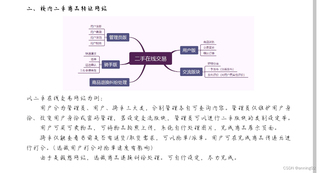
基于python的flask框架,HTML,JS,css。数据库使用sqlite

 分享
分享
chatgpt回答如下
创建一个基于 Python Flask 框架的校内二手商品转让网站是一个很好的项目,可以帮助你熟悉 Web 开发的各个方面。以下是一个简单的实现步骤,包括文件结构、基本功能、以及一些关键代码示例。这个网站将允许用户查看商品、发布商品、以及删除商品。
你可以按照以下文件结构来组织你的项目:
second_hand_market/
│
├── app.py              # Flask 应用程序主文件
├── database.py         # 数据库操作文件
├── templates/          # HTML 模板
│   ├── base.html       # 基础模板
│   ├── index.html      # 商品列表页面
│   ├── add_product.html # 添加商品页面
│
├── static/             # 静态文件(CSS 和 JS)
│   ├── css/
│   │   └── style.css    # CSS 文件
│   └── js/
│       └── script.js     # JS 文件
└── products.db         # SQLite 数据库文件
首先,你需要安装 Flask 和 SQLite。可以使用以下命令来创建和激活虚拟环境,并安装 Flask:
# 创建并激活虚拟环境
python -m venv venv
source venv/bin/activate  # Linux / macOS
venv\Scripts\activate     # Windows

# 安装 Flask
pip install Flask
在 database.py 中,设置 SQLite 数据库和商品表。
import sqlite3

def init_db():
    conn = sqlite3.connect('products.db')
    cursor = conn.cursor()

    # 创建商品表
    cursor.execute('''
        CREATE TABLE IF NOT EXISTS products (
            id INTEGER PRIMARY KEY AUTOINCREMENT,
            name TEXT NOT NULL,
            description TEXT,
            price REAL NOT NULL
        )
    ''')
    conn.commit()
    conn.close()

if __name__ == "__main__":
    init_db()
在终端中运行此文件以创建数据库和表:
python database.py
在 app.py 中,创建 Flask 应用程序并实现商品的基本功能。
from flask import Flask, render_template, request, redirect, url_for
import sqlite3

app = Flask(__name__)

# 连接到 SQLite 数据库
def get_db_connection():
    conn = sqlite3.connect('products.db')
    conn.row_factory = sqlite3.Row
    return conn

# 商品列表页面
@app.route('/')
def index():
    conn = get_db_connection()
    products = conn.execute('SELECT * FROM products').fetchall()
    conn.close()
    return render_template('index.html', products=products)

# 添加商品页面
@app.route('/add', methods=['GET', 'POST'])
def add_product():
    if request.method == 'POST':
        name = request.form['name']
        description = request.form['description']
        price = request.form['price']

        conn = get_db_connection()
        conn.execute('INSERT INTO products (name, description, price) VALUES (?, ?, ?)',
                     (name, description, price))
        conn.commit()
        conn.close()
        return redirect(url_for('index'))
    return render_template('add_product.html')

# 删除商品
@app.route('/delete/<int:id>')
def delete_product(id):
    conn = get_db_connection()
    conn.execute('DELETE FROM products WHERE id = ?', (id,))
    conn.commit()
    conn.close()
    return redirect(url_for('index'))

if __name__ == '__main__':
    app.run(debug=True)
在 templates/base.html 中创建一个基础模板。
<!DOCTYPE html>
<html lang="zh-CN">
<head>
    <meta charset="UTF-8">
    <title>二手商品转让网站</title>
    <link rel="stylesheet" href="{{ url_for('static', filename='css/style.css') }}">
</head>
<body>
    <header>
        <h1>校内二手商品转让</h1>
        <nav>
            <a href="/">商品列表</a>
            <a href="/add">添加商品</a>
        </nav>
    </header>
    <main>
        {% block content %}{% endblock %}
    </main>
</body>
</html>
在 templates/index.html 中显示商品列表。
{% extends 'base.html' %}

{% block content %}
    <h2>商品列表</h2>
    <ul>
        {% for product in products %}
            <li>
                <strong>{{ product['name'] }}</strong><br>
                描述: {{ product['description'] }}<br>
                价格: ¥{{ product['price'] }}<br>
                <a href="{{ url_for('delete_product', id=product['id']) }}">删除</a>
            </li>
        {% endfor %}
    </ul>
{% endblock %}
在 templates/add_product.html 中创建添加商品页面。
{% extends 'base.html' %}

{% block content %}
    <h2>添加商品</h2>
    <form method="POST">
        <label for="name">商品名称:</label>
        <input type="text" id="name" name="name" required>
        <label for="description">描述:</label>
        <textarea id="description" name="description"></textarea>
        <label for="price">价格:</label>
        <input type="number" step="0.01" id="price" name="price" required>
        <button type="submit">添加</button>
    </form>
{% endblock %}
在 static/css/style.css 中添加一些简单的样式。
body {
    font-family: Arial, sans-serif;
}

header {
    background-color: #f8f8f8;
    padding: 20px;
    text-align: center;
}

nav a {
    margin: 0 15px;
    text-decoration: none;
}

ul {
    list-style-type: none;
}
在终端中运行 Flask 应用程序:
python app.py
然后在浏览器中访问 http://127.0.0.1:5000/ 来查看你的二手商品转让网站。
以上是一个简单的校内二手商品转让网站的实现步骤。你可以根据需要扩展功能,例如添加用户身份验证、商品图片上传、商品分类等。这个项目将帮助你更深入地了解 Flask 框架和 Web 开发的基本原理。
如果在实现过程中遇到问题,欢迎随时问我!
分享 系统已结题
10月30日
系统已结题
10月30日 已采纳回答
10月22日
赞助了问题酬金15元
10月19日
创建了问题
10月19日
已采纳回答
10月22日
赞助了问题酬金15元
10月19日
创建了问题
10月19日


