

使用HTML在线运行(https://www.runoob.com/runcode runoob教程在线代码运行工具)和直接使用Google Chrome浏览器打开HTML文件效果不一样
主要差异在于在线代码运行工具在以下几处中与直接打开文件显示不同
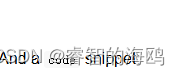
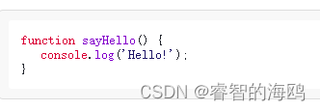
效果图
https://www.runoob.com/runcode runoob教程在线代码运行工具 的效果

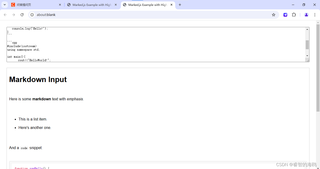
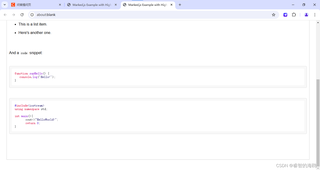
直接打开文件的效果
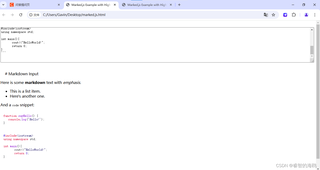
我的代码如下 (由于csdn必须要代码在代码块内,所以HTMK代码中的部分MARKDOWN内容的代码块语法前我增加了转义字符 \ 运行时请去除,谢谢 )
<!DOCTYPE html>
<html lang="en">
<head>
<meta charset="UTF-8">
<meta name="viewport" content="width=device-width, initial-scale=1.0">
<title>Marked.js Example with Highlight.js</title>
<style>
body {
font-family: Arial, sans-serif;
padding: 20px;
}
#output {
white-space: pre-wrap; /* Keep line breaks */
border: 1px solid #ccc;
padding: 10px;
margin-top: 20px;
}
pre {
background-color: #f8f8f8;
padding: 10px;
border: 1px solid #ddd;
border-radius: 5px;
overflow: auto;
}
code {
background-color: #f8f8f8;
padding: 2px 4px;
border-radius: 3px;
}
</style>
</head>
<body>
<textarea id="markdown-input" style="width: 100%; height: 150px;">
# Markdown Input
Here is some **markdown** text with *emphasis*.
- This is a list item.
- Here's another one.
And a `code` snippet:
\```javascript
function sayHello() {
console.log('Hello!');
}
\```
\```cpp
#include<iostream>
using namespace std;
int main(){
cout<<"HelloWorld!";
return 0;
}
\```
</textarea>
<div id="output"></div>
<!-- Load marked and highlight libraries from CDN -->
<script src="https://cdn.jsdelivr.net/npm/marked/marked.min.js"></script>
<script src="https://cdnjs.cloudflare.com/ajax/libs/highlight.js/11.3.1/highlight.min.js"></script>
<link rel="stylesheet" href="https://cdnjs.cloudflare.com/ajax/libs/highlight.js/11.3.1/styles/github.min.css">
<script>
// Get the textarea and output div
const markdownInput = document.getElementById('markdown-input');
const outputDiv = document.getElementById('output');
// Convert markdown to HTML and update the output div
function updateOutput() {
const markdownSource = markdownInput.value;
const html = marked.parse(markdownSource);
outputDiv.innerHTML = html;
// Highlight the code blocks after rendering them with marked.js
hljs.highlightAll();
}
// Listen for changes in the textarea and update the output when they occur
markdownInput.addEventListener('input', updateOutput);
// Initialize the output with the initial markdown content
updateOutput();
</script>
</body>
</html>


