WinForm 项目编译后项目崩了,项目能正常启动。不能打开窗体页面和代码页面,怀疑是.CS的文件损坏。有什么方法找回或者恢复该文件吗?详细错误如下图:
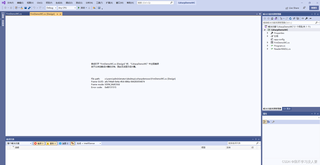

WinForm 项目编译后项目崩了,项目能正常启动。不能打开窗体页面和代码页面,怀疑是.CS的文件损坏。有什么方法找回或者恢复该文件吗?详细错误如下图:
 分享
分享
阿里嘎多学长整理AIGC生成,因移动端显示问题导致当前答案未能完全显示,请使用PC端查看更加详细的解答过程
###winform项目崩了,找解决方法
很感兴趣地,我看到你的问题是:WinForm项目编译后不能打开窗体页面和代码页面,怀疑是.CS文件损坏。你提供了详细的错误信息,那我会尽量帮助你解决问题。
###可能性1:文件损坏
judging by the error message, it seems that the .cs file may be corrupted or incomplete. In this case, you can try the following methods to recover the file:
###可能性2:编译错误
Another possibility is that there are compilation errors in the .cs file. In this case, you can try the following methods to resolve the issue:
Clean和Rebuild命令。###可能性3:Visual Studio配置问题
Another possibility is that there are configuration issues with Visual Studio. In this case, you can try the following methods to resolve the issue:
###总结
总之,WinForm项目崩了有多种可能原因。你可以尝试以上方法来解决问题。如果以上方法不能解决问题,请提供更多详细信息,我将继续帮助你解决问题。
分享 系统已结题
11月29日
系统已结题
11月29日 赞助了问题酬金15元
11月21日
创建了问题
11月21日
赞助了问题酬金15元
11月21日
创建了问题
11月21日

