使用flume-ng agent 命令加载simple-hdfs-flume.conf配置信息,启动flume传输数据的过程中不动了
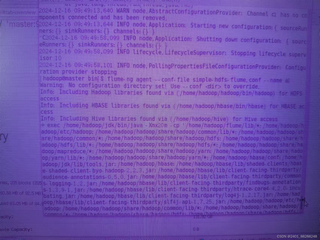
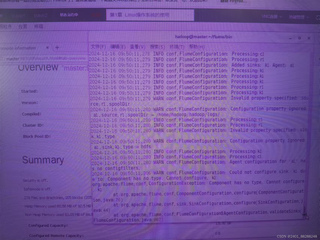
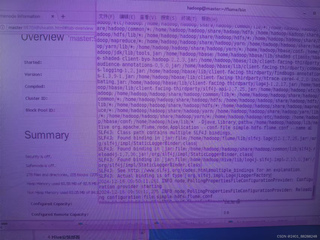
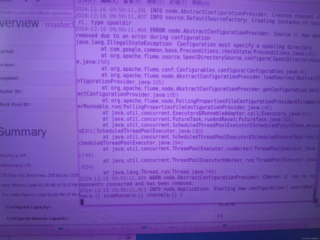

使用flume-ng agent 命令加载simple-hdfs-flume.conf配置信息,启动flume传输数据的过程中不动了
 分享
分享
 关注
关注让【道友老李】来帮你解答,本回答参考通义千问qwen-plus编写,并整理提供,如果还有疑问可以点击头像关注,评论或留言### 问题描述 在使用 `flume-ng agent` 命令加载 `simple-hdfs-flume.conf` 配置文件启动 Flume 传输数据时,Flume 似乎停止了工作。根据提供的图片,可以看到 Flume 启动后没有继续传输数据。
确保 simple-hdfs-flume.conf 配置文件的语法和参数正确。以下是一个简单的示例配置文件:
# Name the components on this agent
a1.sources = r1
a1.sinks = k1
a1.channels = c1

# Describe/configure the source
a1.sources.r1.type = netcat
a1.sources.r1.bind = localhost
a1.sources.r1.port = 44444

# Describe the sink
a1.sinks.k1.type = hdfs
a1.sinks.k1.hdfs.path = hdfs://localhost:9000/flume
a1.sinks.k1.hdfs.fileType = DataStream
a1.sinks.k1.hdfs.writeFormat = Text

# Use a channel which buffers events in memory
a1.channels.c1.type = memory
a1.channels.c1.capacity = 1000
a1.channels.c1.transactionCapacity = 100

# Bind the source and sink to the channel
a1.sources.r1.channels = c1
a1.sinks.k1.channel = c1
确保系统有足够的资源来运行 Flume。可以使用以下命令检查系统资源:
top
free -m
确保 Flume 能够连接到 HDFS 服务器。可以使用 hadoop fs -ls / 命令测试 HDFS 连接。
hadoop fs -ls /
确保 Flume 有足够的权限访问 HDFS。可以使用以下命令检查 HDFS 权限:
hadoop fs -ls hdfs://localhost:9000/flume
查看 Flume 的日志文件以获取更多详细的错误信息。日志文件通常位于 Flume 安装目录的 logs 文件夹中。
tail -f /path/to/flume/logs/flume-ng.log
以下是一个简单的示例,展示如何使用 flume-ng agent 命令启动 Flume 并加载配置文件:
flume-ng agent --name a1 --conf ./conf --conf-file ./conf/simple-hdfs-flume.conf
通过以上步骤,应该能够找到并解决 Flume 停止传输数据的问题。如果问题仍然存在,请提供更多详细的日志信息以便进一步诊断。
分享 创建了问题
12月16日
创建了问题
12月16日


