jacoco生成html报告问题
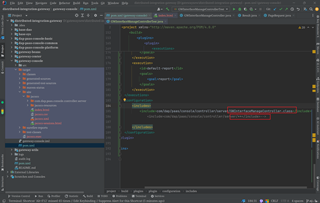
通配符的时候能把server下的所有类的覆盖率输出,测试方法所在类有一定覆盖率的值,但是指定到具体对应类的html报告生成时候,代码覆盖率直接为0了

jacoco生成html报告问题
通配符的时候能把server下的所有类的覆盖率输出,测试方法所在类有一定覆盖率的值,但是指定到具体对应类的html报告生成时候,代码覆盖率直接为0了
 分享
分享
 关注
关注让【道友老李】来帮你解答,本回答参考通义千问大模型编写,并整理提供,如果还有疑问可以点击头像关注私信或评论。
如果答案让您满意,请采纳、关注,非常感谢!### 问题描述 在使用JaCoCo生成HTML报告时,通过通配符能够成功输出`server`目录下所有类的覆盖率。然而,在生成具体某个类的HTML报告时,该类的代码覆盖率显示为0%。
确保在JaCoCo的配置文件(如jacoco-agent.properties)中正确设置了过滤规则。例如:
includes=**/server/**/*
这样可以确保server目录下的所有类都被包含在内。
检查测试方法是否确实覆盖了指定的类。可以通过以下方式确认: - 运行测试并查看控制台输出,确认测试方法是否被执行。 - 使用IDE的测试运行器,查看测试覆盖率。
确保指定的具体类在编译后的类路径中。可以通过以下命令查看类路径:
java -cp <your-classpath> -jar jacococli.jar report <your-execution-data-file> --classfiles <your-class-files> --html <output-directory>
确保JaCoCo的配置文件正确无误。例如,pom.xml中的配置如下:
<build>
    <plugins>
        <plugin>
            <groupId>org.jacoco</groupId>
            <artifactId>jacoco-maven-plugin</artifactId>
            <version>0.8.7</version>
            <executions>
                <execution>
                    <goals>
                        <goal>prepare-agent</goal>
                    </goals>
                </execution>
                <execution>
                    <id>report</id>
                    <phase>prepare-package</phase>
                    <goals>
                        <goal>report</goal>
                    </goals>
                </execution>
            </executions>
        </plugin>
    </plugins>
</build>
假设我们有一个项目结构如下:
src
└── main
    └── java
        └── com
            └── example
                └── server
                    ├── ServiceA.java
                    ├── ServiceB.java
                    └── ServiceC.java
pom.xml<build>
<plugins>
<plugin>
<groupId>org.jacoco</groupId>
<artifactId>jacoco-maven-plugin</artifactId>
<version>0.8.7</version>
<executions>
<execution>
<goals>
<goal>prepare-agent</goal>
</goals>
</execution>
<execution>
<id>report</id>
<phase>prepare-package</phase>
<goals>
<goal>report</goal>
</goals>
<configuration>
<outputDirectory>${project.build.directory}/site/jacoco</outputDirectory>
<dataFile>${project.build.directory}/coverage-reports/jacoco.exec</dataFile>
<includes>
<include>**/server/**/*</include>
</includes>
</configuration>
</execution>
</executions>
</plugin>
</plugins>
</build>
mvn clean test
mvn jacoco:report
生成的报告将位于${project.build.directory}/site/jacoco目录下。打开index.html文件,查看覆盖率报告。
通过以上步骤,可以确保JaCoCo正确生成指定类的覆盖率报告。如果问题仍然存在,请检查项目的构建和测试过程,确保所有必要的类和测试方法都得到了正确的处理。
分享 修改了问题
12月24日
创建了问题
12月24日
修改了问题
12月24日
创建了问题
12月24日


