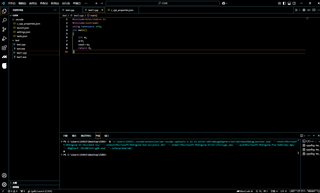
请教各位,为什么vscode配置好C/C++环境后运行不了(出现如上图片显示状况)

 分享
分享
 关注
关注让【道友老李】来帮你解答,本回答参考gpt编写,并整理提供,如果还有疑问可以点击头像关注私信或评论!
如果答案让您满意,请采纳、关注,非常感谢!问题分析:
{
    "version": "0.2.0",
    "configurations": [
        {
            "name": "(gdb) Launch",
            "type": "cppdbg",
            "request": "launch",
            "program": "${fileDirname}/${fileBasenameNoExtension}",
            "args": [],
            "stopAtEntry": false,
            "cwd": "${fileDirname}",
            "environment": [],
            "externalConsole": false,
            "MIMode": "gdb",
            "setupCommands": [
                {
                    "description": "Enable pretty-printing for gdb",
                    "text": "-enable-pretty-printing",
                    "ignoreFailures": true
                }
            ],
            "preLaunchTask": "make",
            "miDebuggerPath": "/path/to/your/gcc"
        }
    ]
}
{
    "configurations": [
        {
            "name": "Win32",
            "includePath": [
                "${workspaceFolder}/**",
                "C:/MinGW/include"
            ],
            "defines": [
                "_DEBUG",
                "UNICODE"
            ],
            "compilerPath": "C:/MinGW/bin/g++.exe",
            "cStandard": "c11",
            "cppStandard": "c++17",
            "intelliSenseMode": "gcc-x64"
        }
    ],
    "version": 4
}
通过以上步骤检查并根据具体情况进行调整,可以解决vscode配置好C/C++环境后无法运行的问题。
分享 已结题
(查看结题原因) 1月8日
创建了问题
1月8日
已结题
(查看结题原因) 1月8日
创建了问题
1月8日


