
dubbo
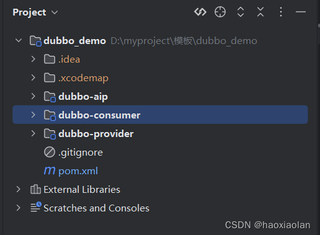
两个微服务注册到nacos 只有一个
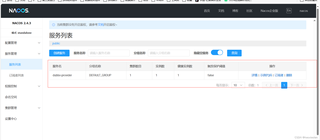
服务1 (成功注册到nacos)
@DubboService
public class MytesttempServiceImpl implements MytesttempService{
    @Override
    public User getUser() {
        User user = new User();
        user.setName("zs");
        return user;
    }
}
server:
  port: 80
dubbo:
  registry:
    address: nacos://127.0.0.1:8848
    #parameters:
    #  username: nacos
    #  password: nacos
    register: true
    # This will enable application-level service discovery only (the recommended service discovery method for Dubbo3).
    # For users upgrading from Dubbo2.x, please set the value to 'all' for smooth migration.
    register-mode: instance
  protocol:
    name: tri
    port: 50050
  application:
    name: dubbo-provider
    qos-enable: true
    qos-port: 22222
    #qos-accept-foreign-ip: false
服务2 (没有成功注册到nacos)
@RestController
public class controller {

    @DubboReference
    private MytesttempService mytesttempService;

    @GetMapping("/test")
    public User getUser(){
        User user = mytesttempService.getUser();
        System.out.println(user);
        return user;
    }
}
server:
  port: 81
dubbo:
  registry:
    address: nacos://127.0.0.1:8848
    #parameters:
    #  username: nacos
    #  password: nacos
    register: true
    # This will enable application-level service discovery only (the recommended service discovery method for Dubbo3).
    # For users upgrading from Dubbo2.x, please set the value to 'all' for smooth migration.
    register-mode: instance
  protocol:
    name: tri
    port: 50051
  application:
    name: dubbo-consumer
    qos-enable: true
    qos-port: 22221
    #qos-accept-foreign-ip: false
调用controller接口,就报错了?怎么解决呀?这是什么原因


