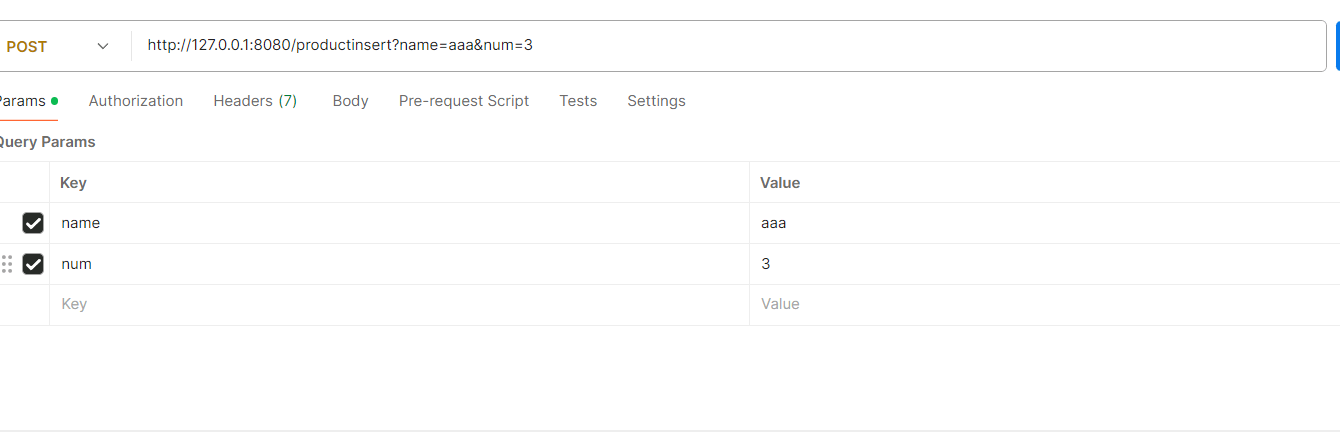
让阿豪来帮你解答,本回答参考chatgpt3.5编写提供,如果还有疑问可以评论或留言
要在Node.js中处理来自非表单的参数(如使用Postman发送的JSON或URL编码的数据),确保你正确地处理请求体。下面是一个规范的解答,包含代码示例和解释。
问题描述
在使用Express框架时,如果用Postman发送参数,但在处理请求时得到的参数为undefined,可能是由于未正确配置用于解析请求体的中间件。
解决方案
确保使用了合适的中间件以解析请求体的数据。对于JSON格式的数据,应使用body-parser中的json()方法;对于URL编码的数据,则应使用urlencoded()方法。
代码示例
以下是一个简单的Express应用程序示例,演示如何正确设置中间件以获取Postman发送的参数。
// 引入express和body-parser模块
const express = require('express');
const bodyParser = require('body-parser');
// 创建express应用实例
const app = express();
// 设置端口
const PORT = 8080;
// 使用body-parser中间件来解析请求体
app.use(bodyParser.urlencoded({ extended: true })); // 用于解析URL编码的数据
app.use(bodyParser.json()); // 用于解析JSON格式的数据
// 定义POST路由
app.post('/productinsert', (req, res) => {
    // 获取请求体中的name参数
    const name = req.body.name;

    // 检查name是否存在并返回响应
    if (name) {
        res.send("获得: " + name);
    } else {
        res.send("未获得name参数");
    }
});
// 启动服务器
app.listen(PORT, () => {
    console.log(`服务器运行在 http://localhost:${PORT}`);
});
示例用法
- 启动服务器:运行上述代码,使服务器在8080端口监听。
- 使用Postman发送请求:
- 方法:POST
- URL:
http://localhost:8080/productinsert - Body(选择
x-www-form-urlencoded 或 raw 选择 JSON):
- 在
x-www-form-urlencoded 中: name: yourValue- 在
raw 中选择 JSON 类型:
{
   "name": "yourValue"
}
备注
确保在发送请求时,Postman的Body类型选择和应用中的body-parser的使用一致。如果请求体的格式与期望的不符,可能导致req.body中的值为undefined。此外,使用console.log(req.body)调试,以便查看请求体中的数据结构。