
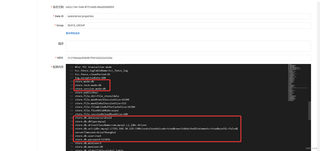
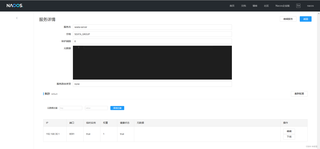
seata使用了nacos配置,模式是db,seata的服务也注册上了,我用了mybatis,好像是这个跟seata冲突了,不知道该怎么做
server:
  port: 8080
spring:
  application:
    name: order-seata  #微服务名称
  #配置nacos注册中心地址
  cloud:
    nacos:
      discovery:
        server-addr: localhost:8848
  mvc:
    pathmatch:
      matching-strategy: ant_path_matcher
    datasource:
      type: com.alibaba.druid.pool.DruidDataSource
      username: root
      password: 123456
      url: jdbc:mysql://192.168.30.129:3306/seata_test?characterEncoding=UTF-8&serverTimezone=Asia/Shanghai
      driver-class-name: com.mysql.cj.jdbc.Driver
  mybatis:
    #mapper的xml包地址
    mapper-locations: classpath:com/lixiyuan/mapper/*Mapper.xml
    #驼峰字段映射开启
    configuration:
      map-underscore-to-camel-case: true
    #别名实体类包
    type-aliases-package: com.lixiyuan.entity
pagehelper:
  helper-dialect: mysql
  reasonable: true
  support-methods-arguments: true
logging:
  level:
    com.lixiyuan.feign: debug
    io.seata: DEBUG
    com.alibaba.nacos.client.config: DEBUG
    org.springframework.jdbc.datasource: DEBUG
feign:
  client:
    config:
      stock-service:
        read-timeout: 3000
        connect-timeout: 5000
seata:
  enable-auto-data-source-proxy: false
  enabled: true
  application-id: ${spring.application.name}
  tx-service-group: default_tx_group
  registry:
    type: nacos
    nacos:
      application: seata-server
      server-addr: localhost:8848
      namespace: e43cc744-7e48-4f79-b40b-88ed00088f09
  # 配置中心
  config:
    type: nacos
    nacos:
      server-addr: localhost:8848
      namespace: e43cc744-7e48-4f79-b40b-88ed00088f09
      group: SEATA_GROUP
      data-id: seataServer.properties


