
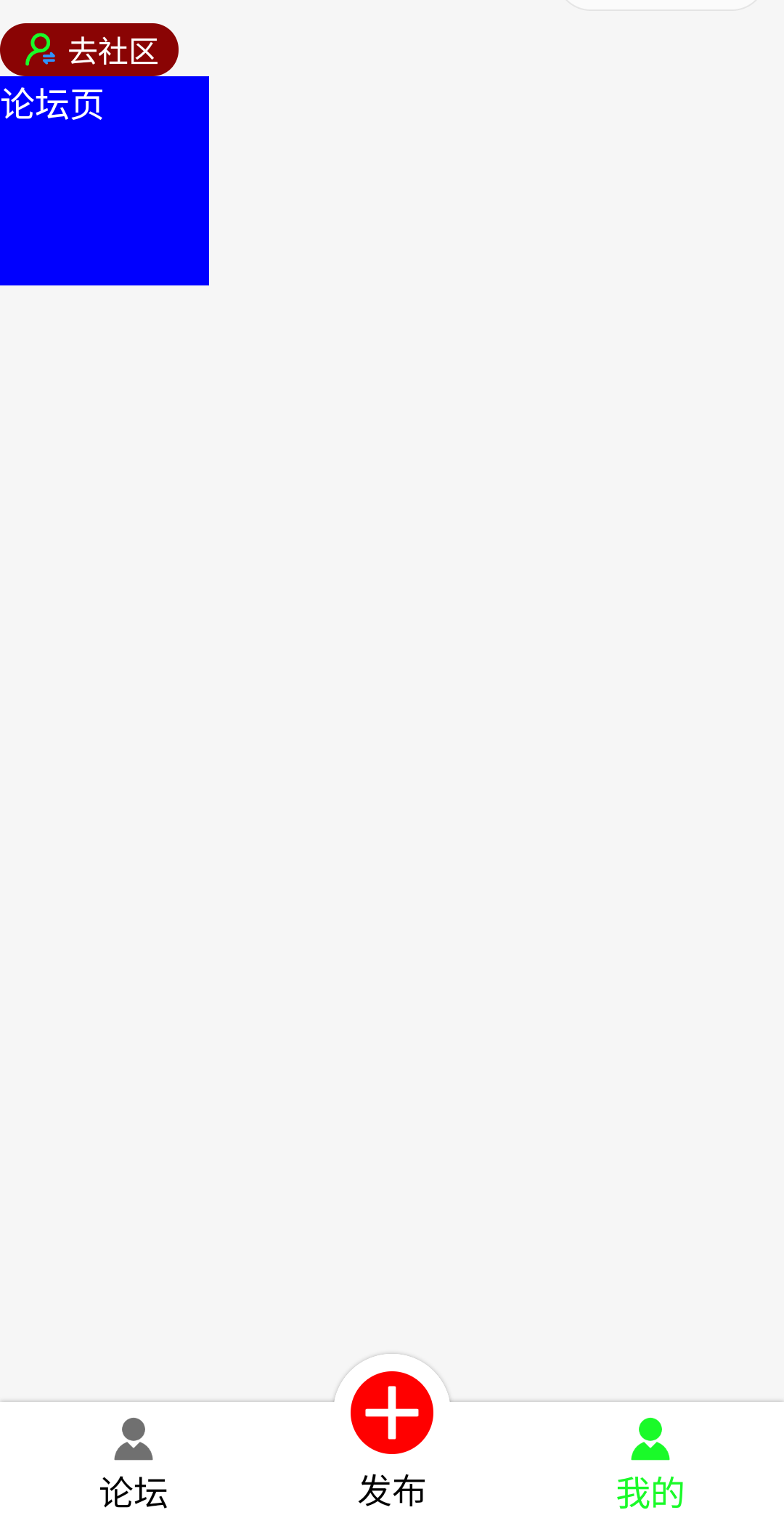
双角色tabbar,模拟器上面正常,真机上的问题:从首页选择论坛角色进入,在我的页面点击去社区按钮,页面成功跳转,tabbar没有切换,显示的是论坛角色tabbar导航栏,如果从首页选择社区角色进入,在我的页面点击去论坛按钮,页面成功跳转,tabbar导航栏还是社区角色tabbar导航栏,这是什么问题,怎么解决?
<!--custom-tab-bar/index.wxml-->
<view class="tab-bar">
    <view class="tab-bar-item" wx:for="{{selectList}}" wx:key="index" data-index="{{index}}" data-path="{{item.pagePath}}" data-selected="{{item.selected}}" bindtap="onwidthTap">
        <image class="cover-image" src="{{selected === item.selected ? item.selectedIconPath : item.iconPath}}"></image>
        <view class="cover-view {{selected === item.selected ? 'active' : ''}}" >{{item.text}}</view>
    </view>
</view>
<view class="indicator-border"></view>
<view class="indicator">
    <view class="indicator-item">
        <image class="indicator-image" src="/images/jia.png"></image>
        <view class="indicator-item-text">发布</view>
    </view>
</view>
// custom-tab-bar/index.js
Component({
  /**
   * 组件的属性列表
   */
  properties: {

  },

  /**
   * 组件的初始数据
   */
  data: {
    allList: [
      [{
          "pagePath": "/pages/jobs/index/index",
          "iconPath": "/images/me-gray.png",
          "selectedIconPath": "/images/me-green.png",
          "text": "论坛",
          "selected": "0"
        },
        {},
        {
          "pagePath": "/pages/jobs/me/me",
          "iconPath": "/images/me-gray.png",
          "selectedIconPath": "/images/me-green.png",
          "text": "我的",
          "selected": "1"
        }
      ],
      [{
          "pagePath": "/pages/enterprise/index/index",
          "iconPath": "/images/me-gray.png",
          "selectedIconPath": "/images/me-green.png",
          "text": "社区",
          "selected": "2"
        },
        {},
        {
          "pagePath": "/pages/enterprise/me/me",
          "iconPath": "/images/me-gray.png",
          "selectedIconPath": "/images/me-green.png",
          "text": "我的",
          "selected": "3"
        }
      ]
    ],
    selectedList: []
  },
/**
   * 生命周期的方法:当组件被加载的时候调用
   */

  lifetimes:{
    attached(){
      if(wx.getStorageSync('user') == '0'){
        this.setData({
          selectList:this.data.allList[0]
        })
      }else{
        this.setData({
          selectList:this.data.allList[1]
        })
      }
    },
    show(){
      this.updateTabbar();
    }
  },
  /**
   * 组件的方法列表
   */
  methods: {
    onwidthTap(e) {
      console.log(e);
      let path = e.currentTarget.dataset.path;
      let selected = e.currentTarget.dataset.selected;
      wx.switchTab({
        url:path
      })
    },
    updateTabbar(){
      const userType = wx.getStorageSync('user') || '0';
      this.setData({
        selectList:this.data.allList(userType)
      })
    }
  }
})
// custom-tab-bar/index.js
Component({
  data: {
    allList: [
      [{
          "pagePath": "/pages/jobs/index/index",
          "iconPath": "/images/me-gray.png",
          "selectedIconPath": "/images/me-green.png",
          "text": "论坛",
          "selected": "0"
        },
        {},
        {
          "pagePath": "/pages/jobs/me/me",
          "iconPath": "/images/me-gray.png",
          "selectedIconPath": "/images/me-green.png",
          "text": "我的",
          "selected": "1"
        }
      ],
      [{
          "pagePath": "/pages/enterprise/index/index",
          "iconPath": "/images/me-gray.png",
          "selectedIconPath": "/images/me-green.png",
          "text": "社区",
          "selected": "2"
        },
        {},
        {
          "pagePath": "/pages/enterprise/me/me",
          "iconPath": "/images/me-gray.png",
          "selectedIconPath": "/images/me-green.png",
          "text": "我的",
          "selected": "3"
        }
      ]
    ],
    selectedList: []
  },
  lifetimes:{
    attached(){
      if(wx.getStorageSync('user') == '0'){
        this.setData({
          selectList:this.data.allList[0]
        })
      }else{
        this.setData({
          selectList:this.data.allList[1]
        })
      }
    },
    show(){
      this.updateTabbar();
    }
  },
  methods: {
    onwidthTap(e) {
      console.log(e);
      let path = e.currentTarget.dataset.path;
      let selected = e.currentTarget.dataset.selected;
      wx.switchTab({
        url:path
      })
    },
    updateTabbar(){
      const userType = wx.getStorageSync('user') || '0';
      this.setData({
        selectList:this.data.allList(userType)
      })
    }
  }
})
<!--pages/index/index.wxml-->
<view class="title">
    <view class="jobs-group">
        <image class="jobs-img" src="../../images/jobs.jpeg"></image>
        <button class="jobs" bindtap="goto" data-type="0">论坛</button>
    </view>
    <view class="separate"></view>
    <view class="jobs-group">
        <image class="jobs-img" src="../../images/enterprise.jpg"></image>
        <button class="jobs" bindtap="goto" data-type="1">社区</button>
    </view>
</view>
// pages/index/index.js
Page({
  goto(e){
    console.log(e);
    let type = e.currentTarget.dataset.type;
    //把权限存储到缓存当中
    wx.setStorageSync('user',type);
    if(type == "0"){
      wx.switchTab({
        url:'../jobs/index/index'
      })
    }else{
      wx.switchTab({
        url:'../enterprise/index/index'
      })
    }
  },
})
<!--pages/jobs/me/me.wxml-->
<view class="switch-group" bindtap="onSwitch">
    <image class="switch-image" src="../../../images/switch.png"></image>
    <view class="switch-text">去社区</view>
</view>
// pages/jobs/me/me.js
Page({
  onSwitch(){
    wx.setStorageSync('user','1');
    wx.switchTab({
      url:'../../enterprise/index/index'
    });
    // 强制更新自定义tabbar(需配合组件改造)
    const tabbar = this.getTabBar();
    tabbar.setData({ selectList: tabbar.data.allList[0] });
  },
  onShow() {
    if (typeof this.getTabBar === 'function' && this.getTabBar()) {
      this.getTabBar().setData({
        selected: "1"
      })
    }
  },
})
<view class="switch-group" bindtap="onSwitchEvent">
    <image class="switch-image" src="../../../images/switch.png"></image>
    <view class="switch-text">去论坛</view>
</view>
<!--pages/enterprise/me/me.wxml-->
<view class="switch-group" bindtap="onSwitchEvent">
    <image class="switch-image" src="../../../images/switch.png"></image>
    <view class="switch-text">去论坛</view>
</view>
<view class="text">社区页</view>
// pages/enterprise/me/me.js
Page({
  onSwitchEvent(){
    wx.setStorageSync('user','0');
    wx.switchTab({
      url:'../../jobs/index/index'
    });
    //强制更新自定义tabbar(需配合组件改造)
    const tabbar = this.getTabBar();
    tabbar.setData({ selectList: tabbar.data.allList[1] });
  },
  onShow() {
    if (typeof this.getTabBar === 'function' && this.getTabBar()) {
      this.getTabBar().setData({
        selected: "3"
      })
    }
  },
})


