问题:为什么云服务器nginx访问到个人电脑后端
- 目的
- 表达
- 记录目前正遇到的问题(前后端都有做跨域处理)
- 本次部署操作步骤
目的
在云服务器上部署Spring Cloud + Vue项目,后端采用jar包,前端使用nginx
表达
为了清晰表达我的问题,我对云服务器和个人电脑做一下描述,如下
- 云服务器:网上购买的轻量云服务器,开放了 22、80端口
- 云服务器Nginx:在轻量云服务器上配置的Nginx
- 云服务器Java程序:通过idea打包Spring Cloud上传到轻量云服务器的jar包
- 本地:个人购买的笔记本电脑
- 本地Nginx:在个人电脑上配置的Nginx
- 本地Java程序:在个人电脑上 通过idea直接启动Spring Cloud项目
- 本地浏览器:个人电脑使用的浏览器
记录目前正遇到的问题(前后端都有做跨域处理)
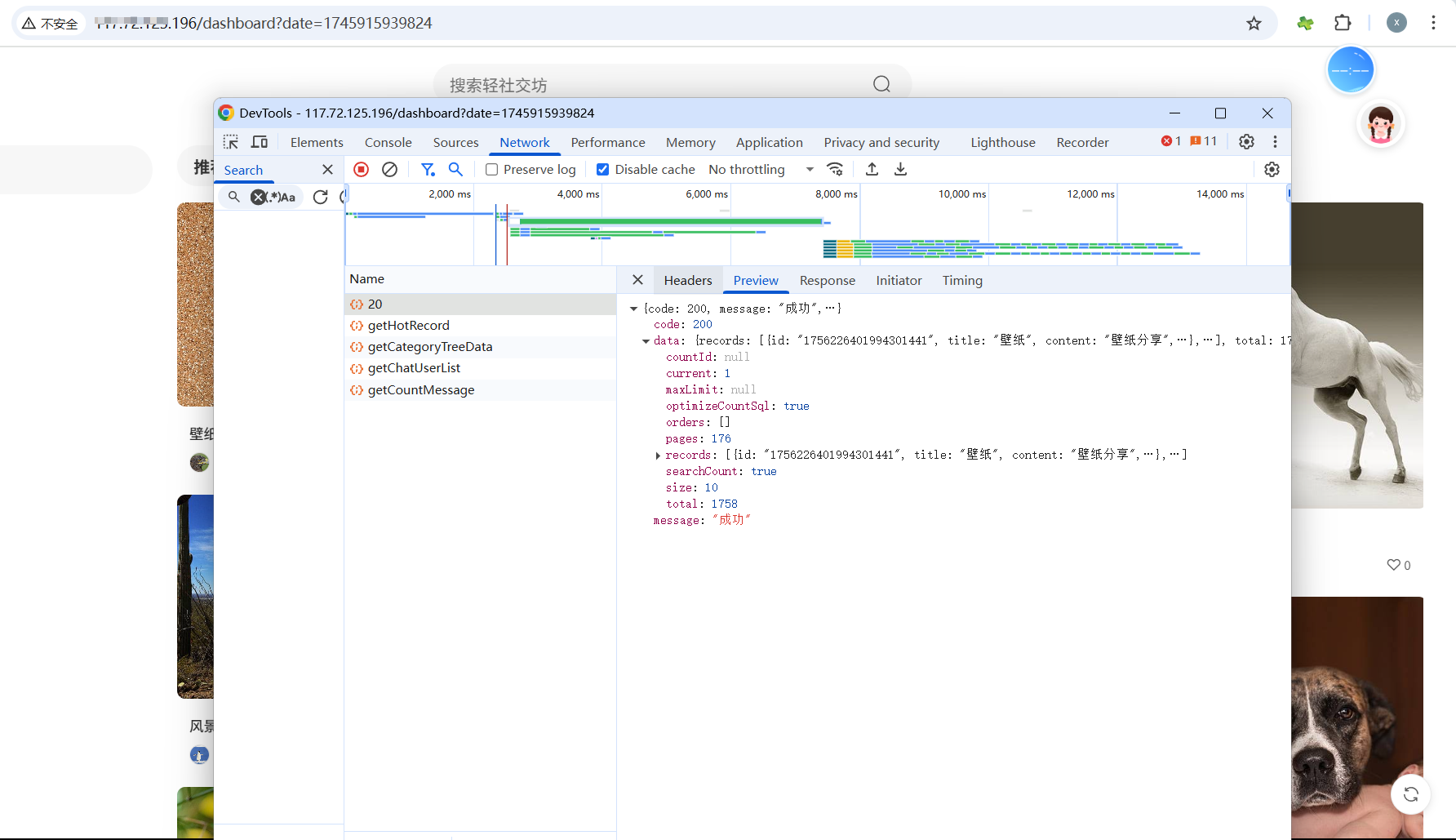
我需要在云服务器上部署Spring Cloud + Vue项目,我已将Spring Cloud的 jar 上传至云服务器,并启动云服务器Java程序,同时 Vue 打包成 dist 放到 云服务器Nginx 目录下,启动云服务器Nginx。但是我用本地浏览器访问服务器IP(直接使用的80端口),web显示不出数据,查看接口明明是 127.0.0.1 开头,却访问不到后端(nginx已做跨域处理),机缘巧合下把本地Java程序启动,发现web可以显示数据了,查看本地Java程序日志确实有输出,说明云服务器Nginx请求到本地Java程序了。
本次部署操作步骤
打包Vue项目
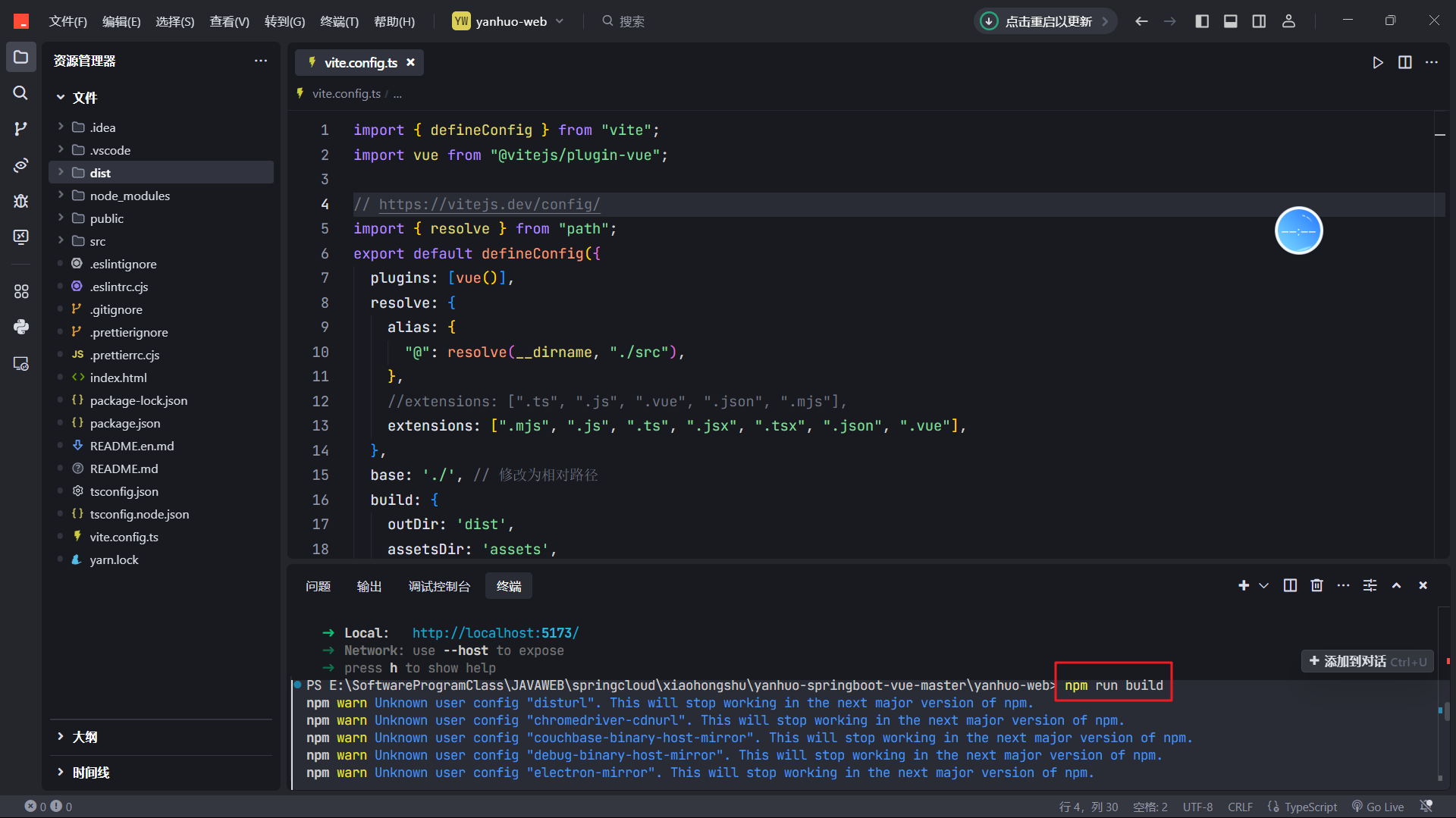
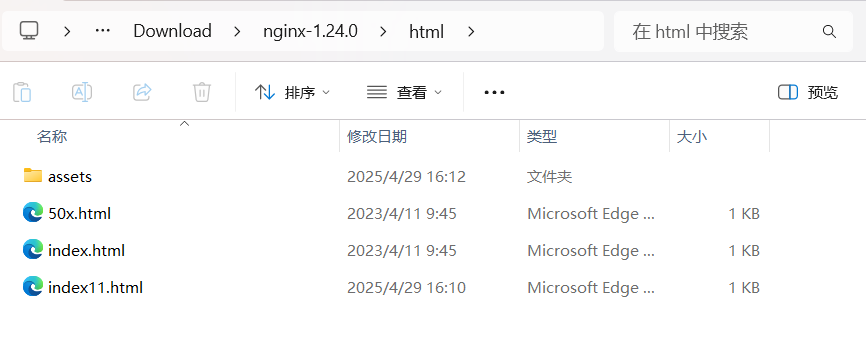
将打包好的文件放到本地nginx的index文件夹下,启动本地nginx
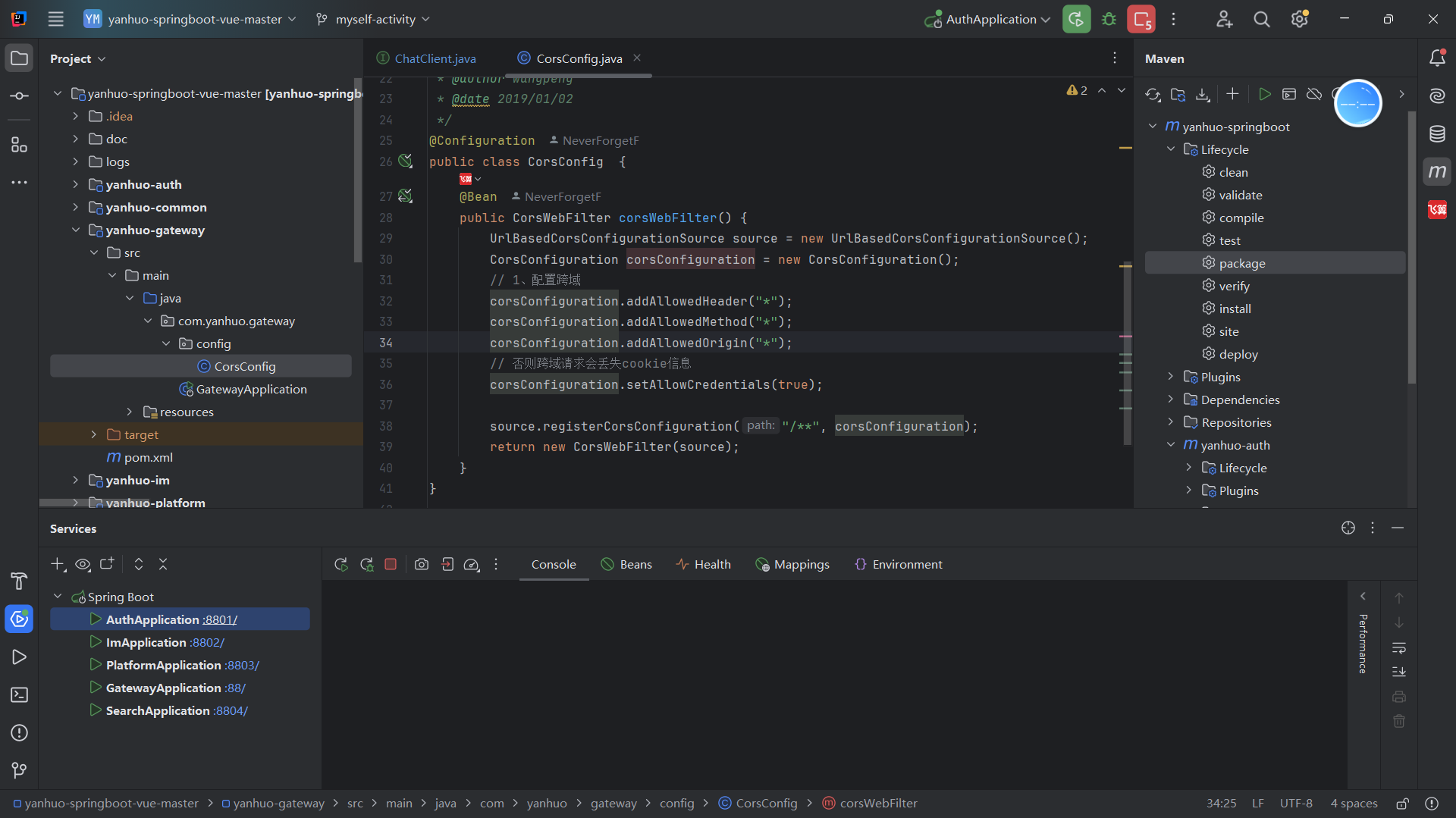
在idea中启动本地java程序
本地浏览器测试本地启动的程序,没有问题
上传vue打包的dist到云服务器的nginx下
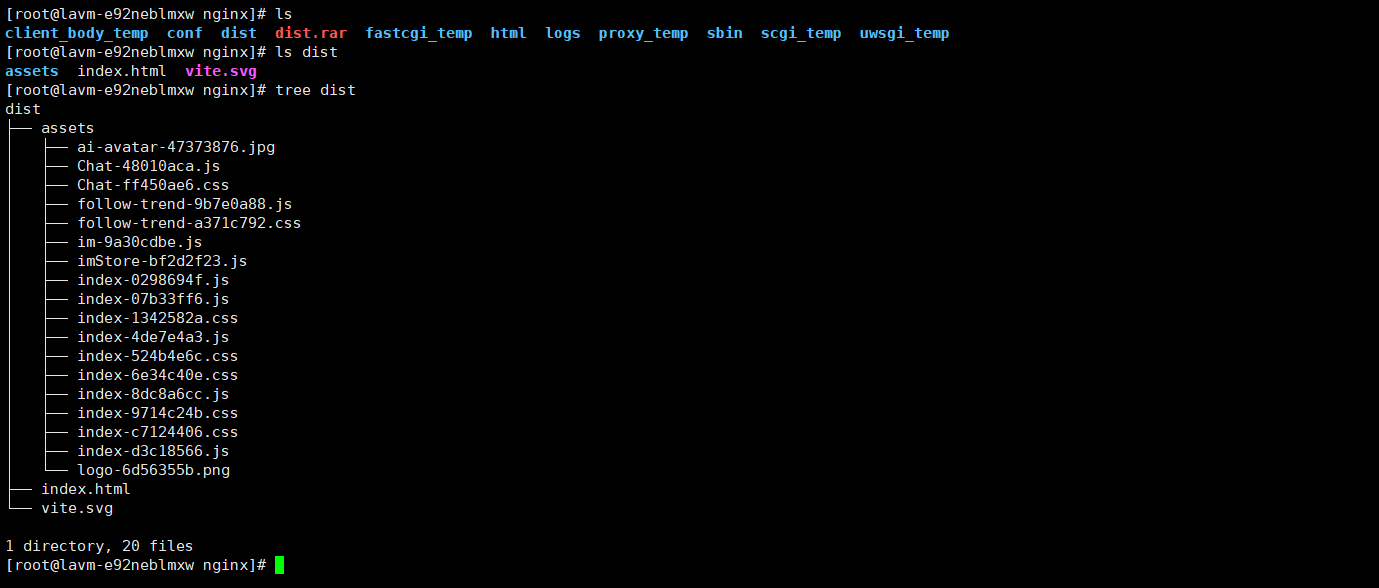
修改云服务器Nginx的conf/nginx.conf配置,保存后启动云服务器Nginx
#user  nobody;
worker_processes  1;

#error_log  logs/error.log;
#error_log  logs/error.log  notice;
#error_log  logs/error.log  info;

#pid        logs/nginx.pid;


events {
    worker_connections  1024;
}


http {
    include       mime.types;
    default_type  application/octet-stream;

    #log_format  main  '$remote_addr - $remote_user [$time_local] "$request" '
    #                  '$status $body_bytes_sent "$http_referer" '
    #                  '"$http_user_agent" "$http_x_forwarded_for"';

    #access_log  logs/access.log  main;

    sendfile        on;
    #tcp_nopush     on;

    #keepalive_timeout  0;
    keepalive_timeout  65;

    #gzip  on;

    server {
        listen       80;
        server_name  localhost;

        #charset koi8-r;

        #access_log  logs/host.access.log  main;

        # location / {
        #     root   html;
        #     index  index.html index.htm;
        #}

        location / {
            root   dist;
            try_files $uri $uri/ /index.html;  # 支持 vue-router 的 history 模式
            index  index.html index.htm;
        }

        location /api {
            proxy_pass   http://localhost:88/api/platform/;
            proxy_set_header Host $host;
            proxy_set_header x-forwarded-for $remote_addr;
        }

        location /im/ws/ {
            proxy_pass http://localhost:8802/im/ws/;  # 替换为您的WebSocket服务地址
            proxy_http_version 1.1;
            proxy_set_header Upgrade $http_upgrade;
            proxy_set_header Connection "upgrade";
        }

        #error_page  404              /404.html;

        # redirect server error pages to the static page /50x.html
        #
        error_page   500 502 503 504  /50x.html;
        location = /50x.html {
            root   html;
        }

        # proxy the PHP scripts to Apache listening on 127.0.0.1:80
        #
        #location ~ \.php$ {
        #    proxy_pass   http://127.0.0.1;
        #}

        # pass the PHP scripts to FastCGI server listening on 127.0.0.1:9000
        #
        #location ~ \.php$ {
        #    root           html;
        #    fastcgi_pass   127.0.0.1:9000;
        #    fastcgi_index  index.php;
        #    fastcgi_param  SCRIPT_FILENAME  /scripts$fastcgi_script_name;
        #    include        fastcgi_params;
        #}

        # deny access to .htaccess files, if Apache's document root
        # concurs with nginx's one
        #
        #location ~ /\.ht {
        #    deny  all;
        #}
    }


    # another virtual host using mix of IP-, name-, and port-based configuration
    #
    #server {
    #    listen       8000;
    #    listen       somename:8080;
    #    server_name  somename  alias  another.alias;

    #    location / {
    #        root   html;
    #        index  index.html index.htm;
    #    }
    #}


    # HTTPS server
    #
    #server {
    #    listen       443 ssl;
    #    server_name  localhost;

    #    ssl_certificate      cert.pem;
    #    ssl_certificate_key  cert.key;

    #    ssl_session_cache    shared:SSL:1m;
    #    ssl_session_timeout  5m;

    #    ssl_ciphers  HIGH:!aNULL:!MD5;
    #    ssl_prefer_server_ciphers  on;

    #    location / {
    #        root   html;
    #        index  index.html index.htm;
    #    }
    #}

}
本地idea打包该项目成jar包,上传到云服务器,并启动jar包
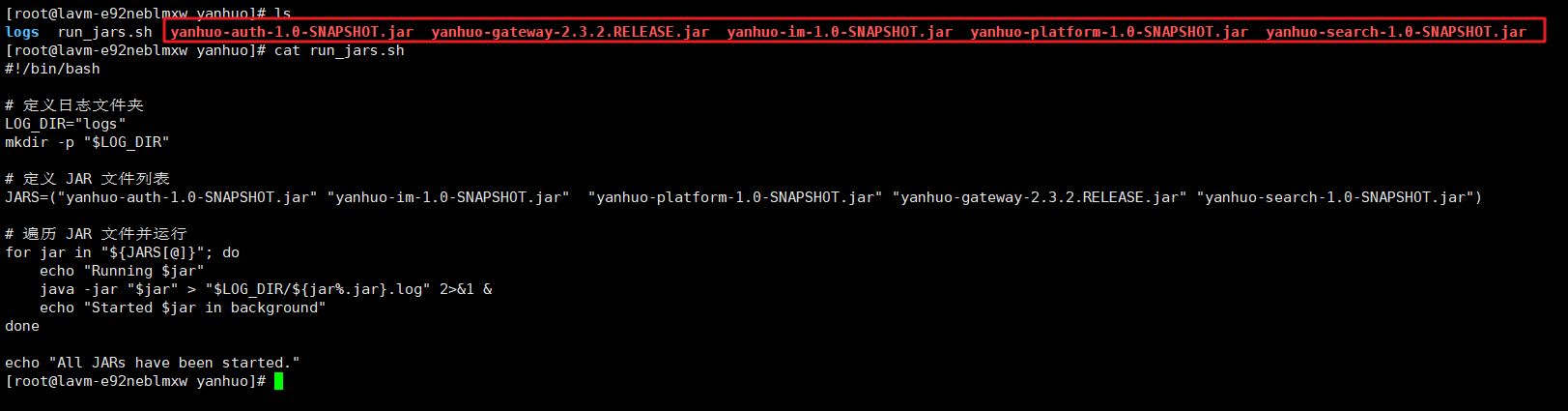
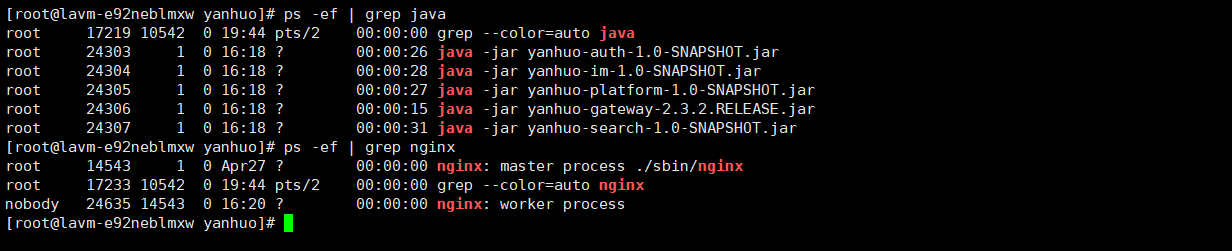
前后端都成功启动
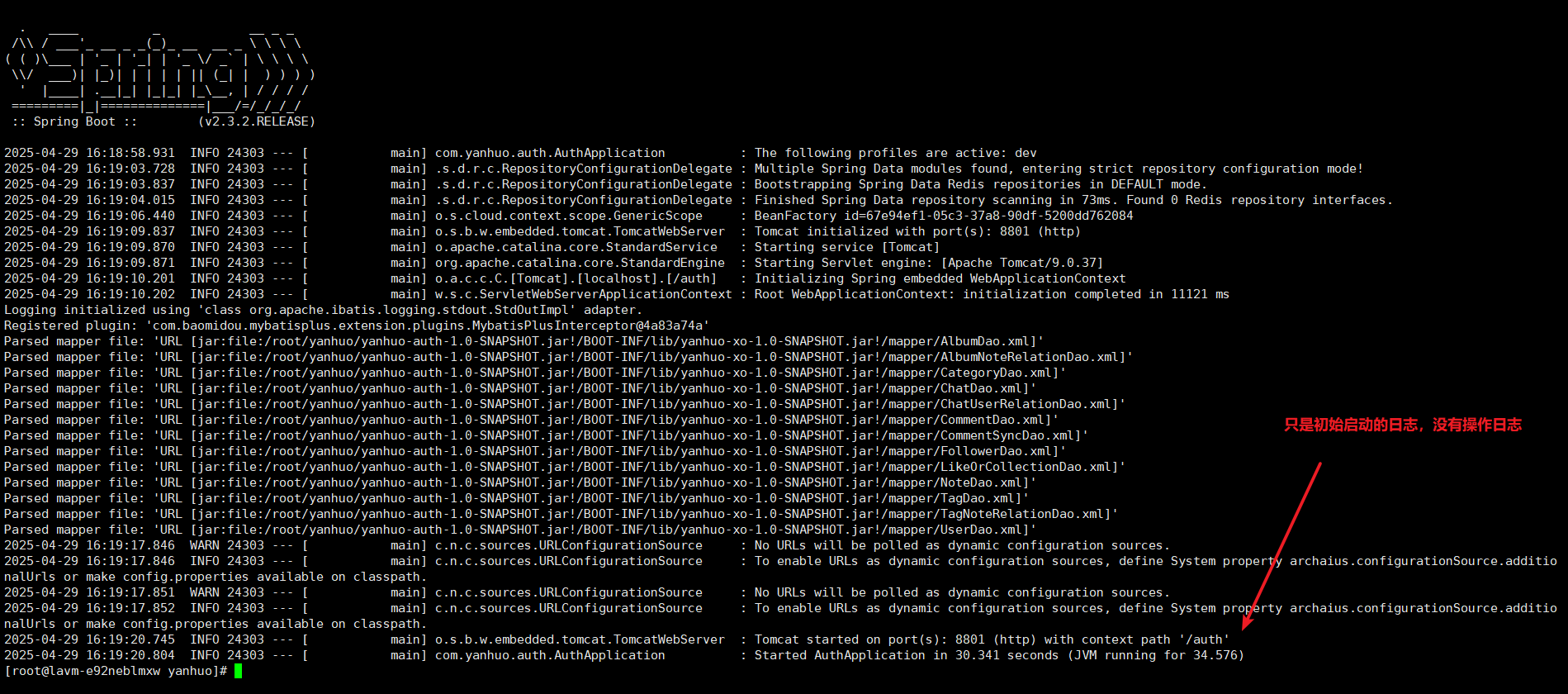
本地浏览器访问云服务器(IP),无数据,查看jar日志都还是在启动位置
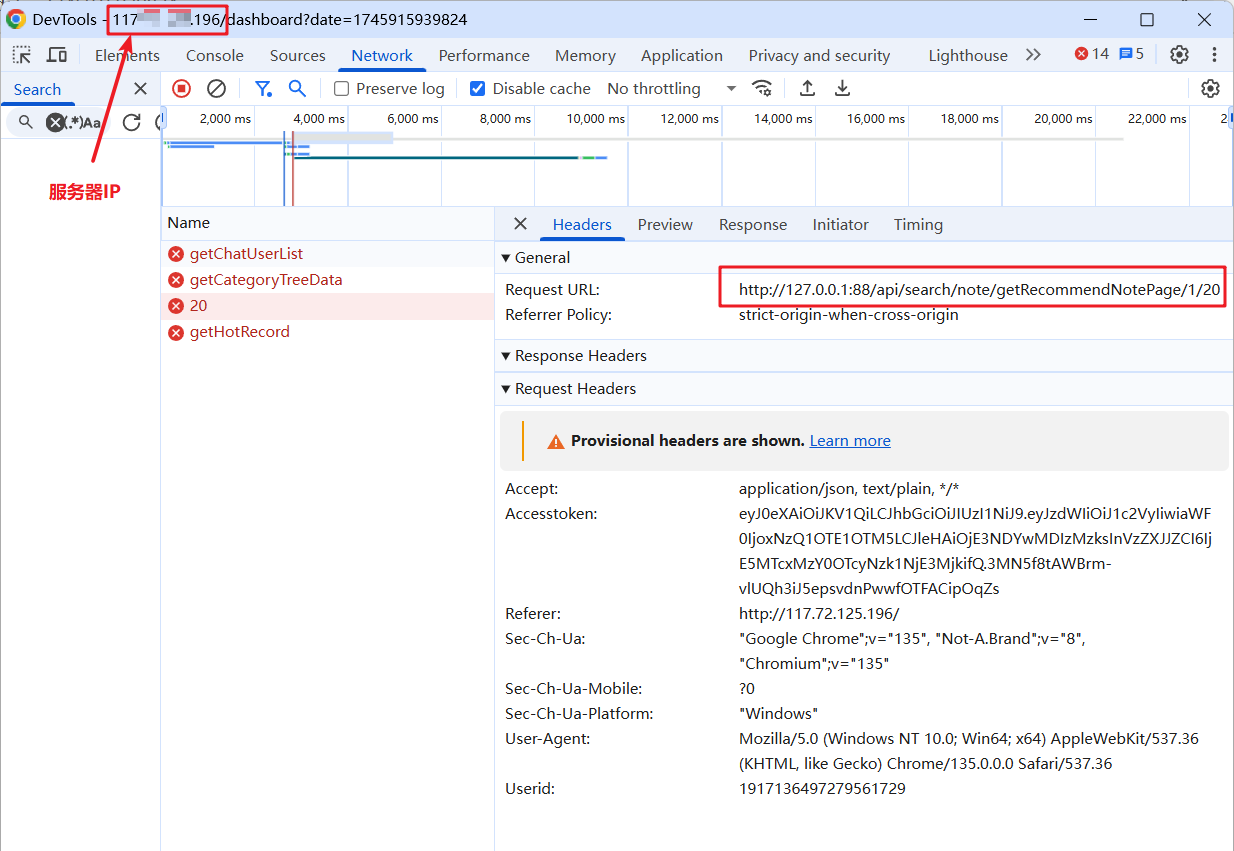
用本地idea启动Java程序,访问云服务器(IP)后有数据,进行操作后影响的是本地数据库,而不是云服务器数据库