阿里嘎多学长整理AIGC生成,因移动端显示问题导致当前答案未能完全显示,请使用PC端查看更加详细的解答过程
WinForm Chart控件实时显示数据并查找以前的数据
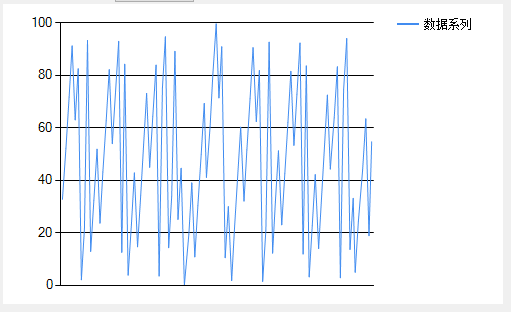
你想要实现一个实时数据显示的 Chart控件,能够实时显示最新的数据,同时也能够通过横向的拉条查看以前的数据。
可以使用 MSChart 控件来实现这个功能。下面是一个简单的示例代码:
using System;
using System.Collections.Generic;
using System.Windows.Forms;
using System.Windows.Forms.DataVisualization.Charting;

public partial class Form1 : Form
{
    private List<int> data = new List<int>();
    private int currentIndex = 0;

    public Form1()
    {
        InitializeComponent();
        chart1.ChartAreas[0].AxisX.LabelStyle.Format = "yyyy-MM-dd HH:mm:ss";
        chart1.ChartAreas[0].AxisX.Interval = 1;
        chart1.ChartAreas[0].AxisX.MajorGrid.LineWidth = 0;
        chart1.ChartAreas[0].AxisY.LabelStyle.Format = "F2";
        chart1.ChartAreas[0].AxisY.Interval = 1;
        chart1.ChartAreas[0].AxisY.MajorGrid.LineWidth = 0;
    }

    private void timer1_Tick(object sender, EventArgs e)
    {
        // 生成新的数据
        int newData = (int)(DateTime.Now - DateTime.Parse("2022-01-01 00:00:00")).TotalSeconds;
        data.Add(newData);

        // 更新 Chart 控件
        chart1.Series[0].Points.Clear();
        for (int i = 0; i < data.Count; i++)
        {
            chart1.Series[0].Points.AddXY(i, data[i]);
        }
        chart1.ChartAreas[0].AxisX.Minimum = 0;
        chart1.ChartAreas[0].AxisX.Maximum = data.Count;
        chart1.ChartAreas[0].AxisX.Interval = 1;
    }

    private void chart1_MouseMove(object sender, MouseEventArgs e)
    {
        // 获取当前鼠标位置
        int x = chart1.ChartAreas[0].AxisX.PixelPositionToValue(e.X);

        // 如果鼠标在拉条上,显示以前的数据
        if (x < 0)
        {
            currentIndex = (int)Math.Ceiling(x);
            chart1.ChartAreas[0].AxisX.Minimum = currentIndex;
            chart1.ChartAreas[0].AxisX.Maximum = currentIndex + 10;
        }
        else
        {
            currentIndex = 0;
            chart1.ChartAreas[0].AxisX.Minimum = 0;
            chart1.ChartAreas[0].AxisX.Maximum = data.Count;
        }
    }
}
在上面的代码中,我们使用 MSChart 控件来显示数据。我们使用 Timer 控件来生成新的数据,并将其添加到 data 列表中。然后,我们使用 Series 对象来更新 Chart 控件的数据。
在 chart1_MouseMove 事件处理程序中,我们获取当前鼠标位置,如果鼠标在拉条上,我们将 currentIndex 设置为当前鼠标位置,并更新 Chart 控件的数据范围。
这样,用户可以通过鼠标拖动来查看以前的数据。