有个umd导出的js文件,通过vite打包和rdbuild打包,结果不一样
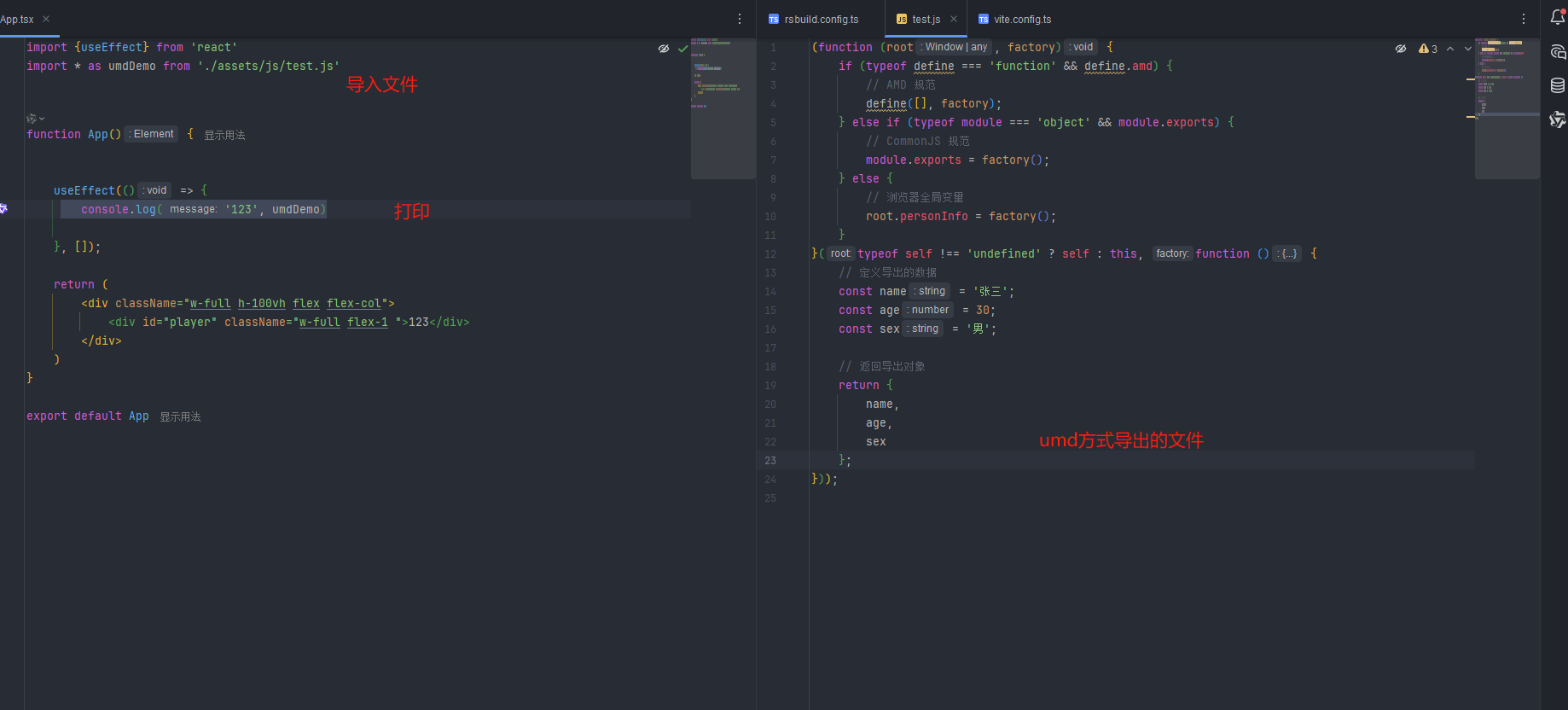
vite结果

rsbuild结果

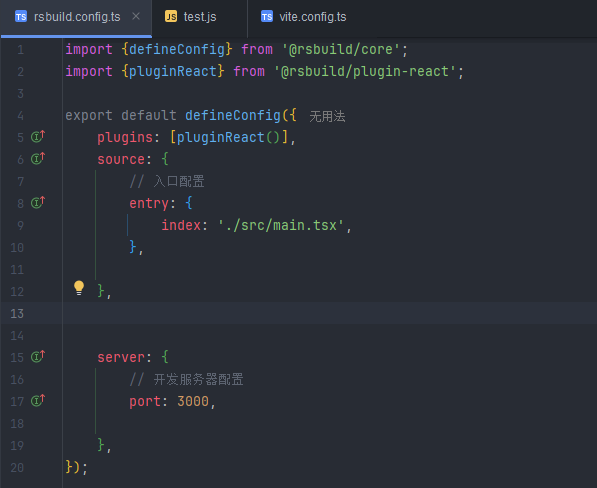
rsbuild.config.ts
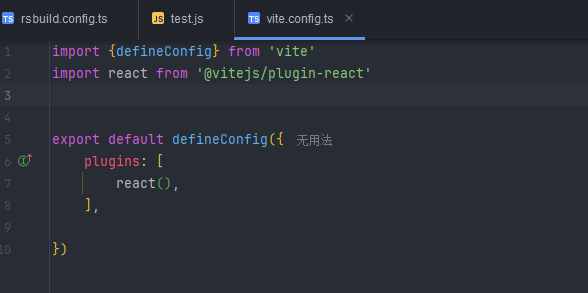
vite.config.ts

有个umd导出的js文件,通过vite打包和rdbuild打包,结果不一样
rsbuild.config.ts
 分享
分享
下午好🌅🌅🌅
本答案参考通义千问
当使用UMD(Universal Module Definition)导出的JavaScript文件时,通过不同的工具(如Vite和Rspack/Rollup)打包可能会导致不同的结果。这通常是因为这些工具对模块的处理方式、插件配置以及默认行为有所不同。
插件配置差异:
默认行为差异:
输出配置差异:
output 配置项)可能会影响最终生成的文件内容。环境变量或 polyfill:
以下是逐步排查和解决问题的步骤:
确保你的 UMD 模块是按照标准定义的。例如:
(function (global, factory) {
    typeof exports === 'object' && typeof module !== 'undefined' ? factory(exports) :
    typeof define === 'function' && define.amd ? define(['exports'], factory) :
    (factory(global.myModule = {}));
})(this, function (exports) {
    // 模块逻辑
});
vite.config.ts)import { defineConfig } from 'vite';
export default defineConfig({
build: {
target: 'esnext', // 确保目标环境一致
rollupOptions: {
output: {
globals: {
'my-external-module': 'myExternalModule', // 如果有外部依赖
},
name: 'MyUMDModule', // 确保 UMD 名称一致
},
},
},
});
rsbuild.config.ts)import { defineConfig } from 'rspack';
import { umdExternalsPlugin } from '@rspack/rollup-plugin-umd-externals';
export default defineConfig({
plugins: [
umdExternalsPlugin({
externals: ['my-external-module'],
}),
],
output: {
globals: {
'my-external-module': 'myExternalModule',
},
name: 'MyUMDModule',
},
});
确保两个工具使用的插件一致。例如,如果你需要处理某些外部依赖,可以使用 @rspack/rollup-plugin-umd-externals 或类似的插件。
确保两个工具的打包目标环境一致。例如:
target: 'esnext'
打包完成后,对比两个工具生成的文件内容,检查以下内容:
define 或 require。确保两个工具使用的依赖版本一致。例如,rollup、@rspack/core 等版本应尽量保持一致。
假设你有一个简单的 UMD 模块 example.js:
(function (global, factory) {
    typeof exports === 'object' && typeof module !== 'undefined' ? factory(exports) :
    typeof define === 'function' && define.amd ? define(['exports'], factory) :
    (factory(global.MyExampleModule = {}));
})(this, function (exports) {
    exports.hello = function () {
        return 'Hello World!';
    };
});
vite.config.ts)import { defineConfig } from 'vite';
export default defineConfig({
build: {
target: 'esnext',
rollupOptions: {
output: {
globals: {
'my-external-module': 'myExternalModule',
},
name: 'MyExampleModule',
},
},
},
});
rsbuild.config.ts)import { defineConfig } from 'rspack';
import { umdExternalsPlugin } from '@rspack/rollup-plugin-umd-externals';
export default defineConfig({
plugins: [
umdExternalsPlugin({
externals: ['my-external-module'],
}),
],
output: {
globals: {
'my-external-module': 'myExternalModule',
},
name: 'MyExampleModule',
},
});
通过以上步骤,你应该能够找到并解决 Vite 和 Rspack/Rollup 打包结果不一致的问题。如果问题仍然存在,请提供更多具体的代码和配置细节,以便进一步分析。
分享 创建了问题
5月19日
创建了问题
5月19日


