
我使用SwiftUI在macos11.7.10中写的app,想要在主界面上按下“打开游戏窗口”按钮,弹出一个新窗口,在新窗口中按下“关闭窗口”按钮,新窗口能正常关闭。但是,新窗口没有正常关闭:”关闭窗口“按钮那里有一个禁用的符号,按下系统的关窗口按钮会一直卡住。请问这是怎么回事?
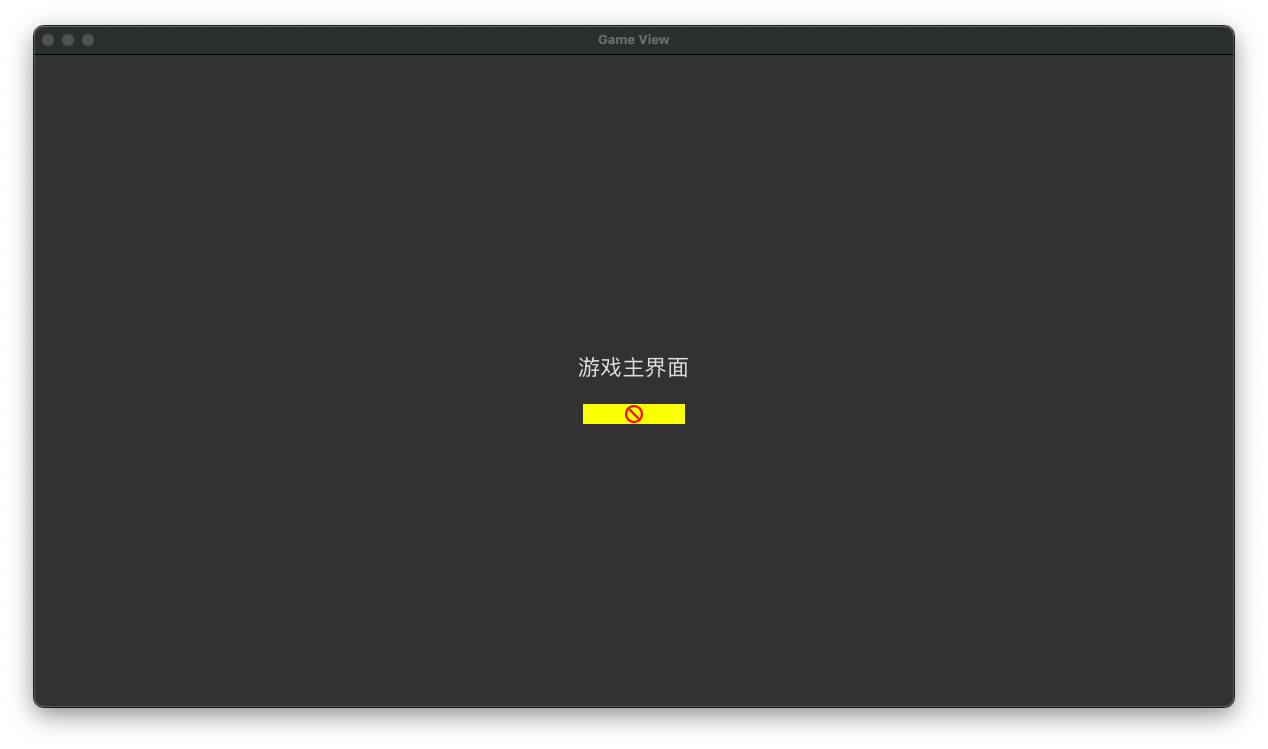
这张图片是新窗口(GameView)的现状。
build时xcode弹出了这样的警报
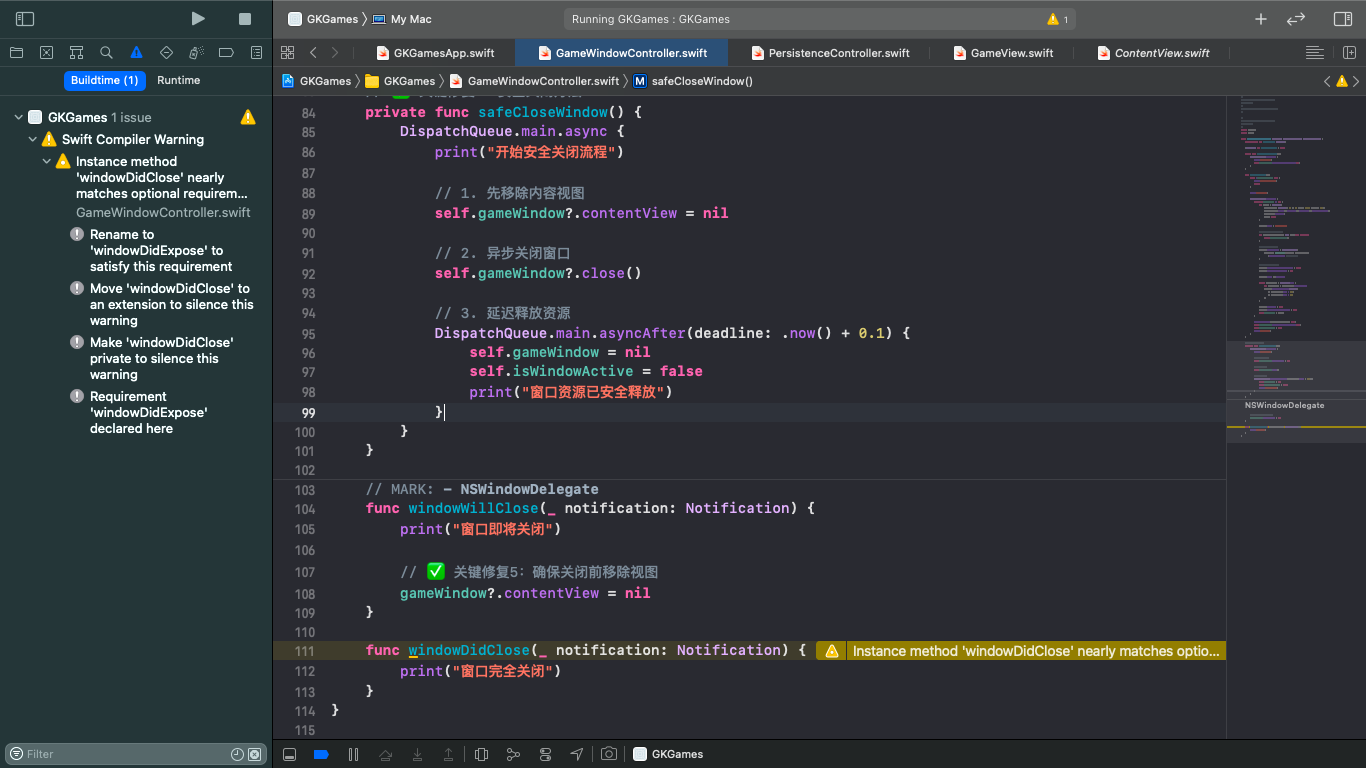
这是控制台
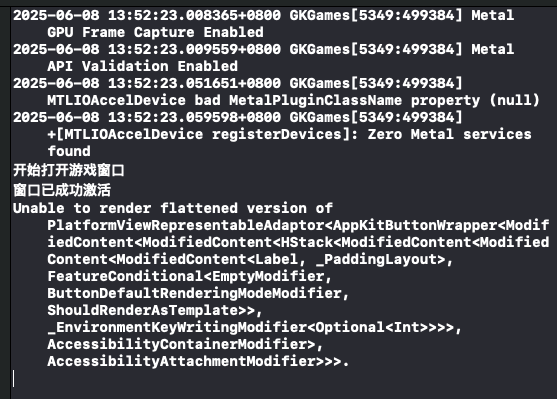
以下是我的程序。
// GKGamesApp.swift
import SwiftUI
import Metal

@main
struct GKGames: App {
    @StateObject private var windowController = GameWindowController()

    init() {
        // ✅ 强制使用软件渲染
        UserDefaults.standard.set(true, forKey: "NSForceSoftwareRendering")
        UserDefaults.standard.set(false, forKey: "NSUseGPU")

        // ✅ 禁用 Metal 调试
        UserDefaults.standard.set(false, forKey: "MTL_DEBUG_LAYER")
        UserDefaults.standard.set(false, forKey: "MTL_SHADER_VALIDATION")
        UserDefaults.standard.set(false, forKey: "MTL_ENABLE_API_VALIDATION")

        // ✅ 检查设备兼容性
        if MTLCreateSystemDefaultDevice() == nil {
            print("⚠️ 设备不支持 Metal,已强制启用软件渲染")
        }
    }

    var body: some Scene {
        WindowGroup {
            ContentView()
                .environmentObject(windowController)
        }
    }
}
import SwiftUI

struct ContentView: View {
    @EnvironmentObject private var windowController: GameWindowController
    @State private var isButtonDisabled = false

    var body: some View {
        VStack {
            Button("打开游戏窗口") {
                // 防止重复点击
                guard !isButtonDisabled else { return }

                isButtonDisabled = true
                windowController.showGameWindow()

                // 5秒后重置按钮状态
                DispatchQueue.main.asyncAfter(deadline: .now() + 5) {
                    self.isButtonDisabled = false
                }
            }
            .padding()
            .background(isButtonDisabled ? Color.gray : Color.blue)
            .foregroundColor(.white)
            .cornerRadius(8)
            .disabled(isButtonDisabled)

            // 显示窗口状态
            Text(isButtonDisabled ? "正在初始化窗口..." : "点击按钮打开游戏")
                .font(.caption)
                .foregroundColor(.secondary)

            // ✅ 添加调试信息
            Text("窗口状态: \(windowController.isWindowActive ? "已激活" : "未激活")")
                .font(.caption)
                .foregroundColor(.secondary)
                .padding(.top, 10)
        }
        .frame(width: 300, height: 200)
    }
}
// GameView.swift
import SwiftUI

struct GameView: View {
    let onClose: () -> Void

    var body: some View {
        // ✅ 使用纯 SwiftUI 组件(避免 Metal 依赖)
        VStack {
            Text("游戏主界面")
                .font(.title)
                .padding()

            Button(action: onClose) {
                Text("关闭窗口")
                    .padding()
                    .background(Color.red)
                    .foregroundColor(.white)
                    .cornerRadius(8)
            }.disabled(false)
        }
        .frame(maxWidth: .infinity, maxHeight: .infinity)
        // ✅ 使用纯色背景替代复杂渲染
        .background(Color(NSColor.windowBackgroundColor))
    }
}
import CoreData

class PersistenceController {
    static let shared = PersistenceController()  // 单例声明

    let container: NSPersistentContainer

    init() {
        container = NSPersistentContainer(name: "GKGames") // 需与实际模型文件名一致
        container.loadPersistentStores { _, error in
            if let error = error {
                fatalError("CoreData初始化失败: \(error)")
            }
        }
    }
}
import SwiftUI
import AppKit

class GameWindowController: NSObject, ObservableObject, NSWindowDelegate {
    private weak var gameWindow: NSWindow?

    @Published var isWindowActive = false

    public func activateGameWindow() {
        DispatchQueue.main.async {
            print("尝试激活游戏窗口")
            self.gameWindow?.makeKeyAndOrderFront(nil)
        }
    }

    func showGameWindow() {
        guard !isWindowActive else {
            print("窗口已激活,无需重复创建")
            return
        }

        print("开始打开游戏窗口")

        DispatchQueue.main.async {
            if self.gameWindow == nil {
                let window = NSWindow(
                    contentRect: NSRect(x: 0, y: 0, width: 1200, height: 800),
                    styleMask: [.titled, .closable, .resizable, .miniaturizable],
                    backing: .buffered,
                    defer: false
                )

                window.title = "Game View"

                // ✅ 关键修复1:使用安全的关闭处理器
                let closeHandler: () -> Void = { [weak self] in
                    self?.safeCloseWindow()
                }

                // ✅ 关键修复2:强制软件渲染
                window.contentView = NSHostingView(
                    rootView: GameView(onClose: closeHandler)
                        .drawingGroup() // 强制使用软件渲染
                )

                // ✅ 关键修复3:禁用硬件加速层
                window.contentView?.wantsLayer = false
                window.contentView?.layer = nil

                window.level = .floating

                if let mainScreen = NSScreen.main {
                    let screenRect = mainScreen.visibleFrame
                    window.setFrameOrigin(NSPoint(
                        x: screenRect.midX - 600,
                        y: screenRect.midY - 400
                    ))
                }

                window.delegate = self
                window.isReleasedWhenClosed = true
                self.gameWindow = window
            }

            NSApp.activate(ignoringOtherApps: true)
            self.gameWindow?.makeKeyAndOrderFront(self)
            self.isWindowActive = true
            print("窗口已成功激活")
        }
    }

    // ✅ 关键修复4:安全关闭方法
    private func safeCloseWindow() {
        DispatchQueue.main.async {
            print("开始安全关闭流程")

            // 1. 先移除内容视图
            self.gameWindow?.contentView = nil

            // 2. 异步关闭窗口
            self.gameWindow?.close()

            // 3. 延迟释放资源
            DispatchQueue.main.asyncAfter(deadline: .now() + 0.1) {
                self.gameWindow = nil
                self.isWindowActive = false
                print("窗口资源已安全释放")
            }
        }
    }

    // MARK: - NSWindowDelegate
    func windowWillClose(_ notification: Notification) {
        print("窗口即将关闭")

        // ✅ 关键修复5:确保关闭前移除视图
        gameWindow?.contentView = nil
    }

    func windowDidClose(_ notification: Notification) {
        print("窗口完全关闭")
    }
}


