
我用的ssh远程连接,他显示可以连接到主机
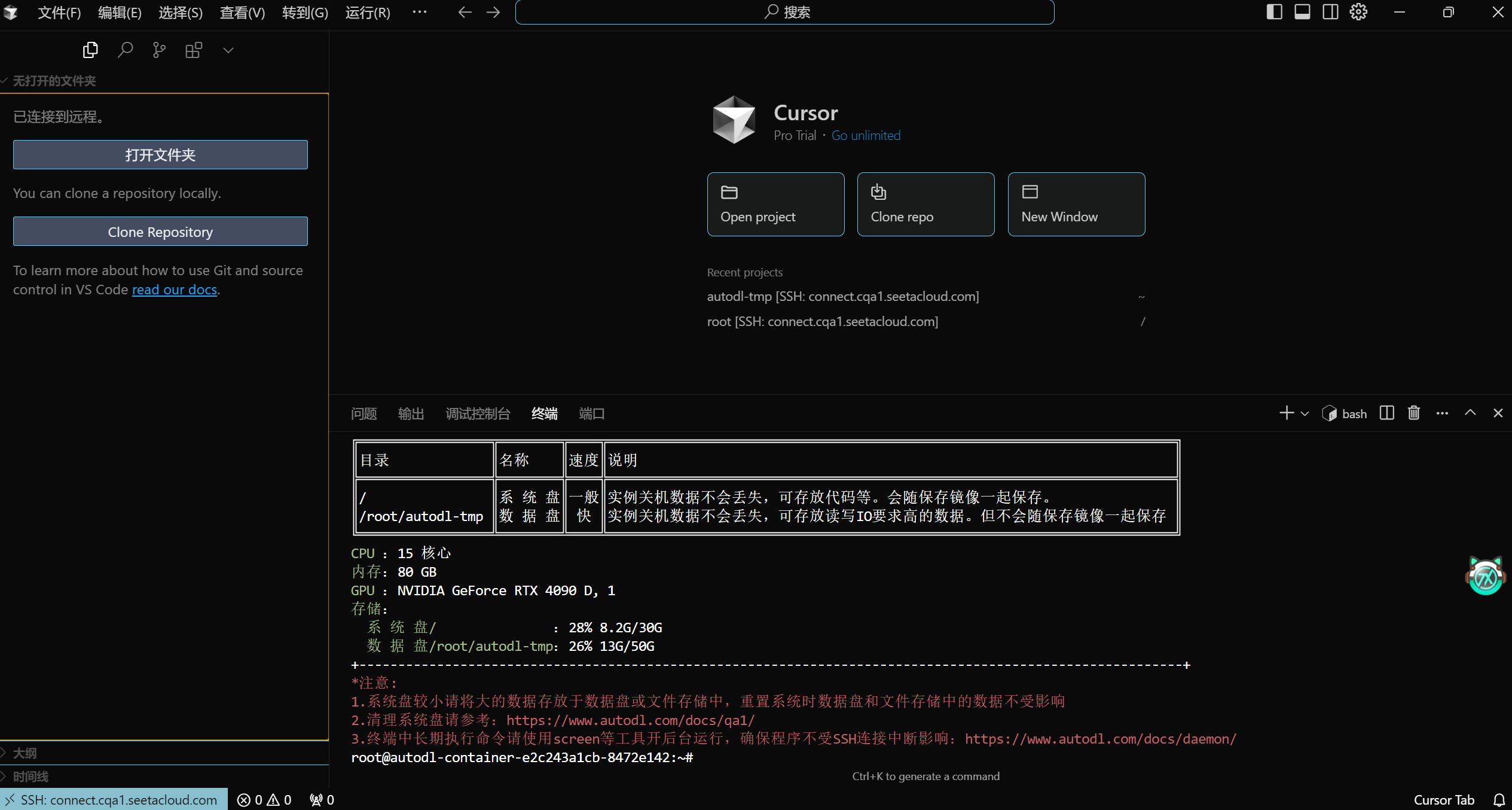
但是进不去文件夹,一进去就会报错
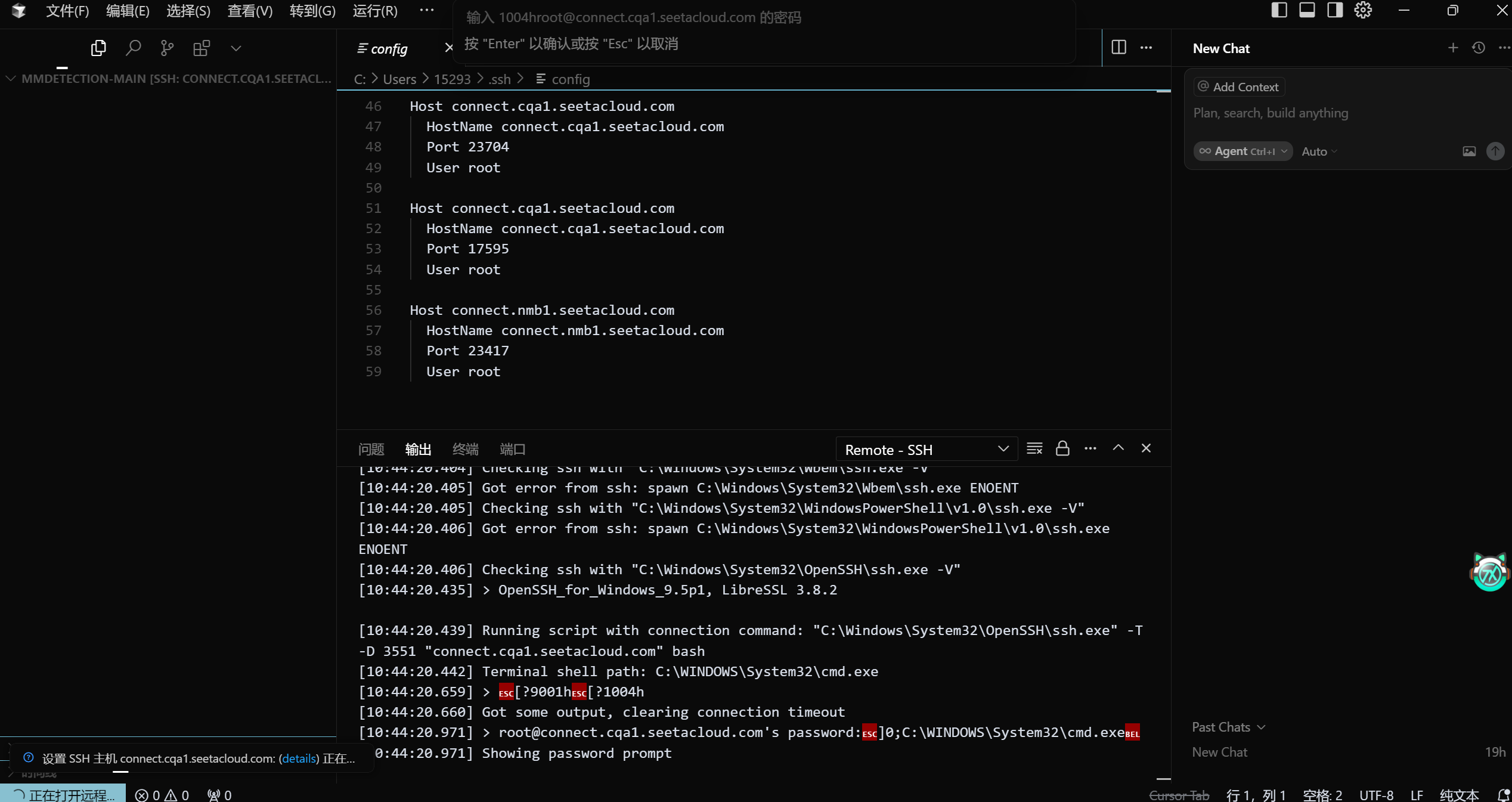
这是报错内容:
[11:26:43.524] Log Level: 2
[11:26:43.540] SSH Resolver called for "ssh-remote+connect.cqa1.seetacloud.com", attempt 1
[11:26:43.541] "remote.SSH.useLocalServer": false
[11:26:43.541] "remote.SSH.useExecServer": true
[11:26:43.541] "remote.SSH.showLoginTerminal": false
[11:26:43.541] "remote.SSH.remotePlatform": {"connect.cqa1.seetacloud.com":"linux"}
[11:26:43.541] "remote.SSH.path": undefined
[11:26:43.541] "remote.SSH.configFile": undefined
[11:26:43.541] "remote.SSH.useFlock": true
[11:26:43.541] "remote.SSH.lockfilesInTmp": false
[11:26:43.541] "remote.SSH.localServerDownload": auto
[11:26:43.541] "remote.SSH.remoteServerListenOnSocket": false
[11:26:43.541] "remote.SSH.showLoginTerminal": false
[11:26:43.541] "remote.SSH.defaultExtensions": []
[11:26:43.541] "remote.SSH.loglevel": 2
[11:26:43.541] "remote.SSH.enableDynamicForwarding": true
[11:26:43.541] "remote.SSH.enableRemoteCommand": false
[11:26:43.541] "remote.SSH.serverPickPortsFromRange": {}
[11:26:43.542] "remote.SSH.serverInstallPath": {}
[11:26:43.542] "remote.SSH.permitPtyAllocation": false
[11:26:43.542] "remote.SSH.preferredLocalPortRange: undefined
[11:26:43.542] "remote.SSH.useCurlAndWgetConfigurationFiles: false
[11:26:43.547] VS Code version: 1.0.0
[11:26:43.547] Remote-SSH version: remote-ssh@0.113.1
[11:26:43.547] win32 x64
[11:26:43.550] SSH Resolver called for host: connect.cqa1.seetacloud.com
[11:26:43.550] Setting up SSH remote "connect.cqa1.seetacloud.com"
[11:26:43.553] Using commit id "53b99ce608cba35127ae3a050c1738a959750860" and quality "stable" for server
[11:26:43.555] Install and start server if needed
[11:26:43.557] Checking ssh with "f:\cursor\cursor\resources\app\bin\ssh.exe -V"
[11:26:43.559] Got error from ssh: spawn f:\cursor\cursor\resources\app\bin\ssh.exe ENOENT
[11:26:43.559] Checking ssh with "C:\Program Files\NVIDIA GPU Computing Toolkit\CUDA\v12.1\bin\ssh.exe -V"
[11:26:43.560] Got error from ssh: spawn C:\Program Files\NVIDIA GPU Computing Toolkit\CUDA\v12.1\bin\ssh.exe ENOENT
[11:26:43.560] Checking ssh with "C:\Program Files\NVIDIA GPU Computing Toolkit\CUDA\v12.1\libnvvp\ssh.exe -V"
[11:26:43.561] Got error from ssh: spawn C:\Program Files\NVIDIA GPU Computing Toolkit\CUDA\v12.1\libnvvp\ssh.exe ENOENT
[11:26:43.561] Checking ssh with "C:\Program Files (x86)\Common Files\MVS\Runtime\Win32_i86\ssh.exe -V"
[11:26:43.561] Got error from ssh: spawn C:\Program Files (x86)\Common Files\MVS\Runtime\Win32_i86\ssh.exe ENOENT
[11:26:43.562] Checking ssh with "C:\Program Files (x86)\Common Files\MVS\Runtime\Win64_x64\ssh.exe -V"
[11:26:43.562] Got error from ssh: spawn C:\Program Files (x86)\Common Files\MVS\Runtime\Win64_x64\ssh.exe ENOENT
[11:26:43.562] Checking ssh with "D:\Software\VMeare\bin\ssh.exe -V"
[11:26:43.563] Got error from ssh: spawn D:\Software\VMeare\bin\ssh.exe ENOENT
[11:26:43.563] Checking ssh with "C:\Windows\system32\ssh.exe -V"
[11:26:43.564] Got error from ssh: spawn C:\Windows\system32\ssh.exe ENOENT
[11:26:43.564] Checking ssh with "C:\Windows\ssh.exe -V"
[11:26:43.565] Got error from ssh: spawn C:\Windows\ssh.exe ENOENT
[11:26:43.565] Checking ssh with "C:\Windows\System32\Wbem\ssh.exe -V"
[11:26:43.566] Got error from ssh: spawn C:\Windows\System32\Wbem\ssh.exe ENOENT
[11:26:43.566] Checking ssh with "C:\Windows\System32\WindowsPowerShell\v1.0\ssh.exe -V"
[11:26:43.566] Got error from ssh: spawn C:\Windows\System32\WindowsPowerShell\v1.0\ssh.exe ENOENT
[11:26:43.566] Checking ssh with "C:\Windows\System32\OpenSSH\ssh.exe -V"
[11:26:43.596] > OpenSSH_for_Windows_9.5p1, LibreSSL 3.8.2

[11:26:43.600] Running script with connection command: "C:\Windows\System32\OpenSSH\ssh.exe" -T -D 13789 "connect.cqa1.seetacloud.com" bash
[11:26:43.604] Terminal shell path: C:\WINDOWS\System32\cmd.exe
[11:26:43.814] > [?9001h[?1004h
[11:26:43.814] Got some output, clearing connection timeout
[11:26:44.121] > root@connect.cqa1.seetacloud.com's password:]0;C:\WINDOWS\System32\cmd.exe
[11:26:44.122] Showing password prompt
现在有个问题是,我在终端里是可以运行代码的,就是我能通过终端进入文件夹内,并且python train.py是可以用的,但是就是点击右边“打开文件夹”会报错,但是vscode可以远程打开我的autodl文件夹


