#include "stdafx.h"
#include "matplotlibcpp.h"
namespace plt = matplotlibcpp;
int main()
{
    plt::plot({ 1,2,3,4,5 });
    plt::show();
    return 0;
}
vs工程中运行到plt::plot({ 1,2,3,4,5 });程序就退出了,且没有报错,请问什么原因

#include "stdafx.h"
#include "matplotlibcpp.h"
namespace plt = matplotlibcpp;
int main()
{
plt::plot({ 1,2,3,4,5 });
plt::show();
return 0;
}
vs工程中运行到plt::plot({ 1,2,3,4,5 });程序就退出了,且没有报错,请问什么原因
 分享
分享
 关注
关注让【宝码香车】来帮你解答,本回答参考DeepSeek编写,并整理提供。
如果还有疑问可以点击头像关注私信或评论。如果答案让您满意,请采纳、点赞、关注,非常感谢!
在C++中使用matplotlib-cpp时遇到程序无声退出的问题,通常有以下几种可能原因和解决方案:
matplotlib-cpp需要正确配置Python环境,请检查:
# 检查Python和matplotlib是否安装
python -m pip list | grep matplotlib
在VS项目中需要正确配置Python头文件和库路径:
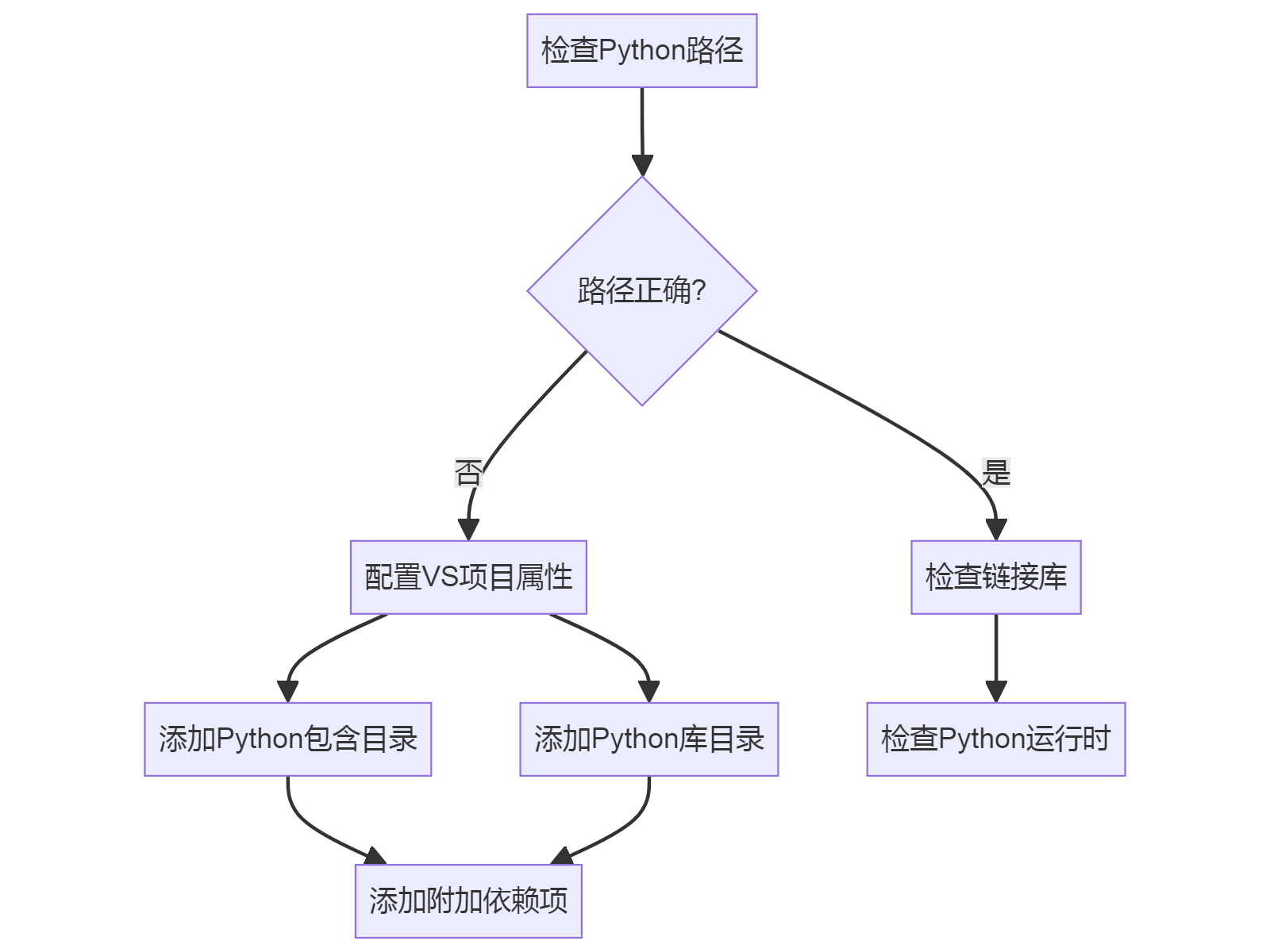
在项目属性中:
pythonXX.lib(如python38.lib)#include <iostream>
#include "matplotlibcpp.h"
namespace plt = matplotlibcpp;
int main() {
try {
plt::plot({1,2,3,4,5});
plt::show();
} catch (const std::exception& e) {
std::cerr << "Error: " << e.what() << std::endl;
return 1;
}
return 0;
}
有些环境需要显式初始化Python解释器:
#include <Python.h>
#include "matplotlibcpp.h"


int main() {
    Py_Initialize();  // 初始化Python解释器
    plt::plot({1,2,3,4,5});
    plt::show();
    Py_Finalize();    // 清理Python解释器
    return 0;
}
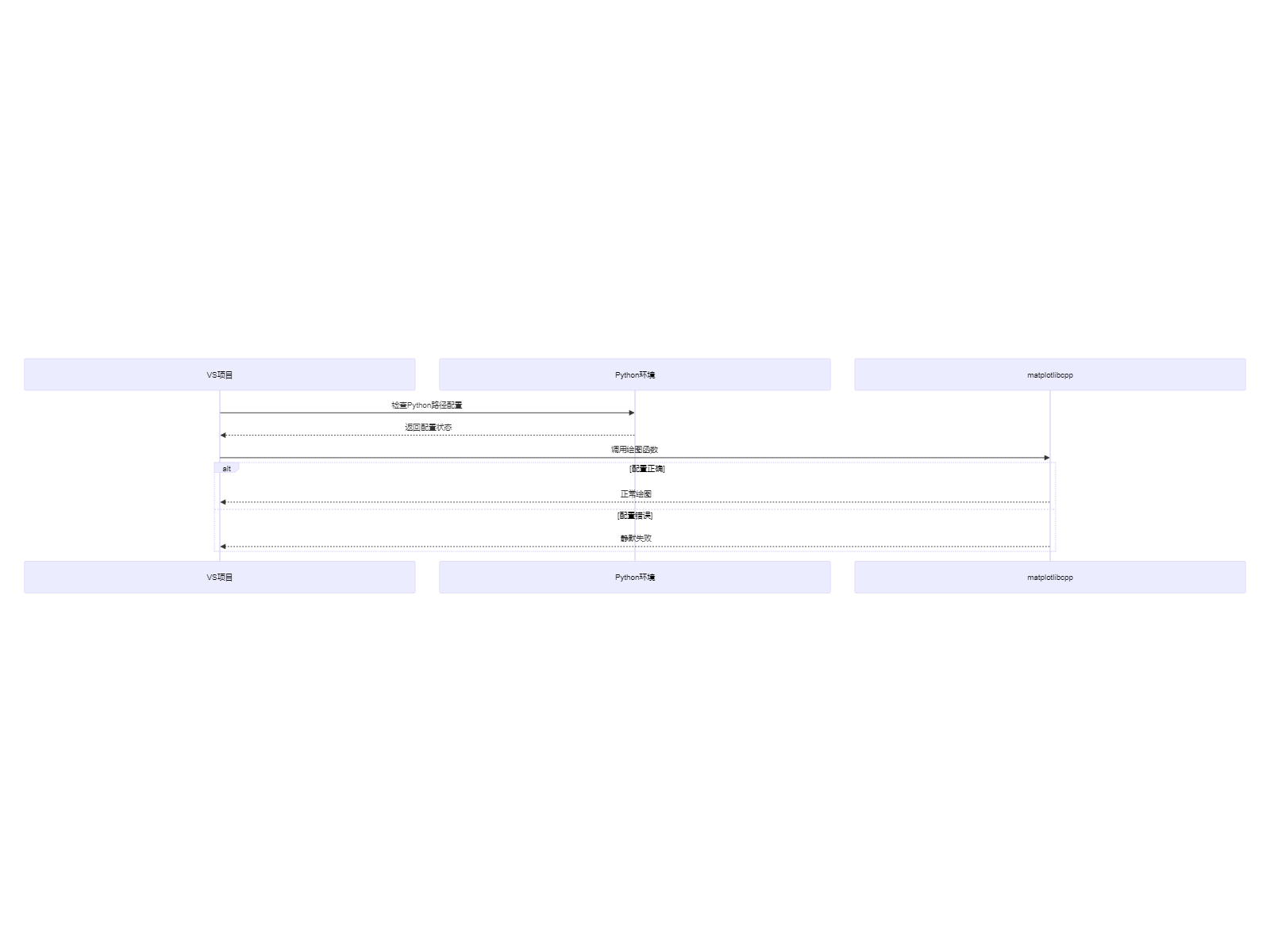
如果问题仍然存在,建议:
plt::plot()之前添加打印语句确认程序执行到该位置 分享 创建了问题
6月17日
创建了问题
6月17日


