flutter 运行项目到 ios真机失败 提示
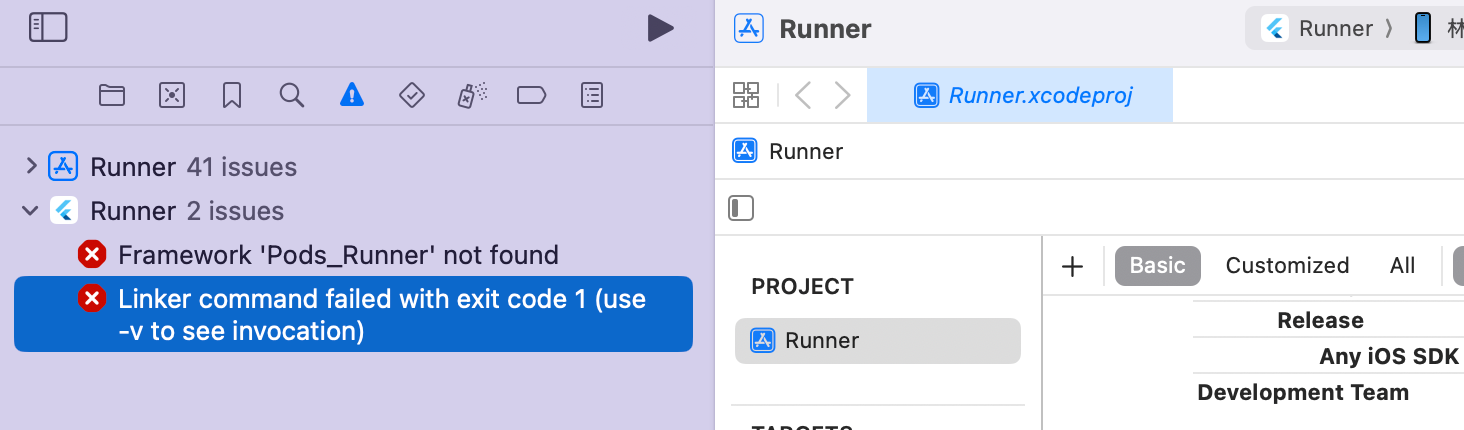
Framework 'Pods_Runner' not found
Linker command failed with exit code 1 (use -v to see invocation)
是android studio运行然后在xcode打开runner编译 第一次能编译过 但是APP打开始终都是白屏然后再次在xcode中build就提示如下报错 求解决方法

flutter 运行项目到 ios真机失败 提示
Framework 'Pods_Runner' not found
Linker command failed with exit code 1 (use -v to see invocation)
是android studio运行然后在xcode打开runner编译 第一次能编译过 但是APP打开始终都是白屏然后再次在xcode中build就提示如下报错 求解决方法
 分享
分享
阿里嘎多学长整理AIGC生成,因移动端显示问题导致当前答案未能完全显示,请使用PC端查看更加详细的解答过程
你遇到的问题是 Flutter 项目在 iOS 真机上运行失败,提示 Framework 'Pods_Runner' not found。这个问题通常是由于 Pod 依赖关系的问题引起的。
解决方法:
在 Terminal 中,输入以下命令:
cd ios
pod install
这将重新 build Pod 依赖关系。
使用以下命令检查 Pod 依赖关系:
pod repo update
pod update
这将更新 Pod 仓库和依赖关系。
如果上述方法不起作用,可以尝试删除 Pod 依赖关系,然后重新 build:
rm -rf ios/Pods
pod install
使用以下命令检查 Flutter 项目的 Pod 依赖关系:
flutter pub get
这将更新 Flutter 项目的 Pod 依赖关系。
在 Xcode 中,选择 Product > Clean Build Folder,然后重新 build 项目。
如果你仍然遇到问题,可以提供更多的日志信息和错误信息,以便更好地 debug。
分享 创建了问题
7月2日
创建了问题
7月2日

