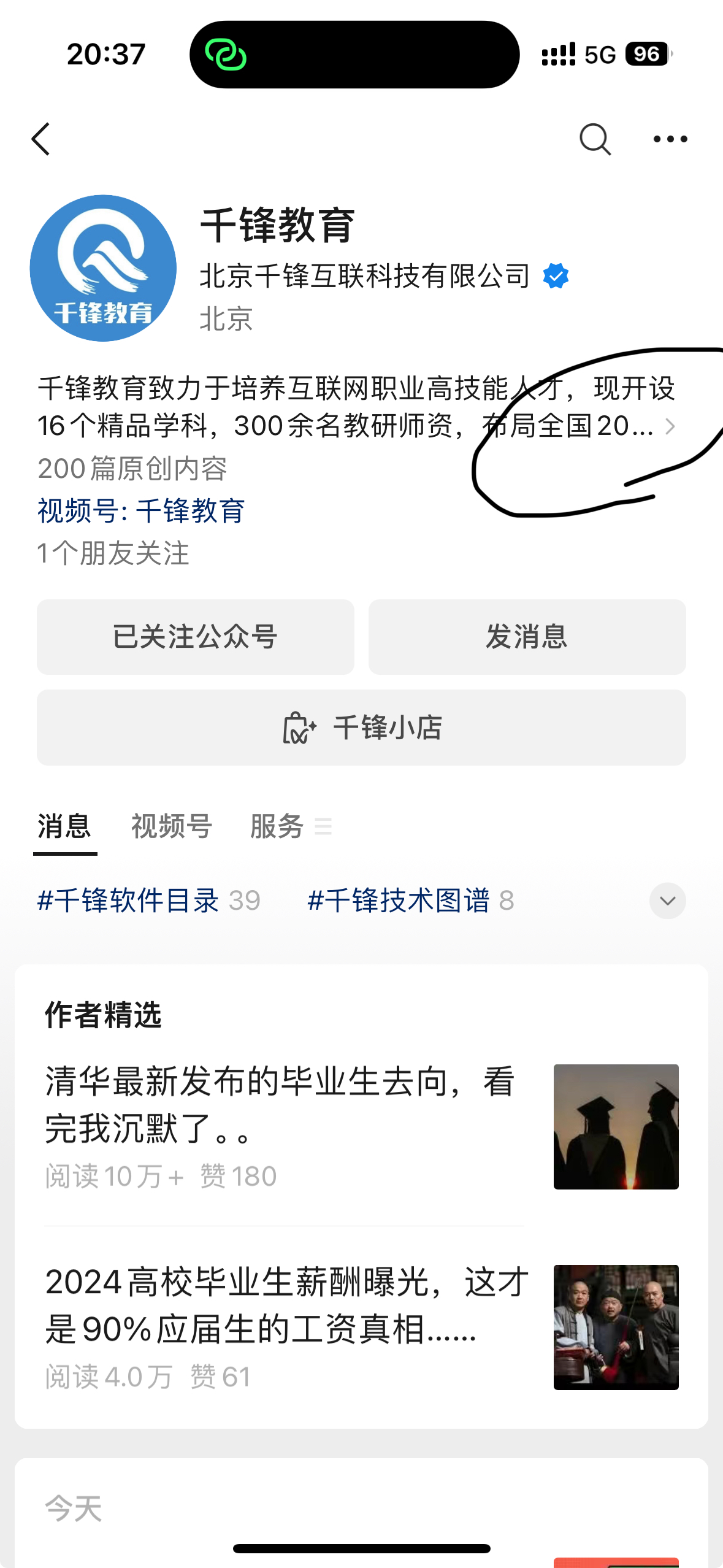
如图所示的效果,我试了用Text.rich然后TextSpan➕WidgetSpan,最终的效果是箭头图标并不会显示,求解!

 分享
分享
阿里嘎多学长整理AIGC生成,因移动端显示问题导致当前答案未能完全显示,请使用PC端查看更加详细的解答过程
Text.rich 和 TextSpan 实现文字省略号后显示箭头你可以使用 Text.rich 和 TextSpan 来实现文字省略号后显示箭头。下面是一个示例代码:
Text.rich(
  TextSpan(
    text: '这是一个很长的文字...',
    style: TextStyle(fontSize: 16),
    children: [
      TextSpan(
        text: '...',
        style: TextStyle(fontSize: 16, color: Colors.grey),
      ),
      WidgetSpan(
        child: Icon(Icons.arrow_forward_ios, size: 16, color: Colors.grey),
      ),
    ],
  ),
)
在上面的代码中,我们使用 TextSpan 将文字分割成三个部分:前面是正常的文字,中间是一个省略号,后面是一个箭头图标。我们使用 WidgetSpan 来显示箭头图标。
你可以根据自己的需求调整样式和大小。
RichText 和 TextPainter 实现文字省略号后显示箭头另一个方法是使用 RichText 和 TextPainter 来实现文字省略号后显示箭头。下面是一个示例代码:
RichText(
  text: TextSpan(
    text: '这是一个很长的文字...',
    style: TextStyle(fontSize: 16),
  ),
  overflow: TextOverflow.ellipsis,
  softWrap: false,
  textDirection: TextDirection.ltr,
  textAlign: TextAlign.start,
  maxLines: 1,
  textWidthBasis: TextWidthBasis.longestLine,
  textWidth: 200, // 设置文字宽度
  children: [
    TextSpan(
      text: '...',
      style: TextStyle(fontSize: 16, color: Colors.grey),
    ),
    WidgetSpan(
      child: Icon(Icons.arrow_forward_ios, size: 16, color: Colors.grey),
    ),
  ],
)
在上面的代码中,我们使用 RichText 将文字设置为省略号后显示箭头。我们使用 TextPainter 来设置文字宽度和溢出处理。
你可以根据自己的需求调整样式和大小。
分享 创建了问题
7月8日
创建了问题
7月8日

