0x00007FFCCD963509 (ntdll.dll) (cls-jdk-windows.exe 中)处有未经处理的异常: 0xC0000374: A heap has been corrupted (参数: 0x00007FFCCD9D0820)。
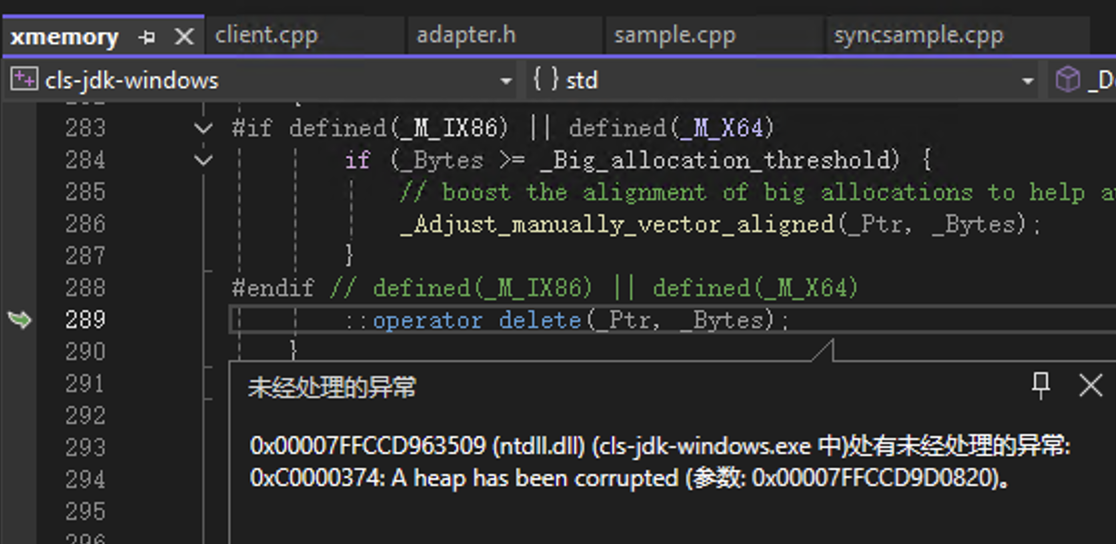

0x00007FFCCD963509 (ntdll.dll) (cls-jdk-windows.exe 中)处有未经处理的异常: 0xC0000374: A heap has been corrupted (参数: 0x00007FFCCD9D0820)。
 分享
分享
晚上好🌙🌙🌙
本答案参考通义千问
这个错误信息 0xC0000374: A heap has been corrupted 表示程序在运行过程中遇到了堆内存损坏的问题。这通常发生在程序试图访问或修改了已经释放的内存,或者写入了超出分配范围的内存区域。
strcpy 或 memcpy 时没有检查长度。free() 或 delete 多次。ntdll.dll)中的问题也可能引发此类异常。启用调试器并捕获异常
检查内存分配与释放逻辑
malloc/new 都有对应的 free/delete。使用内存检测工具
_CrtDumpMemoryLeaks())可用于检测内存泄漏。检查字符串操作函数
strcpy, sprintf,改用更安全的版本如 strcpy_s, snprintf。更新依赖库
cls-jdk-windows.exe)引起的,尝试更新到最新版本。ntdll.dll)冲突。简化测试环境
假设你正在使用 C++ 并遇到堆损坏问题,以下是一个常见错误及修复方法:
char* str = new char[10];
strcpy(str, "This is a long string that exceeds the buffer size");
// 此处可能触发堆损坏
const char* input = "This is a long string that exceeds the buffer size";
char* str = new char[strlen(input) + 1]; // 确保缓冲区足够大
strcpy_s(str, strlen(input) + 1, input); // 使用安全的 strcpy_s
注意:
strcpy_s是 C11 标准中推荐的安全版本,适用于 Windows 和支持 C11 的编译器。
std::unique_ptr 或 std::shared_ptr) 来管理动态内存,避免手动 delete。如果你能提供具体的代码片段或项目结构,我可以进一步帮助你定位问题所在。
分享 创建了问题
7月19日
创建了问题
7月19日

