
我在 vue3 项目用类的方式写组件,其中使用装饰器。现在启动项目有报错,请问怎么解决?
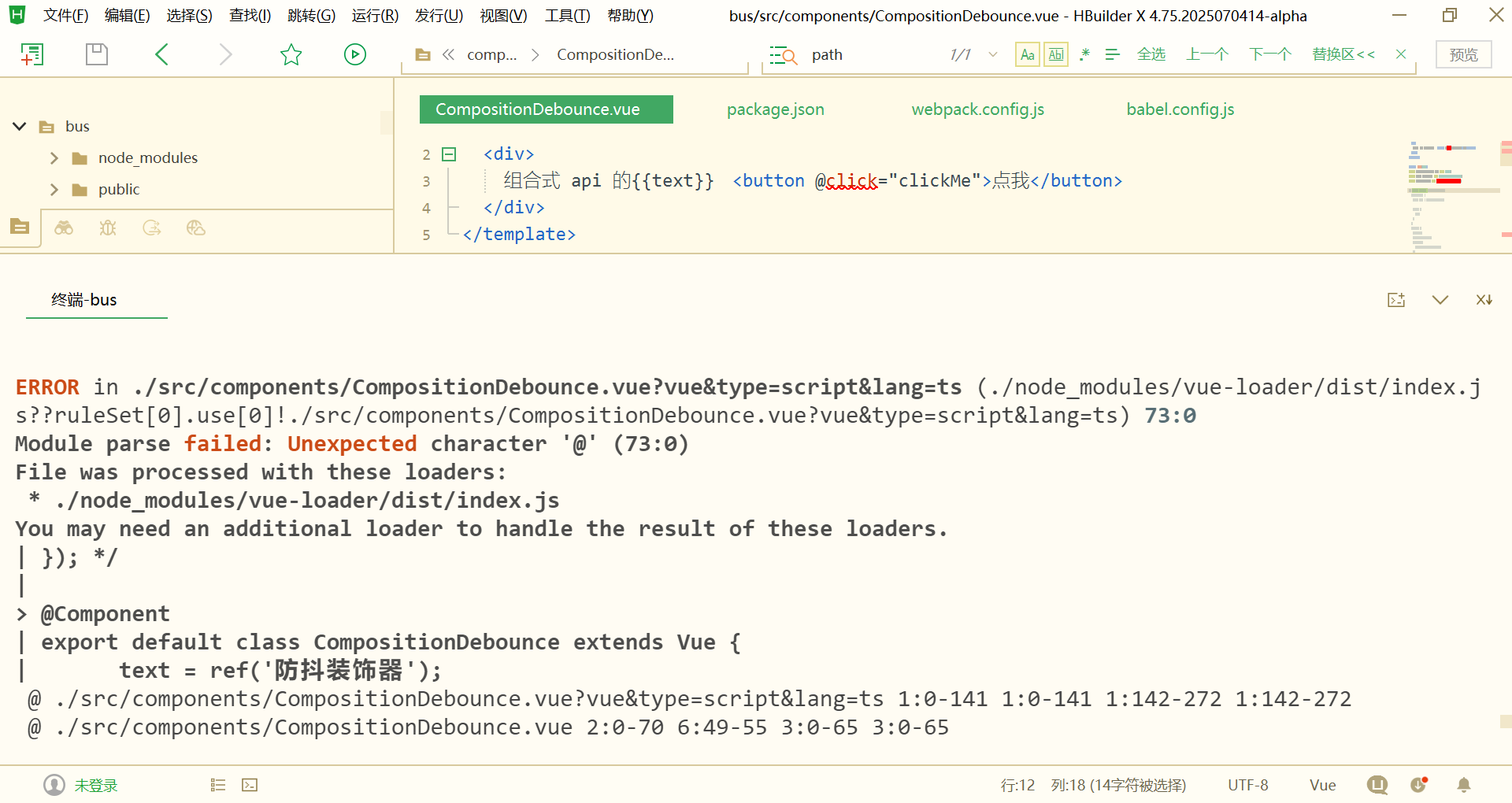
CompositionDebounce.vue 的脚本代码如下:
<script lang="ts">
import {defineComponent, ref} from 'vue';
import {Vue, Component} from 'vue-facing-decorator';
import {debounceDeco} from '../decorator/index.js';

@Component
export default class CompositionDebounce extends Vue {
    text = ref('防抖装饰器');

    //点击按钮
    @debounceDeco(500)
    clickMe(){
        console.log('点击按钮了');
    }
}
</script>
我查了资料,对项目进行了修改,新安装了一些模块,主要涉及的模块如下:
package.json:
{
    "dependencies": {
        "path": "^0.12.7",
         "vue": "^3.2.13",
        "vue-facing-decorator": "^4.0.1",
      },
"devDependencies": {
    "ts-loader": "^9.5.4",
    "typescript": "^5.9.2",
    "vue-loader": "^17.4.2",
    "webpack": "^5.101.3",
    "webpack-cli": "^6.0.1"
    "@babel/plugin-proposal-class-properties": "^7.18.6",
    "@babel/plugin-proposal-decorators": "^7.28.0",
  }
}
也修改了项目的配置文件:
tsconfig.json:
{
    "extends": "@tsconfig/recommended/tsconfig.json",
  "compilerOptions": {
    "allowImportingTsExtensions": true,
        "experimentalDecorators": true,
        "emitDecoratorMetadata": true,
        "outDir": "./dist"
  }
}
webpack.config.js:
module.exports = {
  module: {
    rules: [
      {
        test: /\.vue$/,
        loader: 'vue-loader'
      },
      {
        test: /\.ts$/,
        loader: 'ts-loader',
        exclude: /node_modules/,
        options: {
          appendTsSuffixTo: [/\.vue$/]
        }
      }
    ]
  },
};
babel.config.js:
module.exports = {
  presets: [
    '@vue/cli-plugin-babel/preset'
  ],
  plugins: [
    ["@babel/plugin-proposal-decorators", { "legacy": true }],
    ["@babel/plugin-proposal-class-properties", { "loose": true }]
  ],
}


