更新Ubuntu的时候显示“无法解析更新服务器。请检查您的 Internet 设置或联系您的系统管理员”,怎么处理
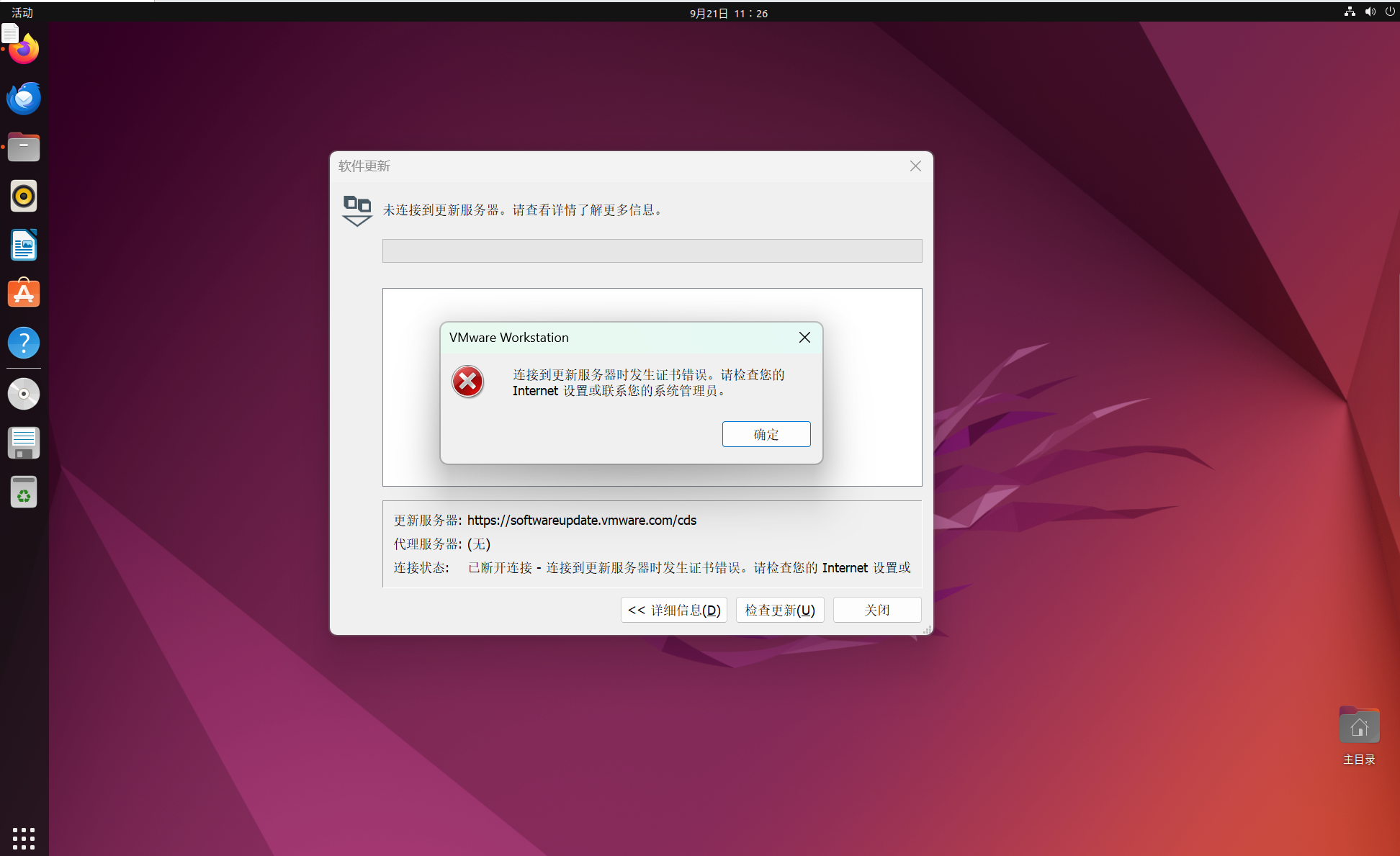
试过https://blog.csdn.net/qq_45196785/article/details/146966596这个方法,但是在“将文件拖入虚拟机,双击安装”的时候出问题,不知道怎么安装,希望得到各位的帮助

更新Ubuntu的时候显示“无法解析更新服务器。请检查您的 Internet 设置或联系您的系统管理员”,怎么处理
试过https://blog.csdn.net/qq_45196785/article/details/146966596这个方法,但是在“将文件拖入虚拟机,双击安装”的时候出问题,不知道怎么安装,希望得到各位的帮助
 分享
分享
 关注
关注让 “紫雾凌寒” 来帮你回答,本回答结合 DeepSeek
如果还有问题,请评论或点击头像私信,如果有帮助到您, 请关注、采纳、点赞
ping www.baidu.com来测试网络连通性。如果无法ping通,检查网络接口是否正常工作,例如有线网卡或无线网卡。/etc/netplan/*.yaml(具体文件名根据实际情况)。例如,如果是默认的配置文件,可能内容如下:network:
version: 2
renderer: networkd
ethernets:
enp0s3:
dhcp4: true
optional: true
- 你可以添加或修改DNS服务器设置。例如,添加谷歌的公共DNS服务器8.8.8.8和8.8.4.4:
network:
  version: 2
  renderer: networkd
  ethernets:
    enp0s3:
      dhcp4: true
      optional: true
nameservers:
addresses: [8.8.8.8, 8.8.4.4]
- 保存文件后,应用配置:`sudo netplan apply`
sudo ufw allow from any to any port 80,443 proto tcp/etc/apt/sources.list。deb http://mirrors.aliyun.com/ubuntu/ focal main restricted universe multiverse
deb http://mirrors.aliyun.com/ubuntu/ focal-security main restricted universe multiverse
deb http://mirrors.aliyun.com/ubuntu/ focal-updates main restricted universe multiverse
deb http://mirrors.aliyun.com/ubuntu/ focal-proposed main restricted universe multiverse
deb http://mirrors.aliyun.com/ubuntu/ focal-backports main restricted universe multiverse
deb-src http://mirrors.aliyun.com/ubuntu/ focal main restricted universe multiverse
deb-src http://mirrors.aliyun.com/ubuntu/ focal-security main restricted universe multiverse
deb-src http://mirrors.aliyun.com/ubuntu/ focal-updates main restricted universe multiverse
deb-src http://mirrors.aliyun.com/ubuntu/ focal-proposed main restricted universe multiverse
deb-src http://mirrors.aliyun.com/ubuntu/ focal-backports main restricted universe multiverse
- 保存文件后,运行`sudo apt update`来更新软件源列表。
希望以上解答对您有所帮助。如果您有任何疑问,欢迎在评论区提出。
分享 修改了问题
9月21日
创建了问题
9月21日
修改了问题
9月21日
创建了问题
9月21日


